
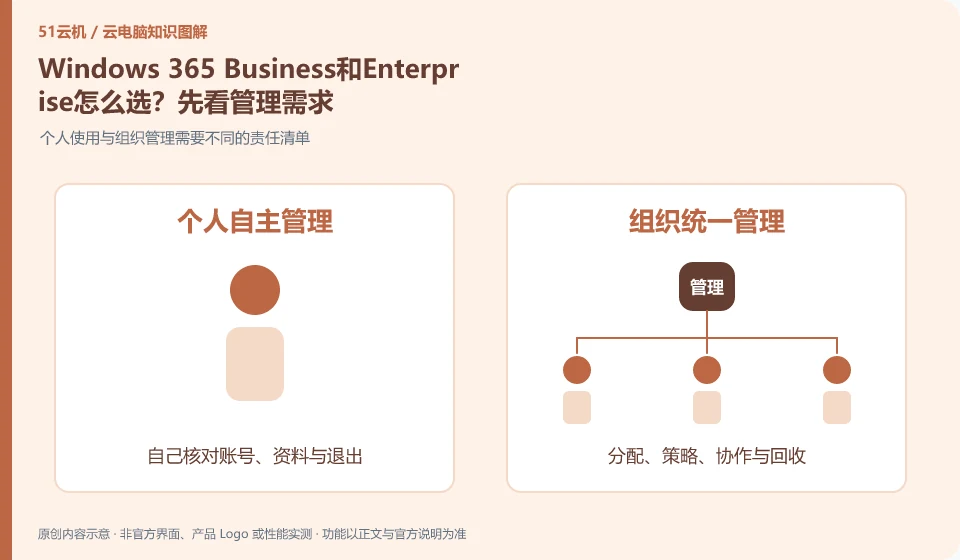
Choose a version first based on your organization's size, identity, and device management requirements. Don't just compare Cloud PC hardware numbers. Microsoft's overview introduces different versions respectively. The current conditions and support scope should be reviewed in the official comparison document and purchase page.
Who this is for:For general readers and small teams who are working on Microsoft Windows 365 and need to solve the specific problem in the title. Data verification date: 2026-10-26.
First, identify the product line
Microsoft defines Windows 365 as a software service that delivers Cloud PC, and provides different versions such as Business and Enterprise. Its core is to allocate a cloud Windows environment to organizational users, rather than adding an ordinary remote control plug-in to existing physical computers.
Compare who manages Cloud PC first
Small teams looking to simplify delivery may have different administrative entry points than organizations with existing centralized identity and management systems. List staff assignments, policies, support and recycling responsibilities, and then map requirements to versions; don't copy another version's administrator screenshot.
Write down clearly the existing identity and device management methods of the organization, and then determine which part of the work is suitable for Business or Enterprise. Comparison objects include how users obtain Cloud PCs, who adjusts configurations on a daily basis, how policies are uniformly enforced, and who reclaims access when employees leave. Hardware spec sheets answer only part of the question and are not a substitute for version management and qualifications.
Before purchasing, let business leaders and administrators jointly review Microsoft's current version comparison data, mark existing licenses, licenses that need to be purchased, and management prerequisites that must be met. Even if both versions can deliver cloud Windows to employees, the operation portals and available management methods may not be the same. When testing, use the account process that will be responsible for operation and maintenance in the future, and do not use the demonstration screenshots of another version as the basis for acceptance.
Check each requirement for your task
- List the size of your organization and existing identity and device management tools.
- Check eligibility, licensing and management features against current official version comparison data.
- Drill assignments, daily changes and resignation recovery respectively, and confirm the responsible personnel.
Select the version first, then arrange the desktop specifications
Version issues focus on management methods, and specification issues focus on specific application loads. First make sure your organization can deliver and maintain Cloud PC in the selected version, then use documentation, meetings, or development samples to verify CPU, memory, and storage requirements. Recording these two types of decisions separately can avoid upgrading unrelated hardware specifications to solve a management entry problem.
Where the conclusion applies and what to do next
Windows 365 and Microsoft 365 office software subscriptions, Windows local licenses, and Azure Virtual Desktop need to be purchased and planned separately.
This article is based on public information. We have not purchased or tested the product. The scenarios describe ways to verify suitability, not customer case studies. Features and terms depend on the current official documentation for the relevant version.
Official sources and further reading
- Microsoft: What is Windows 365:Officially defines Cloud PC, version, license and cloud delivery method.
- Microsoft: Access Cloud PC: Official instructions for accessing Windows App and web pages; the old version of Remote Desktoptutorial has timeliness issues.
- Windows 365 spec recommendations: Plan Cloud PC specifications based on workload. CPU numbers cannot be used directly as a guarantee of real performance.
Read more:Cloud PC knowledge hub · Find an article for your question · Microsoft Windows 365 product line identification
Related questions to explore
- Windows 365 versus Microsoft 365: different subscriptions
- Which client should you use for Windows 365? Check older desktop guides
- Signed in to Windows 365 but no Cloud PC? Check licensing and assignment
Back to the brand and product knowledge directory · Browse cloud PC topics