
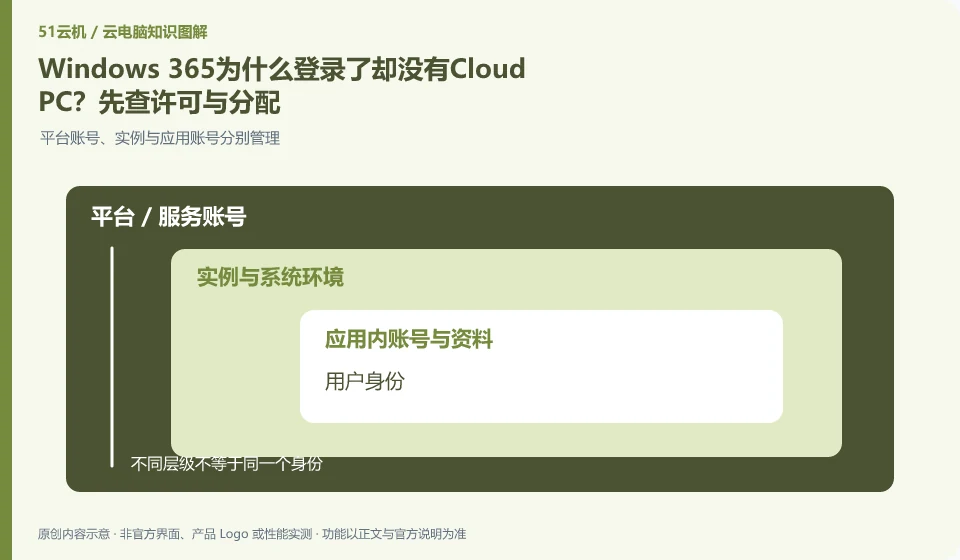
Having a login available does not mean a Cloud PC has been assigned. Microsoft's overview explains that Cloud PC is related to licensing and organizational configuration. Administrators should check user permissions, group memberships, and configuration status before investigating the client.
Who this is for:For general readers and small teams who are working on Microsoft Windows 365 and need to solve the specific problem in the title. Data verification date: 2026-10-26.
First, identify the product line
Microsoft defines Windows 365 as a software service that delivers Cloud PC, and provides different versions such as Business and Enterprise. Its core is to allocate a cloud Windows environment to organizational users, rather than adding an ordinary remote control plug-in to existing physical computers.
Check identity, licensing and desktop assignment together
First make sure you are logged in with a work organization account and not another tenant or private account. Provide the administrator with the organization to which the account belongs and the interface seen, without sending the password; if other applications can log in, it only means that the identity authentication has been passed, but it does not prove that the desktop is ready.
Successful login does not guarantee an available desktop. Organizing desktops generally also requires users to be assigned to corresponding resources, application groups or workspaces; identity authentication, access authorization and desktop preparation are three things. If you encounter a blank list, first ask the administrator to check the organization and resource allocation to which the account belongs, instead of repeatedly changing passwords or creating multiple new accounts.
It is recommended to use a role list to record what resources are needed by ordinary employees, temporary collaborators and administrators. Minimum permissions are granted when you join the company, resources are adjusted when you are transferred, and sessions are recycled and legally saved work materials are handed over when you leave. Test accounts should be isolated from production identities, and automated scripts should avoid using personal high-privilege credentials. This upgrades "can log in" to "access only approved work environments."
Check each requirement for your task
- Check the account organization, identity source and current login subject.
- Check to see if the user is covered by a resource, app group, or desktop assignment.
- Verify with a general authority account and record the recycling actions of onboarding, transfer and resignation.
Problem records are written in steps that can be reproduced by others.
An effective fault record should include both expected results, actual results, time of first occurrence, client and system versions, and repeatable steps. Changing "Cannot Open" to "Select a desktop and stop at the loading interface, the same account still appears when changing terminals" can narrow the scope of the problem. Images and logs may contain device code, file paths or account numbers, and must be masked before being sent to support.
Where the conclusion applies and what to do next
Windows 365 and Microsoft 365 office software subscriptions, Windows local licenses, and Azure Virtual Desktop need to be purchased and planned separately.
This article is based on public information. We have not purchased or tested the product. The scenarios describe ways to verify suitability, not customer case studies. Features and terms depend on the current official documentation for the relevant version.
Official sources and further reading
- Microsoft: What is Windows 365:Officially defines Cloud PC, version, license and cloud delivery method.
- Microsoft: Access Cloud PC: Official instructions for accessing Windows App and web pages; the old version of Remote Desktoptutorial has timeliness issues.
- Windows 365 spec recommendations: Plan Cloud PC specifications based on workload. CPU numbers cannot be used directly as a guarantee of real performance.
Read more:Cloud PC knowledge hub · Find an article for your question · Microsoft Windows 365 product line identification
Related questions to explore
- Windows 365 versus Microsoft 365: different subscriptions
- Windows 365 Business or Enterprise: start with management requirements
- Which client should you use for Windows 365? Check older desktop guides
Back to the brand and product knowledge directory · Browse cloud PC topics