
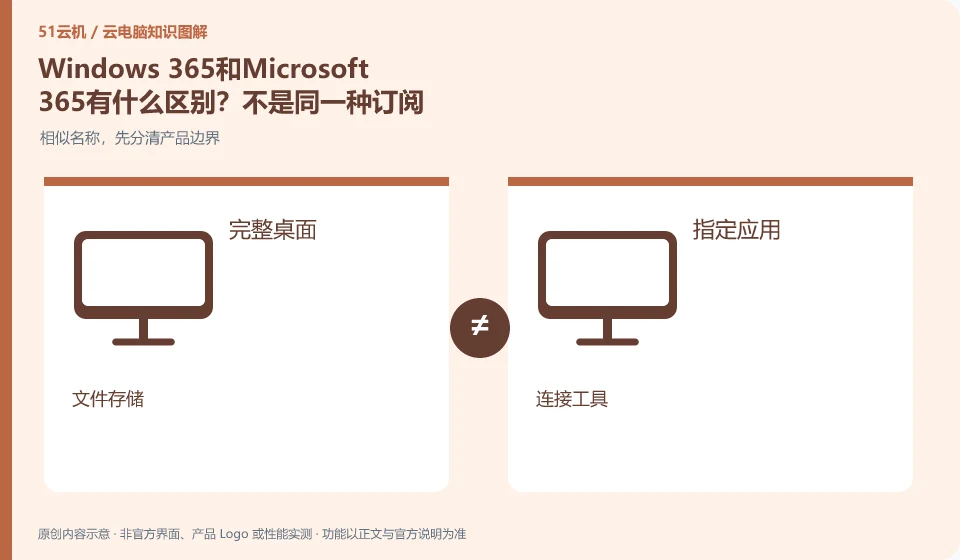
Windows 365 delivers Cloud PC, while Microsoft 365 mainly involves office and collaboration services, and cannot be inferred from similar names to include each other. Before purchasing, you should list whether you need a cloud desktop, office software, or both.
Who this is for:For general readers and small teams who are working on Microsoft Windows 365 and need to solve the specific problem in the title. Data verification date: 2026-10-26.
First, identify the product line
Microsoft defines Windows 365 as a software service that delivers Cloud PC, and provides different versions such as Business and Enterprise. Its core is to allocate a cloud Windows environment to organizational users, rather than adding an ordinary remote control plug-in to existing physical computers.
Even if the names are similar, check the delivery objects item by item.
If you already have an office subscription, you still need to check whether you have a Cloud PC license; if you purchased a Cloud PC, you also need to confirm the business application license. Estimate desktop resources, application licensing and network additional costs separately to avoid mistakenly counting the complete office environment under one product name.
To determine whether a service is a general cloud PC, you can ask four questions: whether you get a complete desktop or a designated application, who provides the computing device, where your personal files are placed, and what management operations users can do. Cloud gaming, cloud drives, remote control tools, and desktop virtualization software may all participate in cloud efforts, but they don't automatically offer the same product.
When the official page cannot be read or the function is not explained, the correct approach is to mark the item as pending confirmation and continue to verify it from the official client, service agreement or official support. Lack of evidence is not evidence of discontinuation, nor is it evidence of supporting functionality. Comparison articles should separate confirmed facts, analytical recommendations, and unknown conditions to prevent readers from paying or migrating information based on guesswork.
Check each requirement for your task
- Document the full product name and what it is delivered to: desktop, application, storage, or connection.
- Check the entry from the official catalog and check the functional description and agreement.
- Unstated installation permissions, saving rules and regional conditions are included in the list to be confirmed.
Calculate costs from the usage rules, not the headline price
Create a personal estimate with the expected session length, sessions per week, data to retain, trial end date and where to cancel renewal. Estimate from your own usage plan, then check it against the bill. This is more useful than copying a promotional price. Example usage counts illustrate a calculation, not a product promise. Expiring discounts, regional differences, taxes and other conditions must still be checked on the actual checkout page.
Where the conclusion applies and what to do next
Windows 365 and Microsoft 365 office software subscriptions, Windows local licenses, and Azure Virtual Desktop need to be purchased and planned separately.
This article is based on public information. We have not purchased or tested the product. The scenarios describe ways to verify suitability, not customer case studies. Features and terms depend on the current official documentation for the relevant version.
Official sources and further reading
- Microsoft: What is Windows 365:Officially defines Cloud PC, version, license and cloud delivery method.
- Microsoft: Access Cloud PC: Official instructions for accessing Windows App and web pages; the old version of Remote Desktoptutorial has timeliness issues.
- Windows 365 spec recommendations: Plan Cloud PC specifications based on workload. CPU numbers cannot be used directly as a guarantee of real performance.
Read more:Cloud PC knowledge hub · Find an article for your question
Related questions to explore
- Windows 365 Business or Enterprise: start with management requirements
- Which client should you use for Windows 365? Check older desktop guides
- Signed in to Windows 365 but no Cloud PC? Check licensing and assignment
Back to the brand and product knowledge directory · Browse cloud PC topics