
The offboarding process should handle work profiles, application authorization, Cloud PC assignments, and session access simultaneously. You can’t just delete your account and then remember that the data is still on your desktop, and you can’t retain all permissions indefinitely to retrieve files.
Who this is for:For general readers and small teams who are working on Microsoft Windows 365 and need to solve the specific problem in the title. Data verification date: 2026-10-26.
First, identify the product line
Microsoft defines Windows 365 as a software service that delivers Cloud PC, and provides different versions such as Business and Enterprise. Its core is to allocate a cloud Windows environment to organizational users, rather than adding an ordinary remote control plug-in to existing physical computers.
Migration requires an old environment that can be returned to
First determine the data and responsible personnel that need to be transferred according to the unit's retention policy, and complete the export verification within the approved scope. Then revoke access and authorization, and check bills and assignments that are still valid; when personal data is involved, distinguish it according to the official procedures of the unit, and do not copy the entire user directory without authorization.
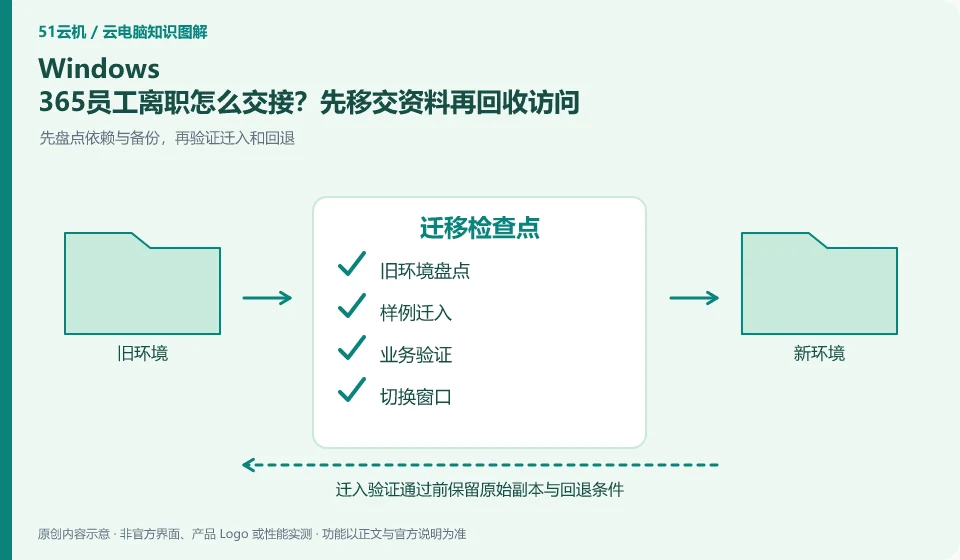
When migrating from a local computer or another service, the old environment should not be deleted initially. First, take inventory of applications, data, accounts, peripherals, and authorizations, and then copy the transferable data to the test environment. System images can help restore the environment, but different hardware, virtualization platforms, and software licenses may not allow direct migration; the official migration methods of the source and target platforms must be found out.
It’s easier to spot problems with two rounds of verification: the first to check the process with a sample, and the second to check the results with a real, approved working copy. The frozen content and the content that can still be modified in the migration window should be clear to avoid version conflicts caused by editing on both sides. After the switch is successful, keep the necessary rollback time, confirm that the data is complete, and then clean up the old resources according to the retention policy.
Check each requirement for your task
- Inventory applications, entitlements, data locations, and configurations that must be retained.
- First move in a copy of the sample and verify the output, dependencies, and peripherals.
- Agree on switching windows and rollback conditions, and process the old environment after confirming the data.
Brand accounts, application accounts and device accounts are managed separately
For personal use, ensure that the retrieved mobile phone number and email address are still valid, while for organizational use, priority should be given to using the identity method approved by the organization. Do not solve login problems by sharing verification codes, buying and selling accounts, or using unofficial remote agents. If you encounter a suspected theft, first follow the official portal to change credentials, revoke sessions, and retain transaction and work order evidence, and then check whether the cloud files have been modified.
Where the conclusion applies and what to do next
Windows 365 and Microsoft 365 office software subscriptions, Windows local licenses, and Azure Virtual Desktop need to be purchased and planned separately.
This article is based on public information. We have not purchased or tested the product. The scenarios describe ways to verify suitability, not customer case studies. Features and terms depend on the current official documentation for the relevant version.
Official sources and further reading
- Microsoft: What is Windows 365:Officially defines Cloud PC, version, license and cloud delivery method.
- Microsoft: Access Cloud PC: Official instructions for accessing Windows App and web pages; the old version of Remote Desktoptutorial has timeliness issues.
- Windows 365 spec recommendations: Plan Cloud PC specifications based on workload. CPU numbers cannot be used directly as a guarantee of real performance.
Read more:Cloud PC knowledge hub · Find an article for your question · Microsoft Windows 365 product line identification
Related questions to explore
- Windows 365 versus Microsoft 365: different subscriptions
- Windows 365 Business or Enterprise: start with management requirements
- Which client should you use for Windows 365? Check older desktop guides
Back to the brand and product knowledge directory · Browse cloud PC topics