
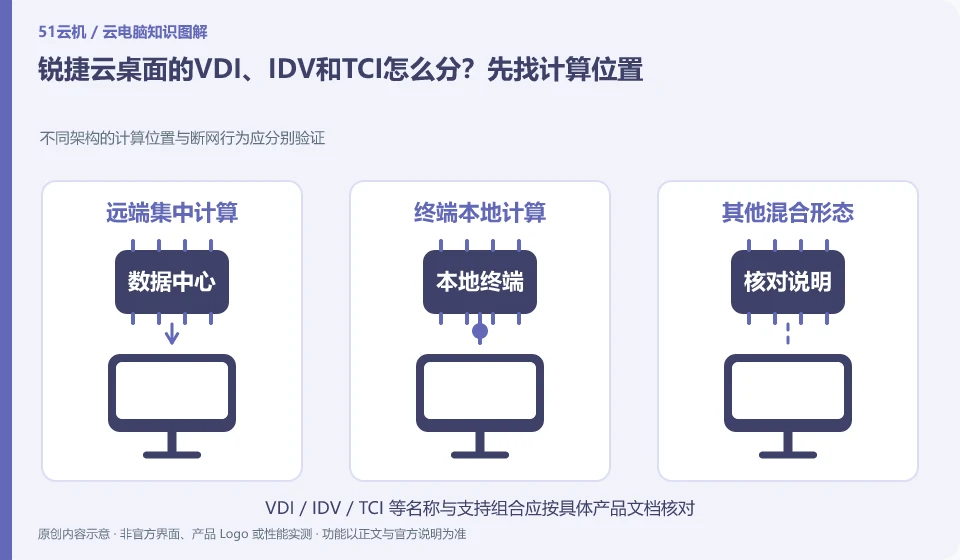
Ruijie’s official product page introduces multiple desktop architectures, but they are not the same public network cloud PC package. When comparing, first indicate whether the calculation takes place in a data center or an endpoint, and where the system and personal data are stored.
Who this is for:General readers and small teams who are working on Ruijie cloud desktop and need to solve the specific problem in the title. Data verification date: 2026-10-26.
First, identify the product line
The official product page of Ruijie cloud desktop also introduces technical routes such as VDI, IDV and TCI. They can all be included in desktop management, but the locations where computing and storage occur are different; just because the name has "cloud", it does not mean that all desktops are calculated in the public network computer room.
Use position tables to understand three technical routes
The office network is stable, the classroom requires local performance, and branches are occasionally disconnected, which may correspond to different architectures. The offline advantages of one route cannot be written as all cloud desktops can be disconnected; the supplier is required to provide verifiable instructions by model, system and operating mode.
First, list the desktop computing, system image, personal information, and management platform into four columns, and then ask about the location and dependencies in VDI, IDV, and TCI respectively. VDI usually takes the virtual desktop in the data center as the core, and other routes may allow the terminal to undertake local running tasks; the specific implementation and support conditions should still be based on the Ruijie corresponding model and version documents, and all behaviors cannot be determined based on the abbreviation alone.
This location chart can help determine needs. When the resources of the old terminal are limited, you need to consider what calculations are performed; when the office network is unstable, you need to consider which operations cannot be separated from the connection; when data needs to be stored centrally, you need to consider the actual storage location and access policy. Three routes can be compared for the same project, but the advantages of a certain route should not be combined into a universal terminal that does not exist in reality.
Check each requirement for your task
- Record the locations of computing, mirroring, data and management platforms respectively.
- Use terminal resources, network and data requirements to select suitable routes.
- Obtain the specific model and version description, and arrange verification with the same business tasks.
After understanding the abbreviation, you also need to look at the scope of delivery.
Procurement documents should indicate who provides the terminals, platform, servers, licensing and maintenance. Don't compare a quote for an endpoint to a complete desktop project, and don't substitute a demonstration for capacity and recovery verification. The article only provides a method to read the technical roadmap, and does not provide unmeasured performance, savings ratio or brand-wide network disconnection commitment.
Where the conclusion applies and what to do next
The enterprise cloud desktop project is not an hourly cloud PC open to individuals by default; offline capabilities and peripheral support must be confirmed according to the specific architecture and model.
This article is based on public information. We have not purchased or tested the product. The scenarios describe ways to verify suitability, not customer case studies. Features and terms depend on the current official documentation for the relevant version.
Official sources and further reading
- Ruijie cloud desktop products: Official introduction to VDI, IDV, TCI and multi-scenario desktop solutions.
Read more:Cloud PC knowledge hub · Find an article for your question
Related questions to explore
- Can Ruijie cloud desktops reuse old PCs? Check endpoint requirements
- Can Ruijie cloud desktops work offline? Test each architecture separately
- Testing a Ruijie cloud classroom image: separate course software and student work
Back to the brand and product knowledge directory · Browse cloud PC topics