
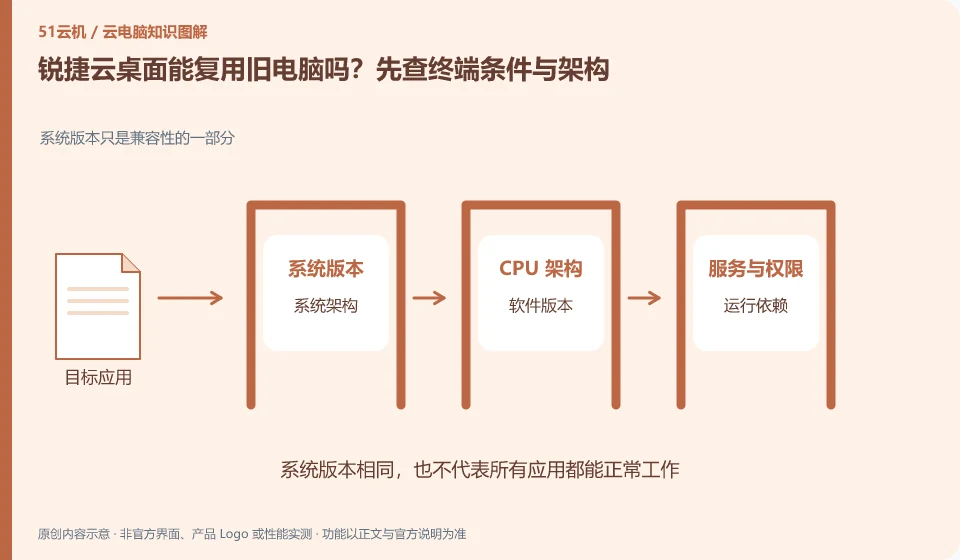
Whether it can be reused depends on the specific architecture, terminal conditions and supported range. Not all old computers are suitable for any desktop mode. Processors, memory, disks, firmware, and clients should be inspected and maintenance costs evaluated.
Who this is for:General readers and small teams who are working on Ruijie cloud desktop and need to solve the specific problem in the title. Data verification date: 2026-10-26.
First, identify the product line
The official product page of Ruijie cloud desktop also introduces technical routes such as VDI, IDV and TCI. They can all be included in desktop management, but the locations where computing and storage occur are different; just because the name has "cloud", it does not mean that all desktops are calculated in the public network computer room.
Installing software and completing a workflow are different tests
First select representative devices of different years and models to complete booting, logging in, core applications and peripheral operations. If the terminal is responsible for local computing, hardware differences are particularly important; even if it mainly displays remote images, it still needs stable network and decoding capabilities.
Software compatibility includes the operating system, processor architecture, permissions, drivers, licensing and data dependencies. A successful installation only confirms that the installation step worked. You still need to test launching, signing in, reading and writing files, and producing the required output. For domestic operating systems, older programs or software requiring special hardware, start with the vendor's support matrix rather than someone else's screenshot.
Create an application list, specifying the name, version, licensing method, dependent components and acceptance actions. Prioritize verification of core procedures that affect the business, and then deal with non-essential tools. If the application does not allow a virtualized environment or requires a local encryption device, it should be confirmed with the software vendor and desktop service provider at the same time. Do not use cracking, changing driver signatures, or bypassing authorization to determine "compatibility."
Check each requirement for your task
- Document software version, operating system, architecture, and licensing requirements.
- Check the current desktop and application official support matrix.
- Verify startup, login, data reading and writing and final output, and record failed links.
"Cloud desktop" does not mean that the calculation must be on the public network
VDI usually concentrates desktop computing in the data center, while routes such as IDV, VOI, and TCI may allow terminals to undertake local running tasks to varying degrees. They can share centralized management ideas, but have different impacts on network outages, terminal configurations, and local data. When selecting a model, first draw the calculation location, mirroring location and personal data location instead of guessing the working principle from the product name.
Where the conclusion applies and what to do next
The enterprise cloud desktop project is not an hourly cloud PC open to individuals by default; offline capabilities and peripheral support must be confirmed according to the specific architecture and model.
This article is based on public information. We have not purchased or tested the product. The scenarios describe ways to verify suitability, not customer case studies. Features and terms depend on the current official documentation for the relevant version.
Official sources and further reading
- Ruijie cloud desktop products: Official introduction to VDI, IDV, TCI and multi-scenario desktop solutions.
Read more:Cloud PC knowledge hub · Find an article for your question · Ruijie cloud desktop product line identification
Related questions to explore
- Ruijie VDI, IDV and TCI: identify where computing happens
- Can Ruijie cloud desktops work offline? Test each architecture separately
- Testing a Ruijie cloud classroom image: separate course software and student work
Back to the brand and product knowledge directory · Browse cloud PC topics