
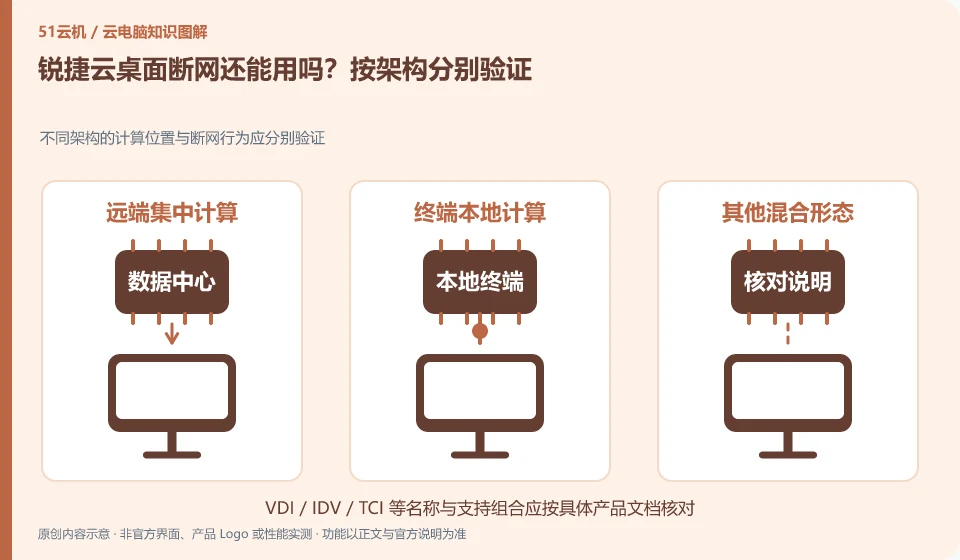
It cannot be generalized. VDI, IDV and TCI run in different locations, and the impact of network outage may also be different. They must be checked based on the actual architecture and model, rather than drawing conclusions based on the words "cloud desktop".
Who this is for:General readers and small teams who are working on Ruijie cloud desktop and need to solve the specific problem in the title. Data verification date: 2026-10-26.
First, identify the product line
The official product page of Ruijie cloud desktop also introduces technical routes such as VDI, IDV and TCI. They can all be included in desktop management, but the locations where computing and storage occur are different; just because the name has "cloud", it does not mean that all desktops are calculated in the public network computer room.
Change offline commitment to verifiable conditions
In the test environment, three scenarios are distinguished: disconnecting the network before starting, using the network to disconnect and restoring the network, and check applications, files and identity behaviors. Only use worthless samples and reserve alternative office methods; you cannot use a successful demonstration of a certain terminal to ensure that the entire company is the same.
First obtain a formal description of the current architecture and terminal model, and ask whether going offline requires logging in first, caching first, or completing image distribution first. The desktop can be opened offline, applications can be started, and business systems can be accessed, which are three different levels; the last one also relies on the business network and cannot be directly launched from the desktop being able to run locally.
In the dedicated test window, use worthless samples to record four points in time: normal network operation, connection interruption, restart after interruption, and network recovery. Check the application and save results at each point in time, and do not judge whether the work can continue based on the old screen still on the screen. After the network is restored, compare the file content and modification time, and pay attention to whether there is a conflict between the actual document and the business system.
Check each requirement for your task
- Get offline instructions for the corresponding architecture, model, and caching conditions.
- Record startup, application and save behaviors in the approved test environment at every point in time.
- After restoring the connection, check the data to distinguish between desktop availability and business availability.
Write the result as a description of finite conditions
You can write "If this model is logged in, the sample document can be edited during the interruption and checked after recovery." You should not write "Ruijie cloud desktop can be used even if the network is disconnected." Unverified applications, first logins and long periods of disconnection are still unknown. Train employees based on actual scenarios and prepare troubleshooting methods for network-dependent businesses.
Where the conclusion applies and what to do next
The enterprise cloud desktop project is not an hourly cloud PC open to individuals by default; offline capabilities and peripheral support must be confirmed according to the specific architecture and model.
This article is based on public information. We have not purchased or tested the product. The scenarios describe ways to verify suitability, not customer case studies. Features and terms depend on the current official documentation for the relevant version.
Official sources and further reading
- Ruijie cloud desktop products: Official introduction to VDI, IDV, TCI and multi-scenario desktop solutions.
Read more:Cloud PC knowledge hub · Find an article for your question · Ruijie cloud desktop product line identification
Related questions to explore
- Ruijie VDI, IDV and TCI: identify where computing happens
- Can Ruijie cloud desktops reuse old PCs? Check endpoint requirements
- Testing a Ruijie cloud classroom image: separate course software and student work
Back to the brand and product knowledge directory · Browse cloud PC topics