
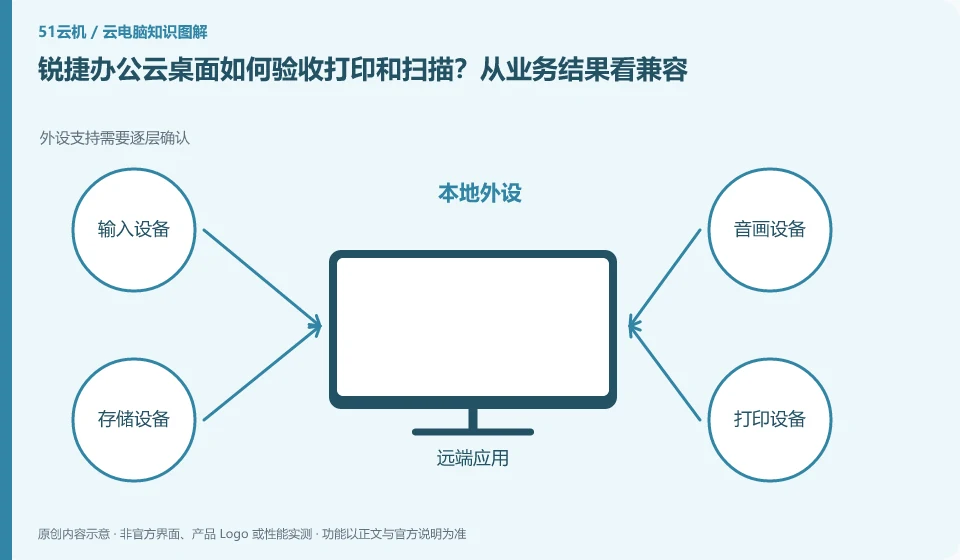
Complete verification based on peripheral model, architecture, driver and software. Don't just look at whether USB appears. Different desktop modes have different data channels, and a formal compatibility statement that matches the actual device should be requested before purchasing.
Who this is for:General readers and small teams who are working on Ruijie cloud desktop and need to solve the specific problem in the title. Data verification date: 2026-10-26.
First, identify the product line
The official product page of Ruijie cloud desktop also introduces technical routes such as VDI, IDV and TCI. They can all be included in desktop management, but the locations where computing and storage occur are different; just because the name has "cloud", it does not mean that all desktops are calculated in the public network computer room.
Peripheral compatibility requires verification of complete business actions
Prepare a double-sided printing sample and a scanned copy, and check the format, resolution, saving path and permissions. Financial or signature equipment must also check business system requirements; do not turn off security policies for a long time or use unofficial drivers in order to pass acceptance.
The "recognition" of peripherals is only half the process: the printer still needs to complete printing, the camera needs to be selected in the target conferencing software, and the USB shield involves drivers, business systems, and organizational permissions. The device channels provided by clients, browsers and mobile terminals may be different, so the successful experience on one terminal cannot be used to guarantee that another terminal will also be available.
First write down the peripheral model, connection method, driver version and business action, and then check the corresponding client documentation. Plug in one device at a time when testing to avoid multiple microphones or cameras competing for the default input. For financial, medical or production equipment, obtain approval from the unit and arrange alternative working methods; it is not recommended to turn off security policies or install redirect plug-ins from unknown sources in order to allow the equipment to work.
Check each requirement for your task
- Record the peripheral model, connection method such as USB or Bluetooth, and target software.
- Check peripheral support and administrator policies for current terminals and packages.
- Complete a real action such as printing, recording or signing, and then switch to the terminal to review.
Office verification starts with a complete document
Office scenarios include not only typing, but also input methods, fonts, table formulas, meetings, attachments, printing, and handovers with colleagues. First list the most commonly used applications and file formats, and prioritize testing a closed loop from receiving material to exporting the final file. If you only look at the desktop startup speed, it is easy to miss missing fonts, macro compatibility or printing issues that appear only when the product is delivered.
Where the conclusion applies and what to do next
The enterprise cloud desktop project is not an hourly cloud PC open to individuals by default; offline capabilities and peripheral support must be confirmed according to the specific architecture and model.
This article is based on public information. We have not purchased or tested the product. The scenarios describe ways to verify suitability, not customer case studies. Features and terms depend on the current official documentation for the relevant version.
Official sources and further reading
- Ruijie cloud desktop products: Official introduction to VDI, IDV, TCI and multi-scenario desktop solutions.
Read more:Cloud PC knowledge hub · Find an article for your question · Ruijie cloud desktop product line identification
Related questions to explore
- Ruijie VDI, IDV and TCI: identify where computing happens
- Can Ruijie cloud desktops reuse old PCs? Check endpoint requirements
- Can Ruijie cloud desktops work offline? Test each architecture separately
Back to the brand and product knowledge directory · Browse cloud PC topics