
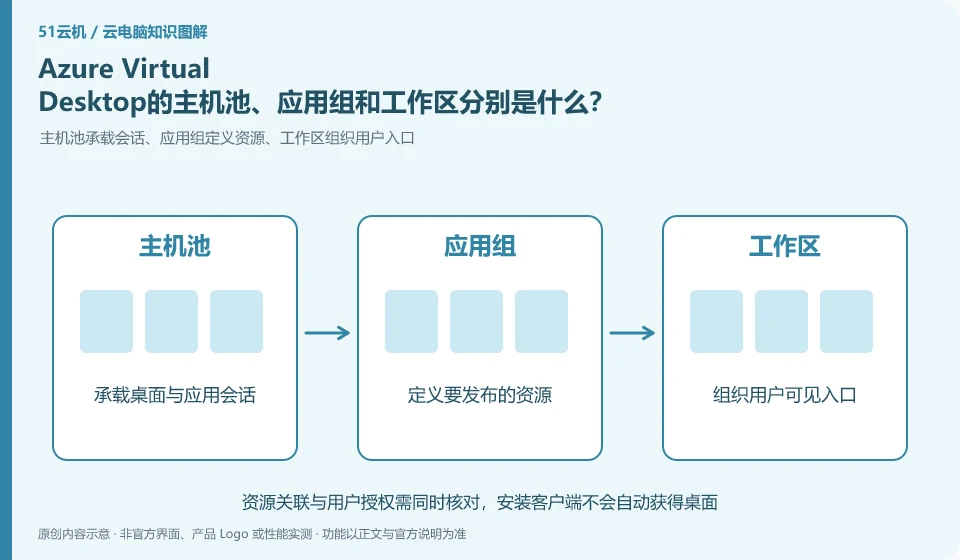
These concepts have different responsibilities: host pools organize session resources, application groups decide what to publish, and workspaces help users discover resources. Only by understanding their correlation can you troubleshoot the problem of "the resource has been created but cannot be seen by the user".
Who this is for:General readers and small teams who are working on Microsoft Azure Virtual Desktop and need to solve the specific problem in the title. Data verification date: 2026-10-26.
First, identify the product line
Azure Virtual Desktop can deliver a complete desktop or RemoteApp, and administrators need to plan host pools, application groups, users, and images. It belongs to the same Microsoft desktop system as Windows 365, but has different resource organization and operation and maintenance responsibilities, so it is suitable for design based on workload.
The desktop pool cannot be estimated based only on the total number of people
First draw the relationship between users, workspaces, application groups, and host pools, and then mark identities and session hosts. When checking, don't just confirm that the virtual machine is powered on; you should also verify the release, allocation and user entry, and use the administrator and ordinary users to go through the complete connection process respectively.
Desktop pool planning should distinguish between registered users, simultaneous online users and the resources consumed by each person. Many people logging in occasionally versus a small number of people constantly using graphics software are different capacity issues. First collect working hours, typical applications and concurrency peaks, and then decide how to allocate desktops; do not regard the number of people that the sample deployment can carry as your own production capacity.
Capacity verification should include login peaks, application startup and exit recycling. Testers use the same baseline task, mix in a small amount of real heavy load, and look at response, memory and storage rather than just the CPU. Scaling up and down also involves data location, permissions, and task interruption, so set clear trigger conditions and fallback paths. When user experience declines, first look at session and resource indicators to avoid blindly increasing all specifications.
Check each requirement for your task
- Count working hours, number of concurrent users, and typical applications instead of just counting accounts.
- Use baseline tasks to simulate login spikes and observe resources and sessions.
- Clarify the triggering conditions for expansion and contraction, data retention and failure fallback process.
You don’t need to go to the full desktop first when you only need an app
When testing application delivery, check file dialog boxes, printing, input methods, browser jumps, and linkage with other programs. Some old applications write configurations in the personal directory or require administrator rights. Simply "the window displays normally" is not enough. The release environment also involves software licensing, server compatibility and concurrent authorization, which should be confirmed by the application vendor instead of using bootable instead of legally available.
Where the conclusion applies and what to do next
Do not copy the old tutorial of the classic version of Azure Virtual Desktop; Microsoft's overview document has given a reminder to retire the classic version, and you should check the current resource model.
This article is based on public information. We have not purchased or tested the product. The scenarios describe ways to verify suitability, not customer case studies. Features and terms depend on the current official documentation for the relevant version.
Official sources and further reading
- Azure Virtual Desktop overview: Official description of complete desktop, RemoteApp, personal and pooled resources and classic version retirement information.
- Azure Virtual Desktop prerequisites: Identity, platform, and deployment prerequisites reference.
- Azure Virtual Desktop Documentation Entry: Current documentation and quick start portal, without borrowing steps from other desktop products.
Read more:Cloud PC knowledge hub · Find an article for your question
Related questions to explore
- AVD personal versus pooled desktops: does the environment need to persist?
- AVD RemoteApp versus a full desktop: publish only what is needed
- Can you still use classic AVD tutorials? Check retirement and resource models
Back to the brand and product knowledge directory · Browse cloud PC topics