
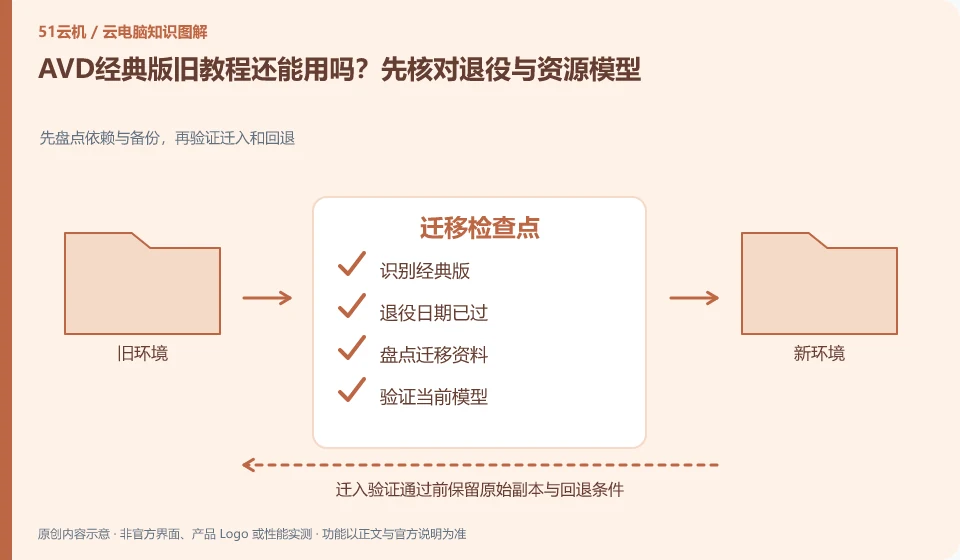
Microsoft's overview has listed the classic version retirement reminder, and you should not continue to copy the classic version deployment steps under the current date. First identify which model the existing resources belong to, and then confirm the migration or reconstruction path according to the official current documents.
Who this is for:General readers and small teams who are working on Microsoft Azure Virtual Desktop and need to solve the specific problem in the title. Data verification date: 2026-10-26.
First, identify the product line
Azure Virtual Desktop can deliver a complete desktop or RemoteApp, and administrators need to plan host pools, application groups, users, and images. It belongs to the same Microsoft desktop system as Windows 365, but has different resource organization and operation and maintenance responsibilities, so it is suitable for design based on workload.
In October 2026, we should first identify whether there are still classic version resources
Screenshots of old blogs can help understand history, but they cannot be used as current executable solutions. Take inventory of host pools, identities, applications, and user data, test the migrated copy, and prepare for rollback; the specific impact of retirement and follow-up processing are subject to Microsoft's current announcements and support responses.
As of the verification date of this article, October 26, 2026, the retirement date of the classic version listed in Microsoft's overview as September 30, 2026, has passed. The document states that the resource connection of the classic version will be blocked after retirement. At this time, "migrate before decommissioning" cannot be regarded as a suggestion that there is still time, nor should users repeatedly reinstall the client to try to restore the decommissioned resource model.
Administrators should first take stock of whether the resource belongs to the classic version or the current model based on Azure Resource Manager, and then follow Microsoft's current migration instructions and support responses. Data inventory includes user allocation, host pool, application, mirroring and user data; if the old resources cannot be connected normally, do not promise the business that you can return to the old environment at any time. Restoring availability and verifying data integrity require separate planning.
Check each requirement for your task
- Find out if existing resource models and connection failures involve Classic retirement.
- Inventory identity, publish resources, images and user information according to current migration documents.
- Verify the target environment within the supported scope; if rollback is not possible, a separate recovery plan will be developed.
How else can the old tutorial help?
Old information can explain the concepts and historical structures of the time, but cannot provide access, orders, and deadlines that are still valid today. Add model and date stamp to the collection of tutorials, and then check Microsoft's current documentation. If a fault affects official work, hand over the confirmed decommissioning facts, resource list, and error information to the authorized administrator or support team, and do not delete old data yourself.
Where the conclusion applies and what to do next
Do not copy the old tutorial of the classic version of Azure Virtual Desktop; Microsoft's overview document has given a reminder to retire the classic version, and you should check the current resource model.
This article is based on public information. We have not purchased or tested the product. The scenarios describe ways to verify suitability, not customer case studies. Features and terms depend on the current official documentation for the relevant version.
Official sources and further reading
- Azure Virtual Desktop overview: Official description of complete desktop, RemoteApp, personal and pooled resources and classic version retirement information.
- Azure Virtual Desktop prerequisites: Identity, platform, and deployment prerequisites reference.
- Azure Virtual Desktop Documentation Entry: Current documentation and quick start portal, without borrowing steps from other desktop products.
Read more:Cloud PC knowledge hub · Find an article for your question · Microsoft Azure Virtual Desktop product line identification
Related questions to explore
- Azure Virtual Desktop host pools, application groups and workspaces explained
- AVD personal versus pooled desktops: does the environment need to persist?
- AVD RemoteApp versus a full desktop: publish only what is needed
Back to the brand and product knowledge directory · Browse cloud PC topics