
Automatic scaling must be coordinated with working hours, concurrency, and session status. Success cannot be proven solely by changes in the number of machines. Microsoft outlines the direction of automatic scaling, and the actual implementation should be designed and verified according to the current functional documentation.
Who this is for:General readers and small teams who are working on Microsoft Azure Virtual Desktop and need to solve the specific problem in the title. Data verification date: 2026-10-26.
First, identify the product line
Azure Virtual Desktop can deliver a complete desktop or RemoteApp, and administrators need to plan host pools, application groups, users, and images. It belongs to the same Microsoft desktop system as Windows 365, but has different resource organization and operation and maintenance responsibilities, so it is suitable for design based on workload.
Validate a small deployment before scaling up
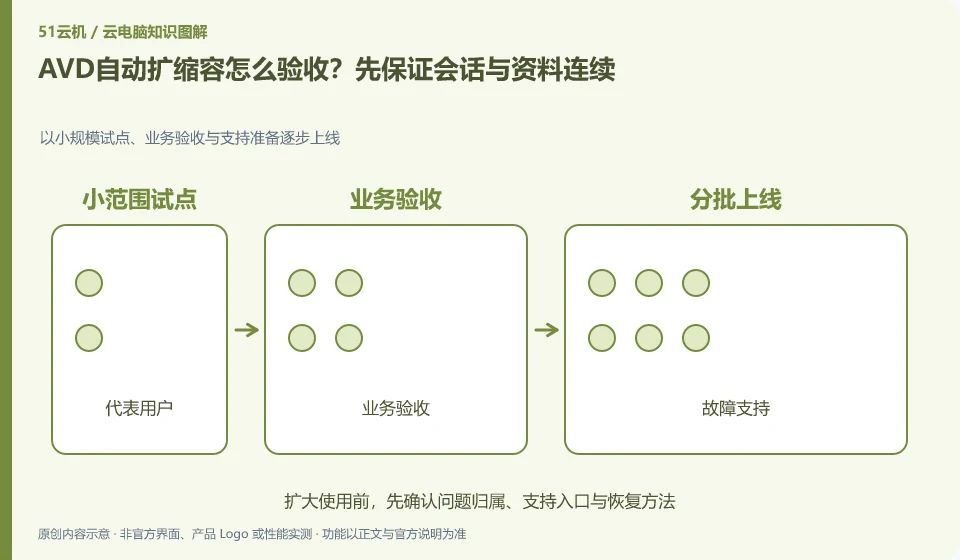
Simulate logging in at work, using applications, and logging out after get off work in the test pool to observe when new resources are available and whether scaling down affects users who are still online. Set check items for data preservation and abnormal recovery, and then gradually expand the scope; avoid directly testing destructive shutdowns while production users are working.
Bringing the organization's desktop online is a business switch, not just installing the client. First select a group of representatives including ordinary office workers, heavy users of peripherals and different network conditions, and record the steps they take to complete the task. The pilot should clearly define the responsible person, work order entry, rollback plan and shutdown window; the acceptance criteria come from whether the work is completed, not how many functions are listed on the promotional page.
Divide problems into three categories: must be solved, acceptable, and need for subsequent optimization. For example, the core business system cannot be used due to online blocking, and the difference in a certain uncommon shortcut key may be solved through training. Before scale expansion, account recycling, patches, image updates, capacity, and backup and recovery must be checked. In particular, the manual firefighting methods in the pilot phase must not be regarded as long-term operation and maintenance processes.
Check each requirement for your task
- Select representative pilot users and record real work tasks.
- Set acceptance criteria, fault classification, support responsibilities, and fallback conditions.
- Go online in batches after passing business and recovery verification, and keep problem tracking records.
Session end and resource release are handled separately
Disconnection only temporarily stops the interaction between the terminal and the desktop. Logging out may end the current user session. Stopping and releasing resources may affect charges and data. The terms used in different products are not exactly the same, so you need to check the current version’s formal explanation of each action. Just pressing the close button in the upper right corner of the window cannot tell whether the background task continues or when the billing will stop.
Where the conclusion applies and what to do next
Do not copy the old tutorial of the classic version of Azure Virtual Desktop; Microsoft's overview document has given a reminder to retire the classic version, and you should check the current resource model.
This article is based on public information. We have not purchased or tested the product. The scenarios describe ways to verify suitability, not customer case studies. Features and terms depend on the current official documentation for the relevant version.
Official sources and further reading
- Azure Virtual Desktop overview: Official description of complete desktop, RemoteApp, personal and pooled resources and classic version retirement information.
- Azure Virtual Desktop prerequisites: Identity, platform, and deployment prerequisites reference.
- Azure Virtual Desktop Documentation Entry: Current documentation and quick start portal, without borrowing steps from other desktop products.
Read more:Cloud PC knowledge hub · Find an article for your question · Microsoft Azure Virtual Desktop product line identification
Related questions to explore
- Azure Virtual Desktop host pools, application groups and workspaces explained
- AVD personal versus pooled desktops: does the environment need to persist?
- AVD RemoteApp versus a full desktop: publish only what is needed
Back to the brand and product knowledge directory · Browse cloud PC topics