
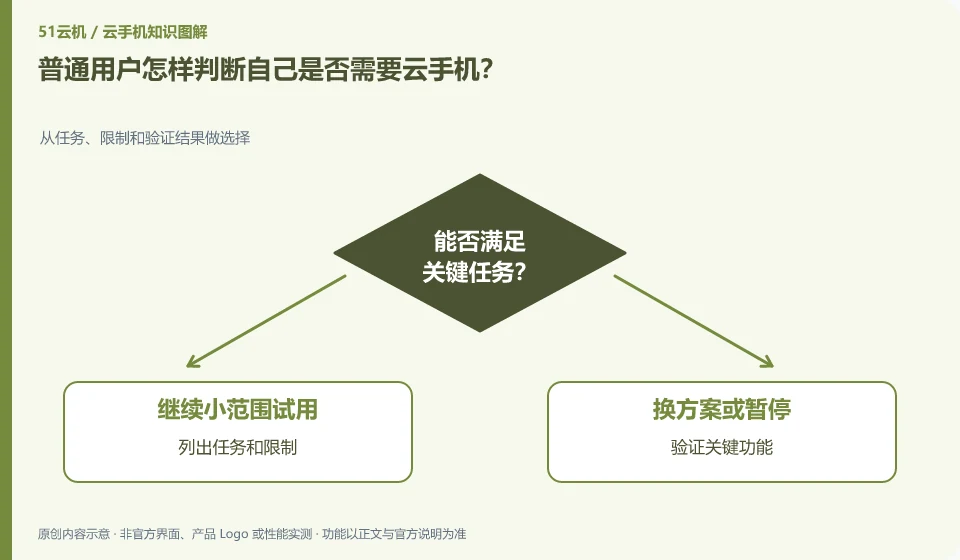
First make it clear which Android application you want to run and why the local device is not enough, and then see if the cloud environment can solve it. If there is no clear task, you can do it without increasing the complexity.
Understand the essentials
The cloud brings remote access and environment management, but also network, account, expiry and data migration responsibilities.
A practical example
As a hypothetical example: just saving photos might require a backup tool, rather than a complete remote Android environment.
What to check or try
- List tasks and constraints.
- Verify key functionality.
- Estimate total costs.
- Confirm that the data can be exported.
- Keep your exit plan.
You can start with one most important task instead of migrating all accounts at once. Once the test is passed, the data can be taken away, and the cost is acceptable, then consider expanding. If the key conditions are never met, it is a reasonable conclusion to admit that it is not needed at the moment, and there is no need to increase the burden in order to experience new technologies.
An easy-to-miss detail
If the local device can already complete the task stably, there is no need to migrate immediately because of the new concept.
Continue reading
- How to start your own cloud phone learning notes
- AI cloud phones and ordinary cloud phones: what is the difference?
Back to Cloud phones: AI and practical learning
Notes and further reading
Tencent Cloud Phone Computer Use Agent tutorial;AndroidWorld project page。
This introductory guide was prepared by 51Yunji from public information with AI-assisted drafting. Examples are hypothetical, not hands-on product tests or promises of results. Follow the current product, version and official instructions for specific features and procedures. Compiled on October 26, 2026.