
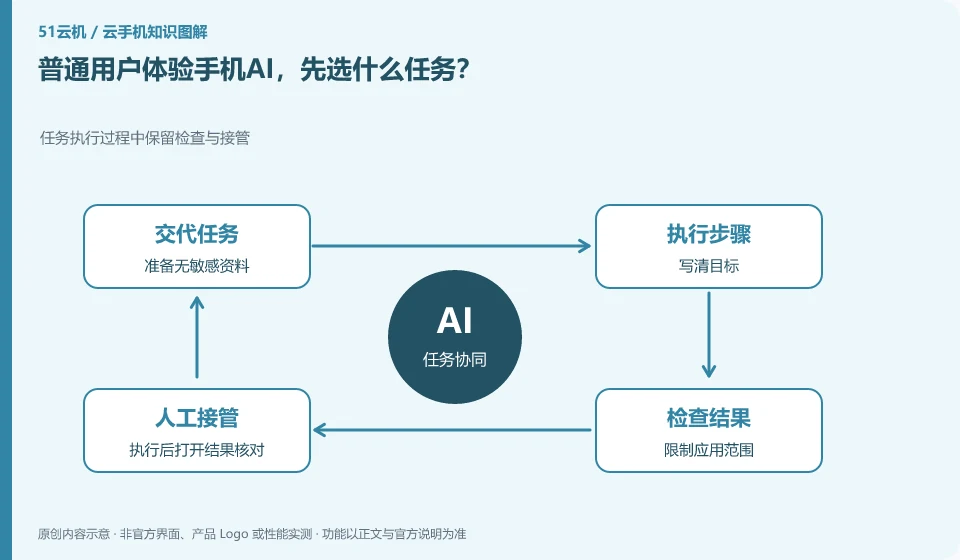
Start with test notes, simple categories, or undoable actions in your own app. Tasks should be short, clear and independently checkable.
Understand the essentials
Mobile login, notifications and pop-ups make it easy to change the process, and small tasks make it easier to find problems.
A practical example
Hypothetical example: Let AI record a to-do in the test notes, which is more suitable for learning than operating a real shopping account for the first time.
What to check or try
- Prepare no sensitive information.
- Write down your goals.
- Limit application scope.
- After execution, open the result verification.
First complete the same task manually to understand the normal steps and results, and then let the AI operate with a test copy. In this way, when you encounter a pop-up window, input method change or omission, you can point out the deviation, instead of just judging it based on whether it keeps clicking.
An easy-to-miss detail
Don't make payments, send outbound messages, or delete unique profiles your first trial.
Continue reading
- How does AI operate apps on a cloud phone?
- How to check whether a mobile AI task was completed correctly
Back to Cloud phones: AI and practical learning
Notes and further reading
Tencent Cloud Phone Computer Use Agent tutorial;AndroidWorld project page。
This introductory guide was prepared by 51Yunji from public information with AI-assisted drafting. Examples are hypothetical, not hands-on product tests or promises of results. Follow the current product, version and official instructions for specific features and procedures. Compiled on October 26, 2026.