
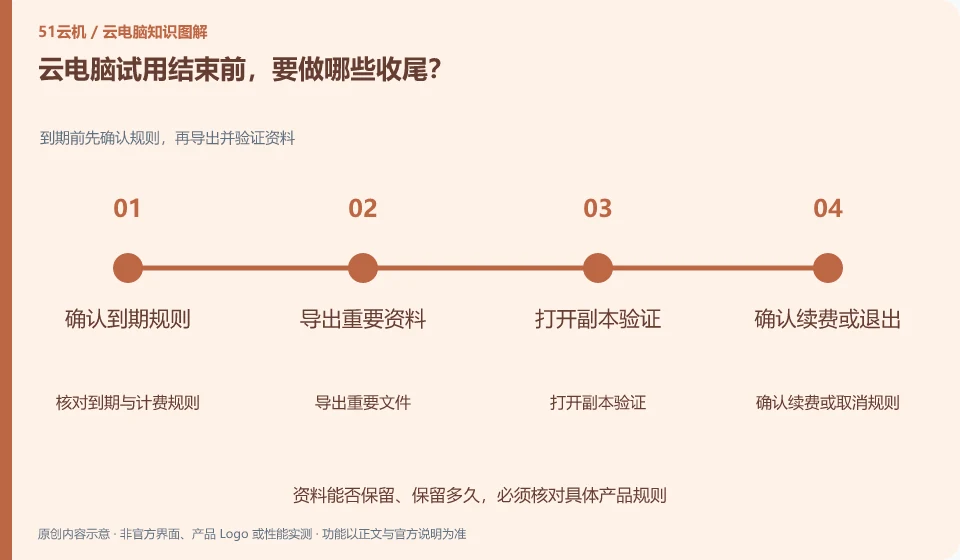
First retrieve the results and necessary information, then log out of the account and check the renewal and resource status. The end of the trial is not the beginning of organizing the data.
Understand the essentials
Desktops, associated storage, and subscriptions may have different lifecycles; deleting the client generally does not cancel the cloud subscription.
A practical example
Hypothetical example: It's not surprising that the billing continues after uninstalling the connection software, because the remote resource may still be there.
What to check or try
- Export and verify the file.
- Log out of the application account.
- Check for automatic renewal.
- Dispose of resources no longer in use according to service processes and keep records.
After finishing the work, you can open the results from a separate location and check the status and credentials of the subscription page. Don't assume that the charge has ended just because the desktop appears offline; similarly, canceling renewal does not necessarily release all associated resources immediately.
An easy-to-miss detail
Confirm the scope of impact before officially releasing resources, and do not delete shared environments that are still in use by mistake.
Continue reading
Back to Cloud PCs: learning and home use
Notes and further reading
Cloud PC access methods and client prerequisites;Azure Virtual Desktop overview。
This introductory guide was prepared by 51Yunji from public information with AI-assisted drafting. Examples are hypothetical, not hands-on product tests or promises of results. Follow the current product, version and official instructions for specific features and procedures. Compiled on October 26, 2026.