
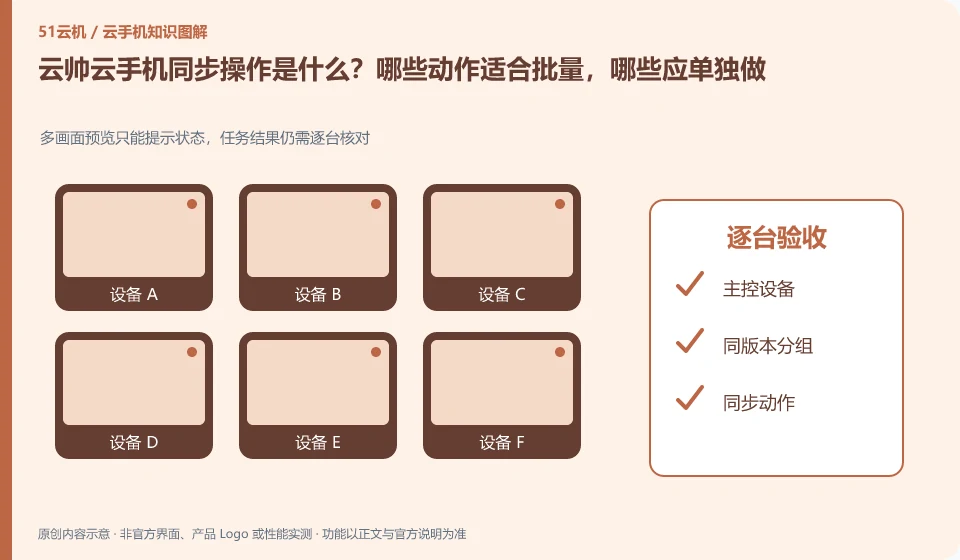
Regarding Yunshuai cloud phone, the key to this issue is: synchronization operation is to map the operation of one device to other selected devices, which is suitable for repeated steps with similar interfaces. It is not an intelligent system that automatically understands the status of each application; if a pop-up window or page is different in one application, deviation and accidental touch may occur.
Known information about Yunshuai cloud phone and the key points of this verification
Yunshuai cloud phone is operated by Shanghai Yunshuai Information Technology Co., Ltd. The official website introduces three-end access, preview and batch operations; the protocol explains that remote viewing will generate local network traffic.
The synchronization operation should start from the same version and the same screen, and then expand after verification in small batches. There is no guarantee of zero accidental touches or any application support.
The evidence boundaries of this article are: the old maintenance announcement on the official website cannot be regarded as a current incident; sub-account assistance and personal account resale need to be distinguished.
How this issue applies to this product
Yunshuai's official website lists synchronization and batch-related capabilities. Readers should not take the same-screen preview as synchronization has been successful. The preview is just an observation entrance. What really needs to be confirmed is whether the action reaches the correct device, whether each application stops on the same page, and whether abnormal devices can be excluded from the synchronization range.
Before execution, save a list of target equipment and process the computer room under maintenance or equipment in different statuses separately. After the start page is unified, try the operation with reversible steps; if you find a pop-up window or login failure, you should first stop the current group and check it individually. Collaborative investigation with customer service also requires checking the scope of assistance in accordance with the user agreement, and the main account cannot be handed over to unknown persons for convenience. The synchronization function does not promise zero false touches, and cannot introduce any application or any number of reliability from the official website.
In the records of multiple operations, the failed equipment should not just be deducted from the total number, but the equipment number and failure stage should be left. After retrying, you can select the correct object, and you can also distinguish whether the starting point of this device is inconsistent, or whether the entire task is not suitable for execution in a synchronous manner, so as to avoid repeatedly affecting the successful device.
Understand what this question covers
Batch installation and synchronized clicks are not the same thing either. The installation can be accepted based on the task results. Clicking will check whether each screen is in the same position. High-impact steps such as account login, payment, and deletion should be handled individually, and confirmations should not be omitted simply because of the large number of devices.
Check in this order
- Group by system version, resolution and application version, first unify the start page.
- Select only a small number of test devices to synchronize low-impact operations and check the results one by one.
- If page differences occur, synchronization will be stopped immediately, and the scope will be expanded after consistency is restored.
Sources and scope
Sources checked on October 26, 2026. This article combines AI-assisted research of public information with independent analysis and verification suggestions; we have not conducted a hands-on test of this product. Features and costs depend on the current official documentation and your order.
Continue reading:Cloud phone basics · Cloud phone troubleshooting guide · Brand reference directory。
Related questions to explore
- Why does viewing Yunshuai Cloud Phone use data when background hosting does not?
- Sharing a Yunshuai subaccount with support: define and revoke access
- Yunshuai multi-device previews: a normal screen does not prove task completion
Back to the brand and product knowledge directory · Browse cloud phone topics