
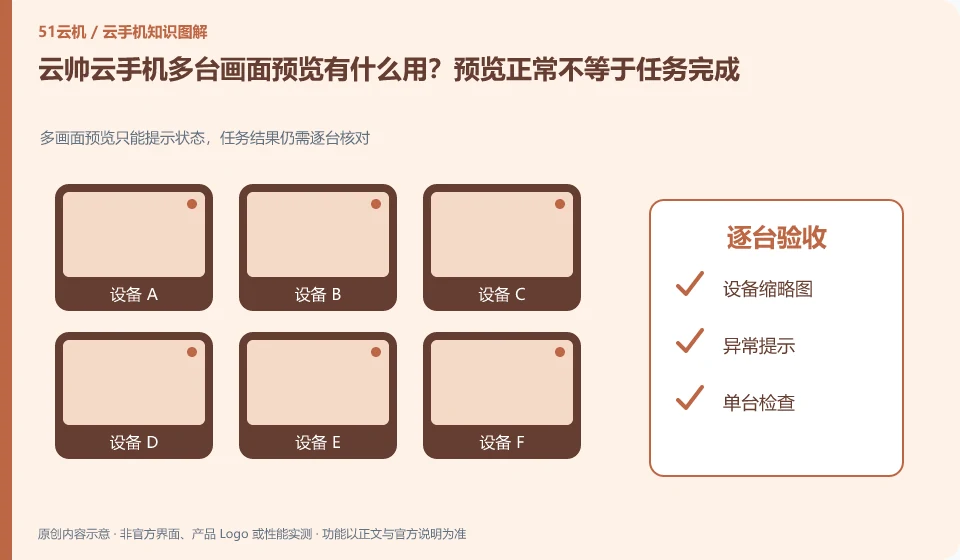
Regarding Yunshuai cloud phone, the key to this issue is: preview is suitable for quickly discovering black screens, failed logins, or unexpected pop-ups, but thumbnail screens cannot replace task results. Record the three states of device online, application foreground and business completion separately to avoid thinking that everything is normal when you see a bright screen.
Known information about Yunshuai cloud phone and the key points of this verification
Yunshuai cloud phone is operated by Shanghai Yunshuai Information Technology Co., Ltd. The official website introduces three-end access, preview and batch operations; the protocol explains that remote viewing will generate local network traffic.
The same-screen preview is suitable for inspection. The specific number of windows and local load should be determined by the current client and actual device testing.
The evidence boundaries of this article are: the old maintenance announcement on the official website cannot be regarded as a current incident; sub-account assistance and personal account resale need to be distinguished.
How this issue applies to this product
The Yunshuai official website introduces preview and batch operations, and the two concepts should be accepted separately. Preview allows people to observe the status of multiple devices, and batching may cause changes to the environment; after an abnormality is discovered in the preview, it is best to confirm the device individually first to avoid turning a fault on one device into restarting or clearing the entire group.
The duty list can put together the equipment number, machine room or group, last observation time and next action. Old maintenance bulletins that do not match the current date should not be considered the cause of preview anomalies. If the window update is slow, we cannot directly draw conclusions about the cloud machine as a whole by looking at the local load and single access performance. When you need others to work together, check the scope of assistance of the sub-account according to the agreement; seeing the thumbnail does not mean that the other party has taken over the task. At the end, you must confirm that the operation and access rights have been completed.
If important tasks are only recorded within the application, enter the corresponding application for verification and export the results if necessary. Even if the thumbnail preview is continuously updated, it may just stay on an irrelevant page in the foreground; management records should track actual output and not use screen brightness or the number of windows as work progress.
Understand what this question covers
An increase in the number of small windows may also put pressure on local decoding and the network. Select task-relevant device groups first and reduce unnecessary preview frequency. For important tasks, you should enter a single station to check the final records or documents, rather than just confirm by screenshots of the list.
Check in this order
- Group by purpose and define online, abnormal and completed judgment criteria.
- Start with a small number of windows and observe local resources and screen updates.
- Check the abnormal equipment individually and record the task results and next steps.
Sources and scope
Sources checked on October 26, 2026. This article combines AI-assisted research of public information with independent analysis and verification suggestions; we have not conducted a hands-on test of this product. Features and costs depend on the current official documentation and your order.
Continue reading:Cloud phone basics · Cloud phone troubleshooting guide · Brand reference directory。
Related questions to explore
- Why does viewing Yunshuai Cloud Phone use data when background hosting does not?
- Sharing a Yunshuai subaccount with support: define and revoke access
- Yunshuai maintenance notices: plan checks after tasks resume
Back to the brand and product knowledge directory · Browse cloud phone topics