
Regarding Yunshuai cloud phone, the key to this question is: running in the cloud does not mean that it will never be maintained. When you see the announcement, first confirm the affected area, equipment range and time to determine whether your current equipment is involved; old announcements cannot be used as an explanation for the current fault, nor can you infer that the entire platform is abnormal.
Known information about Yunshuai cloud phone and the key points of this verification
Yunshuai cloud phone is operated by Shanghai Yunshuai Information Technology Co., Ltd. The official website introduces three-end access, preview and batch operations; the protocol explains that remote viewing will generate local network traffic.
The official website retains old maintenance information. When troubleshooting current anomalies, check the date and computer room first, and does not quote old announcements to assert that an accident has occurred.
The evidence boundaries of this article are: the old maintenance announcement on the official website cannot be regarded as a current incident; sub-account assistance and personal account resale need to be distinguished.
How this issue applies to this product
The maintenance information retained by Yunshuai official website needs to be checked first with the date and computer room. Old announcements can explain how the vendor notified maintenance, but they cannot explain the black screen on every device today. Using announcements from several years ago as evidence of a current incident can delay troubleshooting of local access, application anomalies, or specific device issues.
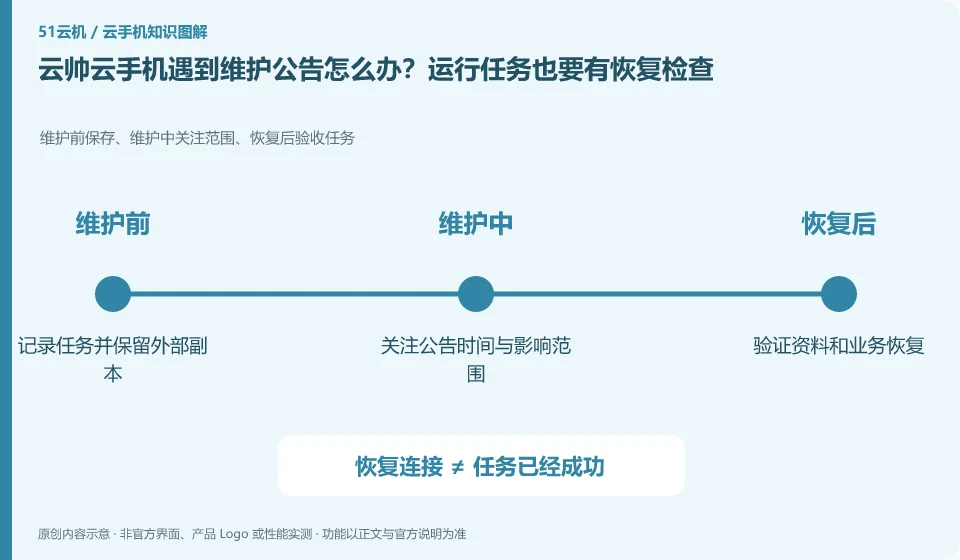
When receiving the current notification, first check whether your own device group is covered, and then arrange unsynchronized data, run tasks, and contact people. After the maintenance is completed, not only check whether it can be connected, but also check the application status and task results; running in the cloud for a long time does not mean that it is never paused in the middle. If there is no matching announcement, sort out the device number, time period and original error and ask the official instead of continuously clearing the environment. This article has no real-time monitoring or evidence of current incidents, and does not make unfounded guarantees about maintenance frequency and recovery time.
If post-maintenance tasks require manual continuation, this dependency should be written into the daily schedule. The successful reconnection of the cloud machine only means that the environment is accessible, but does not prove that the long process has returned to the correct step; for work that cannot accept interruption, you should first determine whether the service form meets the needs before investing in the long term.
Understand what this question covers
Before maintenance, export files that cannot be reconstructed and record the application status and necessary re-login steps. After recovery, you should check that the device is accessible, the application can connect to the Internet, the task can be continued, and the data is complete. Just seeing that the desktop has been restored does not mean that all services have been restored.
Check in this order
- Check the announcement date and affected equipment, and retain the current operating status.
- Schedule backups and task pauses to avoid high-impact operations during maintenance.
- After recovery, verify connections, applications, and files one by one, and provide evidence feedback when exceptions occur.
Sources and scope
Sources checked on October 26, 2026. This article combines AI-assisted research of public information with independent analysis and verification suggestions; we have not conducted a hands-on test of this product. Features and costs depend on the current official documentation and your order.
Continue reading:Cloud phone basics · Cloud phone troubleshooting guide · Brand reference directory。
Related questions to explore
- Why does viewing Yunshuai Cloud Phone use data when background hosting does not?
- Sharing a Yunshuai subaccount with support: define and revoke access
- Yunshuai multi-device previews: a normal screen does not prove task completion
Back to the brand and product knowledge directory · Browse cloud phone topics