
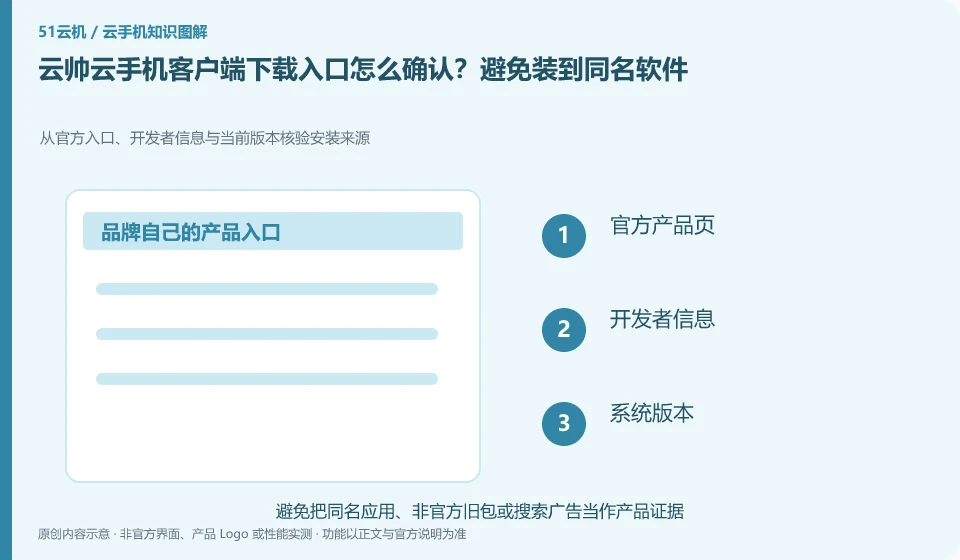
Regarding Yunshuai cloud phone, the key to this issue is: first enter the download channel from the verifiable official product page, and then check the developer and platform version. Advertisements, "high-speed downloads" and aggregated downloaders in search results cannot be deemed to be official installation packages based on their brand name alone.
Known information about Yunshuai cloud phone and the key points of this verification
Yunshuai cloud phone is operated by Shanghai Yunshuai Information Technology Co., Ltd. The official website introduces three-end access, preview and batch operations; the protocol explains that remote viewing will generate local network traffic.
The operating entities of the official website and user agreement can check each other. When downloading, continue to check the full name of the product and the official distribution entrance.
The evidence boundaries of this article are: the old maintenance announcement on the official website cannot be regarded as a current incident; sub-account assistance and personal account resale need to be distinguished.
How this issue applies to this product
Yunshuai official website and user agreement can mutually check the operating entities. When looking for download entrances, this main clue is more reliable than the icons and advertising descriptions of aggregation sites; search results with the same name, third-party packagers and so-called accelerated versions cannot be regarded as official distribution based on their names alone.
The official website introduces three-terminal access. Readers should first determine which local device they plan to access from, and then check the current download or login method of that terminal. Those who already have a cloud machine should especially save the original account channel and device number. After installing the new client, search for the original device first to avoid directly creating duplicate orders. The agreement involves local traffic obligations for remote viewing. Downloading the client does not mean that viewing is free; after the installation is completed, it still needs to be verified according to your own network statistics. This article does not endorse the security of any third-party installation package.
For the first operation after installation, you can only access the blank test environment, confirm that the product name is consistent with the expected entry, and then enter the existing important equipment. If a high-privilege request unrelated to the required function pops up, please return to the official instructions for verification first; the normal distribution entrance does not mean that all subsequent authorizations should be unconditionally accepted.
Understand what this question covers
Cloud phone, emulator, cloud PC or multiple instances assistant may appear under the same brand. Before downloading, confirm the full name of the product and its purpose of operation, and then check the login interface after installation. If you encounter a page that requires you to close security software, import unfamiliar certificates, or transfer money to receive a permanent free version, you should pause and return to the official instructions for verification.
Check in this order
- Save the official product page address and check the full name of the product and the developer.
- Choose the corresponding installation method according to Windows, Android or other systems.
- After installation, check the version and account entry first, and do not import unknown activation tools.
Sources and scope
Sources checked on October 26, 2026. This article combines AI-assisted research of public information with independent analysis and verification suggestions; we have not conducted a hands-on test of this product. Features and costs depend on the current official documentation and your order.
Continue reading:Cloud phone basics · Cloud phone troubleshooting guide · Brand reference directory。
Related questions to explore
- Why does viewing Yunshuai Cloud Phone use data when background hosting does not?
- Sharing a Yunshuai subaccount with support: define and revoke access
- Yunshuai multi-device previews: a normal screen does not prove task completion
Back to the brand and product knowledge directory · Browse cloud phone topics