
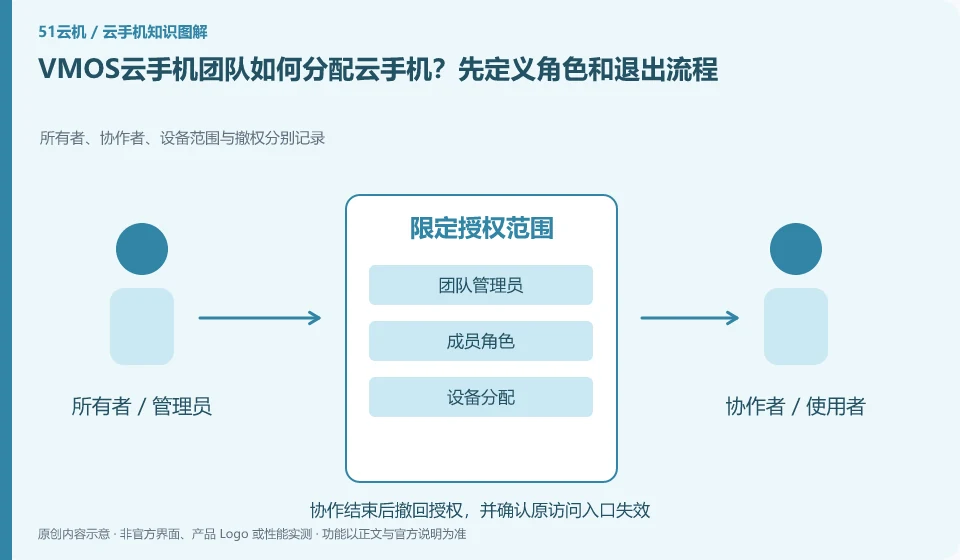
Regarding VMOS cloud phone, the key to this issue is: team allocation should be based on who can see the device, who can control it, and who can manage orders, rather than everyone sharing the administrator password. Even if the platform provides role functions, a test account must be used to confirm the actual permission scope to avoid configuration names that are different from expected.
Known information about VMOS Cloud phone and the key points of this verification
VMOS Cloud phone and the VMOS virtual machine running on this machine need to be identified separately. VMOS Cloud phone official website introduces multi-terminal interoperability; PCtutorial separates cloud machine and cloud space management.
Team information comes from the VMOS Cloud Help Center; domestic product users should first confirm whether their version provides the same entrance and roles.
The evidence boundary of this article is: the functions of local VMOS applications, domestic cloud phones, and VMOS Cloud international product pages cannot automatically overlap with each other.
How this issue applies to this product
The VMOS Cloud international help center contains team and device management information. This evidence cannot automatically add the same role to the domestic VMOS cloud phone or local virtual machine. Before purchasing or arranging for colleagues to access, confirm the full name of your product and site, and then ask whether the required member entrance exists in the current version.
Team tasks need to resolve resource ownership and operation authorization respectively. Just because the administrator can see all devices does not mean that every member should do the same; temporary assistance should not provide the ability to retrieve the main account. Two test members can be used to verify the scope of visibility after assignment, the actions that can be performed, and the undo results. After members leave, in addition to accessing the platform, they also need to check the login and files of third-party apps in the cloud machine. When there is no evidence of the current product role, it is left to be confirmed, and sharing the same password is not packaged into regular team management.
Shared materials and shared accounts must also be distinguished. The team can need the same test installation package, but it does not mean that each member must get a platform master account; if the target product does not have sufficient restrictions, first maintain a small-scale verification, and do not treat management gaps as a negligible usage habit.
Understand what this question covers
First establish a list of responsible persons and equipment, and then allocate them according to minimum needs. There are procedures for new people to take over, temporary assistance and members leaving: assigning environments, verifying access, handing over data, and withdrawing permissions. Member roles within the application must also be set separately, and platform permissions cannot automatically cover all applications.
Check in this order
- Lists the required permissions for administrators, users, and facilitators.
- Use two test members to verify visible devices and executable operations.
- When personnel change, reclaim access and update the list, and then check application-side authorization.
Sources and scope
- VMOS Cloud phone official website
- VMOS local virtual machine product page
- VMOS Cloud phone PC user instructions
- VMOS Cloud Help Center
Sources checked on October 26, 2026. This article combines AI-assisted research of public information with independent analysis and verification suggestions; we have not conducted a hands-on test of this product. Features and costs depend on the current official documentation and your order.
Continue reading:Cloud phone basics · Cloud phone troubleshooting guide · Brand reference directory。
Related questions to explore
- VMOS local virtual machines versus cloud phones: different host dependencies
- Who suits VMOS hourly billing? Stopping use versus stopping charges
- VMOS cloud space versus cloud phone storage: where are the files?
Back to the brand and product knowledge directory · Browse cloud phone topics