
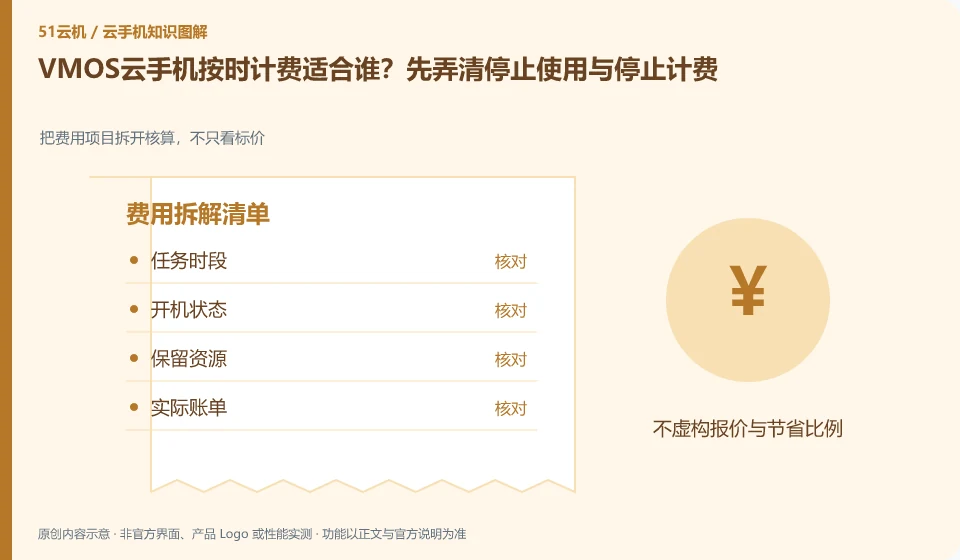
Regarding VMOS cloud phone, the key to this question is: whether billing on time is cost-effective? The key is how much running time the task requires, and which resources are still retained or charged after shutdown. Exiting the viewing interface usually only means disconnecting control and should not automatically be interpreted as the device stopping or the bill returning to zero.
Known information about VMOS Cloud phone and the key points of this verification
VMOS Cloud phone and the VMOS virtual machine running on this machine need to be identified separately. VMOS Cloud phone official website introduces multi-terminal interoperability; PCtutorial separates cloud machine and cloud space management.
The official website explains that when billing on time, you should further check the current billing rules. Closing the viewing window cannot be regarded as stopping resource billing.
The evidence boundary of this article is: the functions of local VMOS applications, domestic cloud phones, and VMOS Cloud international product pages cannot automatically overlap with each other.
Consider a specific scenario
Let's say you plan to run your Android app only for a few testing periods. This is a verification plan, not our experience using this product. First of all, "the billing status of viewing completion, device shutdown and resource retention is clear" should be regarded as the completion standard for this time. The original data should be saved before the test, and the first attempt should not be placed directly on important accounts and unique file copies.
The most easily overlooked thing in this scenario is that forgetting to turn off the phone after disconnecting the screen may continue to incur charges. Therefore, it is necessary to separate the status that can be seen on the interface from the results that really need to be delivered. Being able to reproduce, explain and withdraw is more valuable than getting only one success notification.
Check in this order
- Record the period of time that needs to be powered on and the number of days that the environment must be retained.
- Check the billing status corresponding to stop viewing, shutdown and release respectively.
- After verifying the expenses with short-cycle orders, make a monthly budget.
How to submit records to the support channel of VMOS Cloud phone
When submitting a question, first state "Who is suitable for on-time billing of VMOS cloud phone? First clarify whether to stop using and stopping billing", and then attach the device number, selected client and system version, failure steps and the current time. The key point of verify in the brand information is "When the official website introduces on-time billing, you should further check the current billing rules. Closing the viewing window cannot be regarded as stopping resource billing." Therefore, do not just send a screenshot of the homepage, nor do you need to put the complete password, verification code or private key in the problem description. When it comes to order or business qualifications, you should contact support from the official entrance where this product can be verified.
Understand what this question covers
First read the current billing rules to clarify the startup, shutdown, storage and retention periods. For intermittent testing, you can use a short task to check the bill; tasks that need to be online all the time should be compared with the package period plan. All calculations are based on the order billing unit, and do not use the official website event conversion price to pretend to be a long-term unit price.
A reusable verification log
You can copy the table below into your notes. Record the device ID, verification date and current version. It helps identify which step failed and lets you repeat the same checks after changing clients or services.
| Checkpoint | What counts as a pass | What to do if it fails |
|---|---|---|
| demand unit | The duration, quantity and range of data to be retained are consistent | If the billing caliber is different, convert it first. You cannot directly rank the monthly package and the hourly price. |
| actual project | Only list the fees and additional resources actually activated by the order | Unknown fees are left to be inquired, and all possible items are not considered to be required. |
| Preferential terms | First purchase, applicable period and renewal are recorded separately | When the discount qualification is unknown, budget according to the current verifiable conditions and do not guess the permanent price. |
| exit cost | Unsubscription takes effect, data export and resource release are all included | Review the bill after stopping use to make sure there are no unnecessary items left behind. |
Sources and scope
- VMOS Cloud phone official website
- VMOS local virtual machine product page
- VMOS Cloud phone PC user instructions
- VMOS Cloud Help Center
Sources checked on October 26, 2026. This article combines AI-assisted research of public information with independent analysis and verification suggestions; we have not conducted a hands-on test of this product. Features and costs depend on the current official documentation and your order.
Continue reading:Cloud phone basics · Cloud phone troubleshooting guide · Brand reference directory。
Related questions to explore
- VMOS local virtual machines versus cloud phones: different host dependencies
- VMOS cloud space versus cloud phone storage: where are the files?
- VMOS Cloud Phone on mobile, desktop or web: choosing access
Back to the brand and product knowledge directory · Browse cloud phone topics