
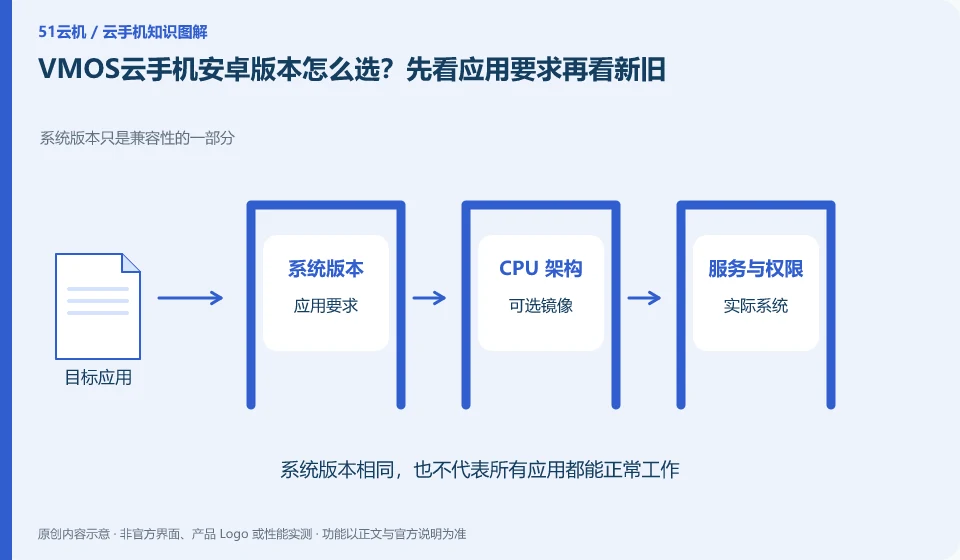
Regarding VMOS cloud phone, the key to this issue is: newer Android versions may support new application interfaces, but may also change permissions and background behavior; older versions may be compatible with legacy applications, but are not suitable for tasks that require a new system. The choice should be based on the target application version and complete process, rather than simply chasing the latest.
Known information about VMOS Cloud phone and the key points of this verification
VMOS Cloud phone and the VMOS virtual machine running on this machine need to be identified separately. VMOS Cloud phone official website introduces multi-terminal interoperability; PCtutorial separates cloud machine and cloud space management.
The selected system must be based on the current model options. When different version ranges appear in the old product center and the new official website, the time difference will be recorded.
The evidence boundary of this article is: the functions of local VMOS applications, domestic cloud phones, and VMOS Cloud international product pages cannot automatically overlap with each other.
How this issue applies to this product
When discussing systems under the VMOS brand, we must first distinguish between local virtual machines, domestic cloud phones, and international cloud products. Their Android version ranges and update rhythms cannot be applied to each other; different numbers appear in the old product center and the new official website, which only means that the data range may be different, and the highest version cannot be selected as the current configuration of all users.
When selecting a system, first check the minimum requirements, permission changes, and system service dependencies of the target application. When retaining a legacy application, a new version of Android may not be the only suitable choice; when a new permission model is required, the old environment may not satisfy it. After the actual creation, record the system version and go through the installation, authorization and core tasks again. If you plan to migrate the original environment, first verify that the files and accounts can be restored independently. You cannot rely on "upgrading the system" to assume that the entire machine data will be followed intact.
If the official page does not clarify whether a certain system can currently be built, it will be listed as advisory rather than supported by default. The minimum application version requirement can come from the application's own description and be compared with the cloud phone purchase options; this is closer to the actual compatibility requirements than just selecting the system with the largest page number.
Understand what this question covers
The system range listed on the official website may not be available in every package, and the old tutorial may not be updated. Record the selected image and model before creation, and check it in the system settings after creation. If changing the system involves rebuilding the environment, the file should be exported first. It cannot be assumed that the application and login status will be automatically migrated.
Check in this order
- Compile the minimum system and service dependencies from the official application instructions.
- Check the available images for the current package and check the actual version after creation.
- Verify login, permissions and core processes before saving selection records.
Sources and scope
- VMOS Cloud phone official website
- VMOS local virtual machine product page
- VMOS Cloud phone PC user instructions
- VMOS Cloud Help Center
Sources checked on October 26, 2026. This article combines AI-assisted research of public information with independent analysis and verification suggestions; we have not conducted a hands-on test of this product. Features and costs depend on the current official documentation and your order.
Continue reading:Cloud phone basics · Cloud phone troubleshooting guide · Brand reference directory。
Related questions to explore
- VMOS local virtual machines versus cloud phones: different host dependencies
- Who suits VMOS hourly billing? Stopping use versus stopping charges
- VMOS cloud space versus cloud phone storage: where are the files?
Back to the brand and product knowledge directory · Browse cloud phone topics