
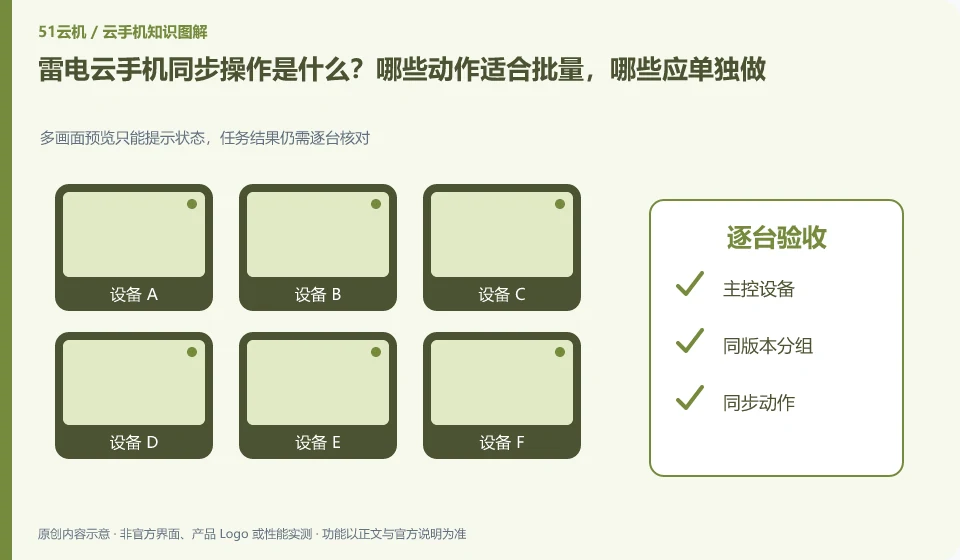
Regarding LD Cloud Phone, the key to this issue is: synchronization operation is to map the operation of one device to other selected devices, which is suitable for repeated steps with similar interfaces. It is not an intelligent system that automatically understands the status of each application; if a pop-up window or page is different in one application, deviation and accidental touch may occur.
Known information about LD Cloud Phone and the key points of this verification
LD Cloud Phone provides remote cloud phone and multi-terminal access portal. The current official website lists entrances for Windows, Android, Apple, etc., and there are also overseas cloud phone entrances on the webpage.
Whether the synchronization operation exists and the number of operable operations should be checked in the current version; the focus of the test is whether the screen is consistent and whether the exception can be stopped in time.
The evidence boundaries of this article are: LDPlayer and LD Cloud Phone are not operating in the same location; overseas lines must not be directly equivalent to domestic packages.
How this issue applies to this product
The synchronization operation of LD Cloud Phone requires confirming the entrance and quantity range on the current client. Multi-terminal access on the official website does not automatically prove that each terminal can perform group control. Synchronization is suitable for repeated low-impact steps of the same version of the application and the same page; if the login status of a device is different or an update prompt appears, the same coordinates may produce different results.
A good task for a first try would be to have a small number of test machines enter the same instructions page and then perform actions such as going back or turning on non-sensitive settings. Check each channel one by one after each action, and do not immediately include payment, deletion or account authorization into synchronization. When encountering an offset, pause first, record the system and resolution of the abnormal device, and then restore the unified starting point. This article does not verify how many units the current end supports, so it will not write down the number of third-party tutorials as an official commitment, nor will it claim that synchronization equals intelligent recognition.
The test list can first exclude devices with real payment and non-reconstructable data. In this way, even if a synchronization does not fall on the page as expected, it can be stopped and replayed without having to bear the responsibility for misoperation in the formal environment; after the pilot is passed, the applicable conditions still need to be re-confirmed according to subsequent version changes.
Understand what this question covers
Batch installation and synchronized clicks are not the same thing either. The installation can be accepted based on the task results. Clicking will check whether each screen is in the same position. High-impact steps such as account login, payment, and deletion should be handled individually, and confirmations should not be omitted simply because of the large number of devices.
Check in this order
- Group by system version, resolution and application version, first unify the start page.
- Select only a small number of test devices to synchronize low-impact operations and check the results one by one.
- If page differences occur, synchronization will be stopped immediately, and the scope will be expanded after consistency is restored.
Sources and scope
Sources checked on October 26, 2026. This article combines AI-assisted research of public information with independent analysis and verification suggestions; we have not conducted a hands-on test of this product. Features and costs depend on the current official documentation and your order.
Continue reading:Cloud phone basics · Cloud phone troubleshooting guide · Brand reference directory。
Related questions to explore
- LD Cloud Phone versus a local Android emulator: choose for your task
- How to verify the official LD Cloud Phone download
- LD Cloud Phone on mobile, desktop or web: choosing an access method
Back to the brand and product knowledge directory · Browse cloud phone topics