
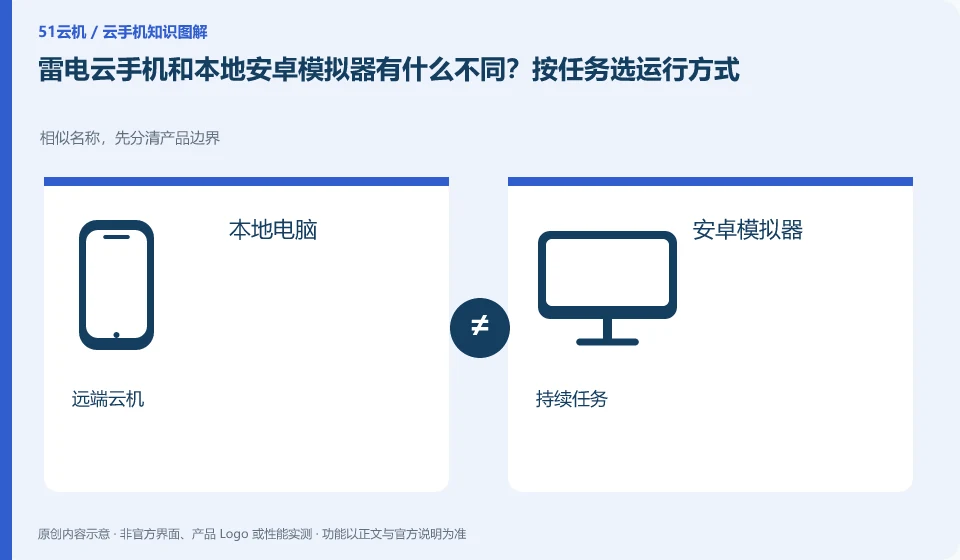
Regarding LD Cloud Phone, the key to this issue is: the local emulator mainly borrows your computer to run the Android environment, while cloud phone places the running environment remotely. The need to continue running after shutting down the computer is not the same requirement as the need for low-cost offline development. The selection should be based on the running location and dependency conditions.
Known information about LD Cloud Phone and the key points of this verification
LD Cloud Phone provides remote cloud phone and multi-terminal access portal. The current official website lists entrances for Windows, Android, Apple, etc., and there are also overseas cloud phone entrances on the webpage.
LD Cloud Phone and LDPlayer have similar names. This article focuses on the task running location and does not mix the installation and performance instructions of the two products.
The evidence boundaries of this article are: LDPlayer and LD Cloud Phone are not operating in the same location; overseas lines must not be directly equivalent to domestic packages.
Understand what this question covers
The emulator is usually affected by the local CPU, memory and graphics card; cloud phone also relies on access network and lease rules. Both may also encounter application limitations. To directly equate "an Android window appears on your computer" with an emulator will misjudge data location, maintenance responsibilities and ongoing costs.
Consider a specific scenario
Suppose you plan to shut down your computer after get off work and still want to retain a test environment. This is a verification plan, not our experience using this product. First of all, "confirm whether the task must be continued after the computer is shut down" should be regarded as the completion standard. Save the original data before testing, and do not put the first attempt directly on important accounts and unique file copies.
The most easily overlooked thing in this scenario is that you cannot determine the actual running location when you see the Android window on your computer. Therefore, it is necessary to separate the status that can be seen on the interface from the results that really need to be delivered. Being able to reproduce, explain and withdraw is more valuable than getting only one success notification.
Check in this order
- Write down whether the task must continue after the machine is shut down and note the data retention period.
- Record local resource usage and remote package costs separately, not just compare selling prices.
- Use the same application process to verify input, file transfers, and post-disconnect status.
A reusable verification log
You can copy the table below into your notes. Record the device ID, verification date and current version. It helps identify which step failed and lets you repeat the same checks after changing clients or services.
| Checkpoint | What counts as a pass | What to do if it fails |
|---|---|---|
| operating position | Find a clear description of local or remote in the official description | If you cannot confirm, do not judge based on the appearance of the window. Ask about the specific product line first. |
| Task dependencies | Record whether the machine needs to be turned on all the time and whether it needs network access | When a dependency conflicts with your usage conditions, try another solution. |
| Data ownership | Find out where the installation package, application files and login accounts are saved. | When there is no independent export of important files, solve the problem of export first and then invest in it for a long time. |
| Exit method | Confirm the difference between stopping use, saving environment and releasing resources | If you still don’t know the fees or data status after logging out, keep the work order for verification. |
How to submit records to LD Cloud Phone support channel
When submitting a question, first write "What is the difference between LD Cloud Phone and the local Android emulator? Select the running method according to the task", and then attach the device number, selected client and system version, failure step and current time. The key point of verify in the brand information is "LD Cloud Phone and LDPlayer have similar names. This article focuses on the task running location and does not mix the installation and performance instructions of the two products." Therefore, do not just send a screenshot of the homepage, nor do you need to put the complete password, verification code or private key in the problem description. When it comes to order or business qualifications, you should contact support from the official entrance where this product can be verified.
Sources and scope
Sources checked on October 26, 2026. This article combines AI-assisted research of public information with independent analysis and verification suggestions; we have not conducted a hands-on test of this product. Features and costs depend on the current official documentation and your order.
Continue reading:Cloud phone basics · Cloud phone troubleshooting guide · Brand reference directory。
Related questions to explore
- How to verify the official LD Cloud Phone download
- LD Cloud Phone on mobile, desktop or web: choosing an access method
- LD Cloud Phone China and international editions: more than server location
Back to the brand and product knowledge directory · Browse cloud phone topics