
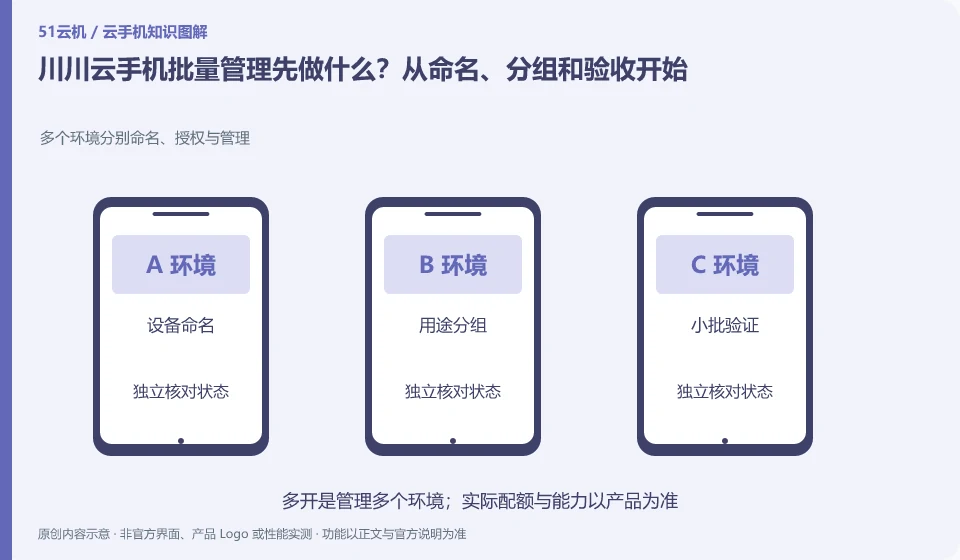
Regarding Chuanchuan Cloud Phone, the key to this issue is: after the number of cloud phones increases, you first need to establish a device list and grouping rules, and then consider batch operations. Otherwise, the wrong target may be selected for renewal, restart, and clearing; efficiency improvement must be based on accurate identification and reviewable results.
Known information about Chuanchuan Cloud Phone and the key points of this verification
The official introduction of Chuanchuan Cloud Phone positions it as an ARM-based cloud Android product. The product introduction includes cloud disk mutual transfer, batch operations, cloud machine authorization and testing, etc.
Batch installation, batch restart and synchronization clicks are accepted separately; the result evidence and data impact of these types of actions are different.
The evidence boundary of this article is: the scenarios mentioned on the official website do not guarantee the adaptation of any third-party apps, nor can they guarantee that the account will not be restricted.
Consider a specific scenario
Let's say you're preparing multiple test phones for different purposes for your group. This is a verification plan, not our experience using this product. First of all, "the device name can be found by the person in charge and failed items can be retried individually" as the completion standard for this time. The original data should be saved before the test, and the first attempt should not be placed directly on important accounts and unique file copies.
The most easily overlooked thing in this scenario is that it is easy to select the wrong environment for batch cleanup without naming rules. Therefore, it is necessary to separate the status that can be seen on the interface from the results that really need to be delivered. Being able to reproduce, explain and withdraw is more valuable than getting only one success notification.
Check in this order
- Create four lists of equipment number, purpose, person in charge, and expiration date.
- Create groups according to the same operation range and select a small number of devices for trial execution.
- After checking the results one by one, the batch will be expanded and the failed equipment will be retained for separate processing.
How to submit records to Chuanchuan Cloud Phone support channel
When submitting a question, first state "What should be done first for batch management of Chuanchuan Cloud Phone? Start with naming, grouping and acceptance", and then attach the device number, selected client and system version, failure steps and the current time. The key point of verify in the brand information is "separate acceptance of batch installation, batch restart and synchronized clicks; the result evidence and data impact of these types of actions are different." Therefore, do not just send a screenshot of the homepage, nor do you need to put the complete password, verification code or private key in the problem description. When it comes to order or business qualifications, you should contact support from the official entrance where this product can be verified.
Understand what this question covers
The name can include the purpose, person in charge, and test version, and avoid directly putting passwords or personal ID information. The grouping should serve the actual operation scope, such as the same application version or the same project; do not mix them together only by purchase date, let alone perform cleanup of the test and real business environment together.
A reusable verification log
You can copy the table below into your notes. Record the device ID, verification date and current version. It helps identify which step failed and lets you repeat the same checks after changing clients or services.
| Checkpoint | What counts as a pass | What to do if it fails |
|---|---|---|
| Goal list | Each device has a number, purpose and person in charge | Do not perform batch cleanup, reset or authorization when target is not recognized |
| common starting point | The system, application and current page are in a comparable state | When pop-up windows or page differences are found, remove the device from the synchronization range |
| Small batch verification | A small number of devices have unit-by-unit result records | If the test fails, correct the rules first to avoid spreading the same error to all devices. |
| expand scope | Success and failure can be tracked and paused separately | After the batch task is finished, the output still needs to be randomly checked, and you cannot just look at the successful submission of the operation. |
Sources and scope
Sources checked on October 26, 2026. This article combines AI-assisted research of public information with independent analysis and verification suggestions; we have not conducted a hands-on test of this product. Features and costs depend on the current official documentation and your order.
Continue reading:Cloud phone basics · Cloud phone troubleshooting guide · Brand reference directory。
Related questions to explore
- Chuanchuan cloud storage and cloud phones: two file-transfer checks
- Chuanchuan screen sharing for teaching: viewing versus control permissions
- Will my app work on Chuanchuan Cloud Phone? Test its essential workflow
Back to the brand and product knowledge directory · Browse cloud phone topics