
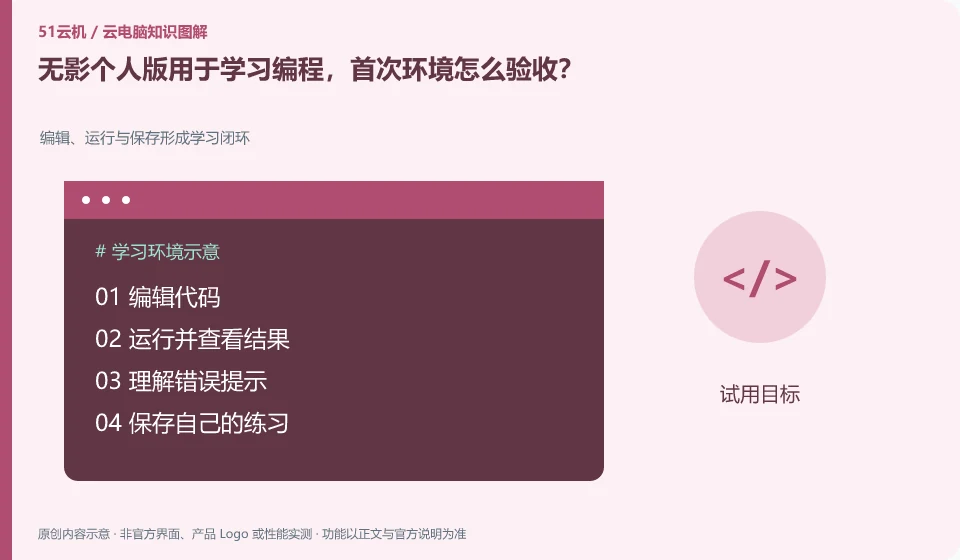
Start by installing, running, saving and exporting a small project, first verify the learning environment, and then move to a long-term project. The personal version document lists application directions such as development, but the specific tool chain and permissions still need to be checked against the current system.
Who this is for:General readers and small teams who are working on Alibaba Wuying Cloud PC and need to solve the specific problems in the title. Data verification date: 2026-10-26.
First, identify the product line
The Alibaba Cloud Help Center separates Wuying Personal and Enterprise Edition: the Personal Edition focuses on daily use by individuals and families, while the Enterprise Edition focuses on the security and unified operation and maintenance of organizations. The personal version document also explains the package, client and web access separately, so you must check the version first when looking for a tutorial.
Complete the first verification with real small tasks
Use a public starter project to record language versions, dependencies, and run commands. Submit the code to a repository with your own permissions or export an independent copy. Do not write the database password and access token into the tutorial; confirm that the environment and project can still resume operation after reconnecting.
The goal of the first experience is not to take a screenshot after opening the desktop, but to prove that a daily task can be completed completely. Select a sample document without privacy, log in, open the software, enter Chinese, save, exit and connect again. By leaving results at each step, you can distinguish between account problems, software problems and resource recovery problems. The length, quota and configuration of the free trial may change, and it is not appropriate to describe old activities as long-term rights and interests.
It is also important to set end conditions for the trial: for example, Chinese input is normal, the document can be reopened, the peripheral can complete an operation, or the target game can be logged in in an officially allowed way. If one of them fails, check the corresponding version documentation first, and then decide whether to continue. Don’t upload customer data or bind high-privilege work accounts just to verify general functionality; it’s easier to wrap up using deletable samples and low-privilege test accounts.
Check each requirement for your task
- Write out a task that must be completed and three acceptance criteria.
- Prepare a sample file documenting the client version, network, and connection period.
- Exit and reconnect and verify to save the results. After completion, clean up the test resources and automatic renewal settings.
Installing software and completing a workflow are different tests
Create an application list, specifying the name, version, licensing method, dependent components and acceptance actions. Prioritize verification of core procedures that affect the business, and then deal with non-essential tools. If the application does not allow a virtualized environment or requires a local encryption device, it should be confirmed with the software vendor and desktop service provider at the same time. Do not use cracking, changing driver signatures, or bypassing authorization to determine "compatibility."
Where the conclusion applies and what to do next
The accounts, purchase methods, strategies and billing units of the personal, enterprise and commercial versions may be different. It is not appropriate to use screenshots of one version to guide another version.
This article is based on public information. We have not purchased or tested the product. The scenarios describe ways to verify suitability, not customer case studies. Features and terms depend on the current official documentation for the relevant version.
Official sources and further reading
- Frequently Asked Questions about Wuying Personal Purchase: Official explanation of personal and enterprise version positioning and purchase FAQs.
- Log in and configure Wuying Personal client: List the personal version client platform and Web client instructions. Platform support will change with the version.
- Wuying Personalbilling Instructions: Describes the package, WuyingLingdou credits and resource measurement method, and does not quote the activity price in a fixed way.
Read more:Cloud PC knowledge hub · Find an article for your question · Alibaba Wuying Cloud PC product line identification
Related questions to explore
- Alibaba Wuying personal or enterprise edition: compare management needs
- What are Wuying Lingdou credits? Separate plans, runtime and disk costs
- Wuying Cloud PC browser access versus client access: check your workflow
Back to the brand and product knowledge directory · Browse cloud PC topics