
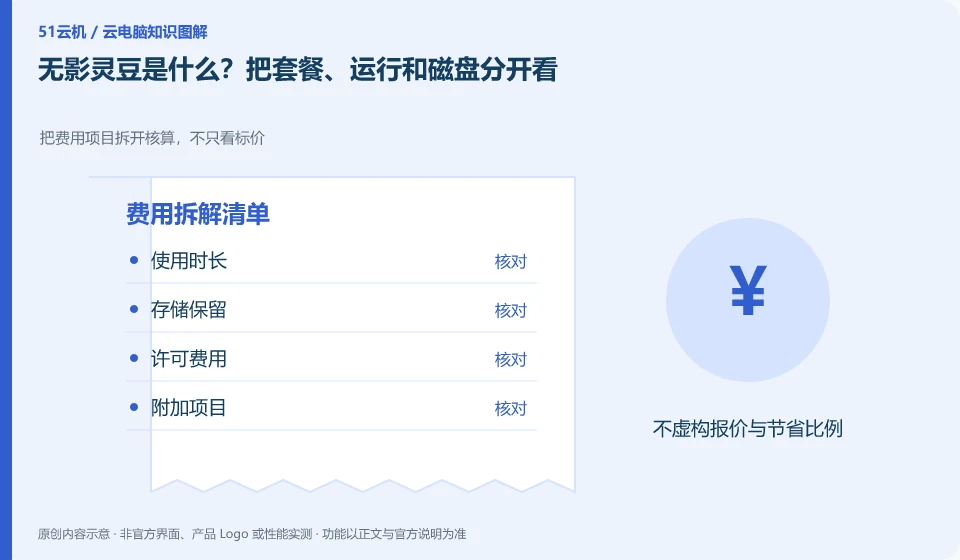
Wuying Personal documentation explains packages and WuyingLingdou credits measurement separately. First understand what the current package provides, how it is consumed during operation, and how the data disk is retained, and then compare your own usage plan; you cannot directly equate Lingdou credits to one hour of fixed configuration.
Who this is for:General readers and small teams who are working on Alibaba Wuying Cloud PC and need to solve the specific problems in the title. Data verification date: 2026-10-26.
First, identify the product line
The Alibaba Cloud Help Center separates Wuying Personal and Enterprise Edition: the Personal Edition focuses on daily use by individuals and families, while the Enterprise Edition focuses on the security and unified operation and maintenance of organizations. The personal version document also explains the package, client and web access separately, so you must check the version first when looking for a tutorial.
Calculate costs from the usage rules, not the headline price
Use current specifications and metering rules when budgeting, outlining planned runtime, ongoing storage, and trial end dates. Different models may have different consumption, so don’t use the conversion numbers in the old guide for long-term valuation; checking the bill is more reliable than memorizing a unit price.
Only by splitting the cost into operating resources, persistent storage, network or value-added items can you compare different billing methods. Some products are charged by license, some are metered by running time or package quota, and the disk may continue to bill after stopping the desktop. First check the definitions of "stop", "disconnect" and "release" in the current order description. Closing the client cannot be regarded as stopping billing.
Create a personal estimate with the expected session length, sessions per week, data to retain, trial end date and where to cancel renewal. Estimate from your own usage plan, then check it against the bill. This is more useful than copying a promotional price. Example usage counts illustrate a calculation, not a product promise. Expiring discounts, regional differences, taxes and other conditions must still be checked on the actual checkout page.
Check each requirement for your task
- Record who is charged, unit of measure and minimum or fixed expenses.
- Check the billing results of the three actions of disconnection, shutdown and release.
- Set trial end reminders, export bills, and check whether storage and add-on services are still being charged.
Session end and resource release are handled separately
Disconnection only temporarily stops the interaction between the terminal and the desktop. Logging out may end the current user session. Stopping and releasing resources may affect charges and data. The terms used in different products are not exactly the same, so you need to check the current version’s formal explanation of each action. Just pressing the close button in the upper right corner of the window cannot tell whether the background task continues or when the billing will stop.
Where the conclusion applies and what to do next
The accounts, purchase methods, strategies and billing units of the personal, enterprise and commercial versions may be different. It is not appropriate to use screenshots of one version to guide another version.
This article is based on public information. We have not purchased or tested the product. The scenarios describe ways to verify suitability, not customer case studies. Features and terms depend on the current official documentation for the relevant version.
Official sources and further reading
- Frequently Asked Questions about Wuying Personal Purchase: Official explanation of personal and enterprise version positioning and purchase FAQs.
- Log in and configure Wuying Personal client: List the personal version client platform and Web client instructions. Platform support will change with the version.
- Wuying Personalbilling Instructions: Describes the package, WuyingLingdou credits and resource measurement method, and does not quote the activity price in a fixed way.
Read more:Cloud PC knowledge hub · Find an article for your question · Alibaba Wuying Cloud PC product line identification
Related questions to explore
- Alibaba Wuying personal or enterprise edition: compare management needs
- Wuying Cloud PC browser access versus client access: check your workflow
- Wuying Personal from Linux: verify supported access methods first
Back to the brand and product knowledge directory · Browse cloud PC topics