
First check the purchase account number, full name of the product, expiration and opening conditions, and then sort out the client and resource list. The official cloud PC guide mentions the purchased desktop and expiration date. If the resource is not visible, you should check this information first.
Who this is for:For general readers and small teams who are working on ToDesk cloud PC, need to solve the specific problem in the title. Data verification date: 2026-10-26.
First, identify the product line
ToDesk's official help center has novice guidance on cloud PC purchase, connection, and package viewing. The download center also lists remote control and cloud PC as different entrances. The former connects to existing devices, and the latter provides a cloud computer that can be connected after purchase; the billing and data locations of the two products must be judged separately.
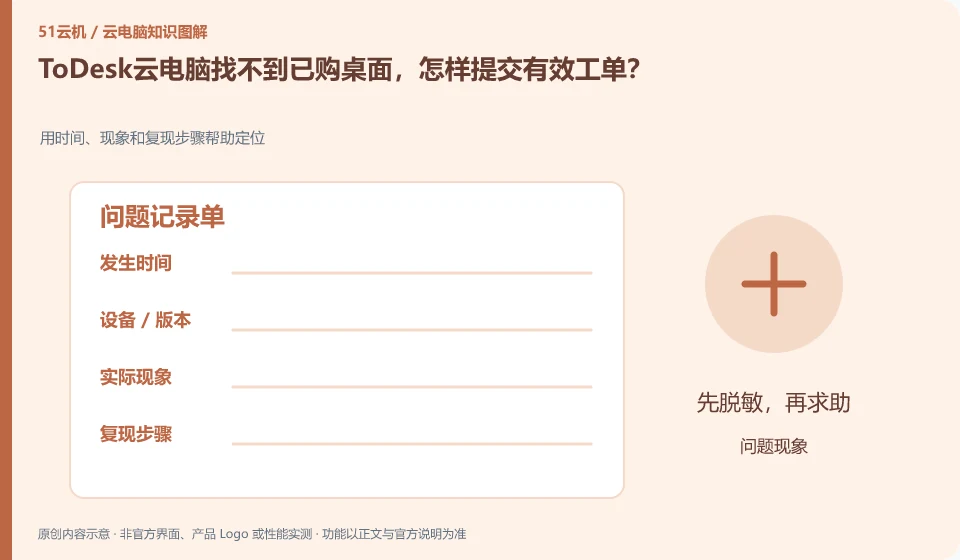
Problem records are written in steps that can be reproduced by others.
When submitting a problem to the official, provide the desensitization order number, client version and time of first occurrence to get started. Do not send SMS verification codes to unfamiliar "customer service" or allow them to take over all devices; if the remote control device list is normal, it cannot be used to prove that the cloud PC purchase account is the same.
An effective fault record should include both expected results, actual results, time of first occurrence, client and system versions, and repeatable steps. Changing "Cannot Open" to "Select a desktop and stop at the loading interface, the same account still appears when changing terminals" can narrow the scope of the problem. Images and logs may contain device code, file paths or account numbers, and must be masked before being sent to support.
Don't pile together unfounded troubleshooting methods. First confirm the official status and announcement, and then distinguish between account, resource, network, application or terminal problems. Record the results every time you make an adjustment to avoid not knowing which operation took effect in the end. When communicating with customer service, you can ask for the work order number, next step evidence, and return visit method. There is no need to send SMS verification codes or complete remote control permissions to unofficial personnel.
Check each requirement for your task
- Record time, version, node and expected and actual results.
- Use the shortest path to reproduce and check accounts, networks and applications one by one.
- After desensitization, submit the official work order and retain the number and the results of each adjustment.
Brand accounts, application accounts and device accounts are managed separately
For personal use, ensure that the retrieved mobile phone number and email address are still valid, while for organizational use, priority should be given to using the identity method approved by the organization. Do not solve login problems by sharing verification codes, buying and selling accounts, or using unofficial remote agents. If you encounter a suspected theft, first follow the official portal to change credentials, revoke sessions, and retain transaction and work order evidence, and then check whether the cloud files have been modified.
Where the conclusion applies and what to do next
ToDesk official FAQ 137 prompts that cloud PC resources will be recycled after exiting and should be backed up in time; if the actual package has additional storage arrangements, the current rules must still prevail. Remote control free rights cannot be automatically applied to the cloud PC package.
This article is based on public information. We have not purchased or tested the product. The scenarios describe ways to verify suitability, not customer case studies. Features and terms depend on the current official documentation for the relevant version.
Official sources and further reading
- ToDesk cloud PC Newbie Guide: The official document explains how to create a new cloud desktop, select a package, connect to the purchased cloud PC and check the expiration time.
- ToDesk cloud PC official download page: cloud PC and personal and enterprise remote control are separated in the download center; the entrance can distinguish product lines.
- ToDesk official website: Remote control product information; used to identify the boundary between remote control and cloud PC, without borrowing rights across products.
- ToDesk cloud PC official FAQ 137: The main agent verify's official FAQ clearly prompts cloud PC resource recovery and timely backup after exiting; this agent's independent crawling times out, and the rules are reviewed according to the current specific package.
Read more:Cloud PC knowledge hub · Find an article for your question · ToDesk cloud PC product line identification
Related questions to explore
- ToDesk remote control versus ToDesk Cloud PC: what is the difference?
- Getting connected to ToDesk Cloud PC: follow the official setup flow
- Are ToDesk Cloud PC plans and remote-control memberships interchangeable?
Back to the brand and product knowledge directory · Browse cloud PC topics