
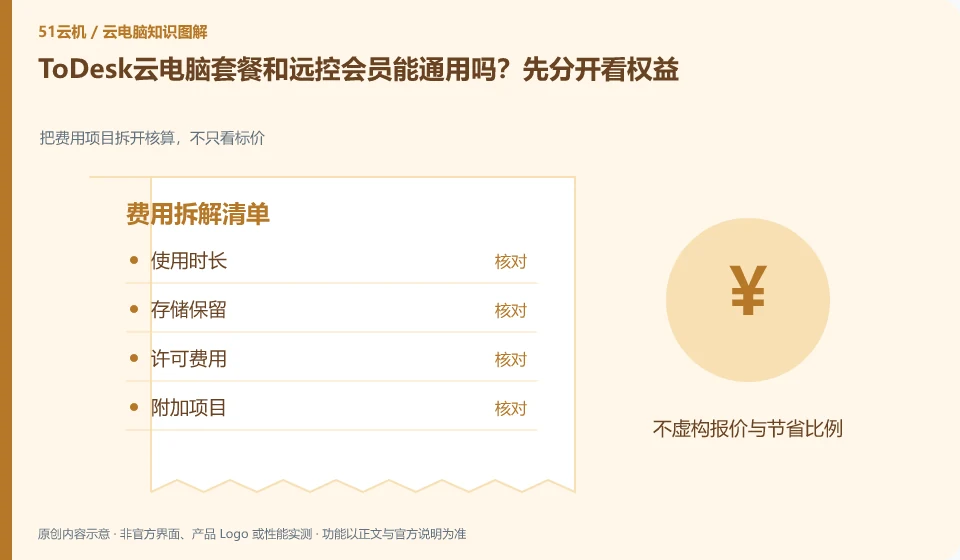
It cannot be universal by default. The download and help center lists remote control and cloud PC as different product entrances. Before purchasing, you should check the charging objects, device range and available time in the current contract respectively. Remote control members cannot automatically prove that they have rented a cloud computer.
Who this is for:For general readers and small teams who are working on ToDesk cloud PC, need to solve the specific problem in the title. Data verification date: 2026-10-26.
First, identify the product line
ToDesk's official help center has novice guidance on cloud PC purchase, connection, and package viewing. The download center also lists remote control and cloud PC as different entrances. The former connects to existing devices, and the latter provides a cloud computer that can be connected after purchase; the billing and data locations of the two products must be judged separately.
Calculate costs from the usage rules, not the headline price
First, align the full name of the order with the actual task: connecting your own equipment or using newly purchased cloud resources. Then check the renewal, activation time and storage fees; if the page displays multiple versions at the same time, retain the current settlement details to avoid mistaking the function upgrade for the computing resources package.
Only by splitting the cost into operating resources, persistent storage, network or value-added items can you compare different billing methods. Some products are charged by license, some are metered by running time or package quota, and the disk may continue to bill after stopping the desktop. First check the definitions of "stop", "disconnect" and "release" in the current order description. Closing the client cannot be regarded as stopping billing.
Create a personal estimate with the expected session length, sessions per week, data to retain, trial end date and where to cancel renewal. Estimate from your own usage plan, then check it against the bill. This is more useful than copying a promotional price. Example usage counts illustrate a calculation, not a product promise. Expiring discounts, regional differences, taxes and other conditions must still be checked on the actual checkout page.
Check each requirement for your task
- Record who is charged, unit of measure and minimum or fixed expenses.
- Check the billing results of the three actions of disconnection, shutdown and release.
- Set trial end reminders, export bills, and check whether storage and add-on services are still being charged.
Identify the edition before comparing features
Write the full product name, account entry point, supported region and purchasing entity on one line. This prevents many cases where a tutorial's buttons cannot be found. Individual users usually need to know whether they can buy and connect directly; organizations also need user groups, central policies and offboarding. If a marketing page lists a capability, check which edition and plans include it and whether an administrator must configure it.
Where the conclusion applies and what to do next
ToDesk official FAQ 137 prompts that cloud PC resources will be recycled after exiting and should be backed up in time; if the actual package has additional storage arrangements, the current rules must still prevail. Remote control free rights cannot be automatically applied to the cloud PC package.
This article is based on public information. We have not purchased or tested the product. The scenarios describe ways to verify suitability, not customer case studies. Features and terms depend on the current official documentation for the relevant version.
Official sources and further reading
- ToDesk cloud PC Newbie Guide: The official document explains how to create a new cloud desktop, select a package, connect to the purchased cloud PC and check the expiration time.
- ToDesk cloud PC official download page: cloud PC and personal and enterprise remote control are separated in the download center; the entrance can distinguish product lines.
- ToDesk official website: Remote control product information; used to identify the boundary between remote control and cloud PC, without borrowing rights across products.
- ToDesk cloud PC official FAQ 137: The main agent verify's official FAQ clearly prompts cloud PC resource recovery and timely backup after exiting; this agent's independent crawling times out, and the rules are reviewed according to the current specific package.
Read more:Cloud PC knowledge hub · Find an article for your question · ToDesk cloud PC product line identification
Related questions to explore
- ToDesk remote control versus ToDesk Cloud PC: what is the difference?
- Getting connected to ToDesk Cloud PC: follow the official setup flow
- Does ToDesk Cloud PC keep running after disconnecting? Check exit rules
Back to the brand and product knowledge directory · Browse cloud PC topics