
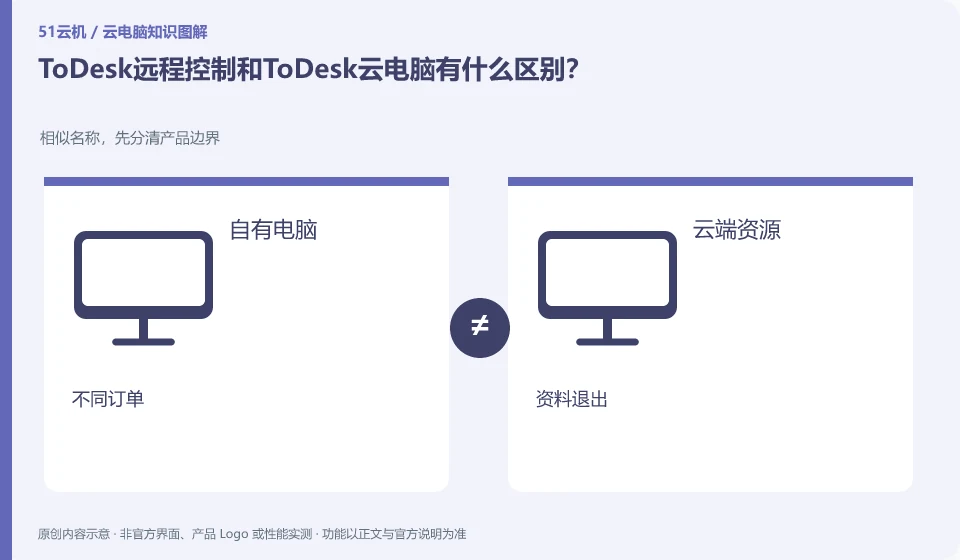
Remote control mainly connects to existing computers, while cloud PC is purchased separately and connected to cloud resources. ToDesk's official novice guide has clearly introduced the cloud desktop package and connection. All brands should no longer be classified as a single remote control tool.
Who this is for:For general readers and small teams who are working on ToDesk cloud PC, need to solve the specific problem in the title. Data verification date: 2026-10-26.
First, identify the product line
ToDesk's official help center has novice guidance on cloud PC purchase, connection, and package viewing. The download center also lists remote control and cloud PC as different entrances. The former connects to existing devices, and the latter provides a cloud computer that can be connected after purchase; the billing and data locations of the two products must be judged separately.
First check who provides the remote computer
If you already have a computer at home that meets the task, focus on checking the remote control connection and device online conditions; if you need additional computing resources, research the cloud PC package. The bills, impact of power outages, and data locations are different between the two. You cannot use remote control free rights and interests to infer cloud PC costs.
The premise of remote control mode is that there is an accessible computer, and its switch, network, software and hard disk are arranged by the device owner. For cloud PC, you need to check the separately purchased cloud resources and usage rules. Using this boundary to judge is more reliable than guessing the function directly from the ToDesk brand name; the device code and permission description in the official remote control help cannot automatically be regarded as the cloud PC purchase step.
You can write two columns on paper: what needs to be solved by the existing computer and what needs to be solved by newly purchased cloud resources. The former checks the device online and remote authorization, and the latter checks the package, expiration and data exit path. The two types of products can appear under the same brand, but solve different problems; save the order names separately before purchasing, and select the support entrance separately when encountering exceptions in the resource list.
Check each requirement for your task
- Confirm whether you want to connect your existing computer or use an additional cloud computer.
- Check the corresponding client, account and order respectively to avoid borrowing the rights of another product.
- Remote control checks the device online; cloud PC checks resource rules and exports before exiting.
The location of the data determines the ending method
After the remote control is completed, the files on your own computer are still managed by the original device and application; on the cloud PC, resource recovery and storage arrangements must be checked separately. ToDesk FAQ prompts cloud PC to exit recycling, so daily tasks must be exported and verified before exiting. You cannot directly transfer your experience of long-term file storage on your home computer to a temporary cloud PC service.
Where the conclusion applies and what to do next
ToDesk official FAQ 137 prompts that cloud PC resources will be recycled after exiting and should be backed up in time; if the actual package has additional storage arrangements, the current rules must still prevail. Remote control free rights cannot be automatically applied to the cloud PC package.
This article is based on public information. We have not purchased or tested the product. The scenarios describe ways to verify suitability, not customer case studies. Features and terms depend on the current official documentation for the relevant version.
Official sources and further reading
- ToDesk cloud PC Newbie Guide: The official document explains how to create a new cloud desktop, select a package, connect to the purchased cloud PC and check the expiration time.
- ToDesk cloud PC official download page: cloud PC and personal and enterprise remote control are separated in the download center; the entrance can distinguish product lines.
- ToDesk official website: Remote control product information; used to identify the boundary between remote control and cloud PC, without borrowing rights across products.
- ToDesk cloud PC official FAQ 137: The main agent verify's official FAQ clearly prompts cloud PC resource recovery and timely backup after exiting; this agent's independent crawling times out, and the rules are reviewed according to the current specific package.
Read more:Cloud PC knowledge hub · Find an article for your question
Related questions to explore
- Getting connected to ToDesk Cloud PC: follow the official setup flow
- Are ToDesk Cloud PC plans and remote-control memberships interchangeable?
- Does ToDesk Cloud PC keep running after disconnecting? Check exit rules
Back to the brand and product knowledge directory · Browse cloud PC topics