
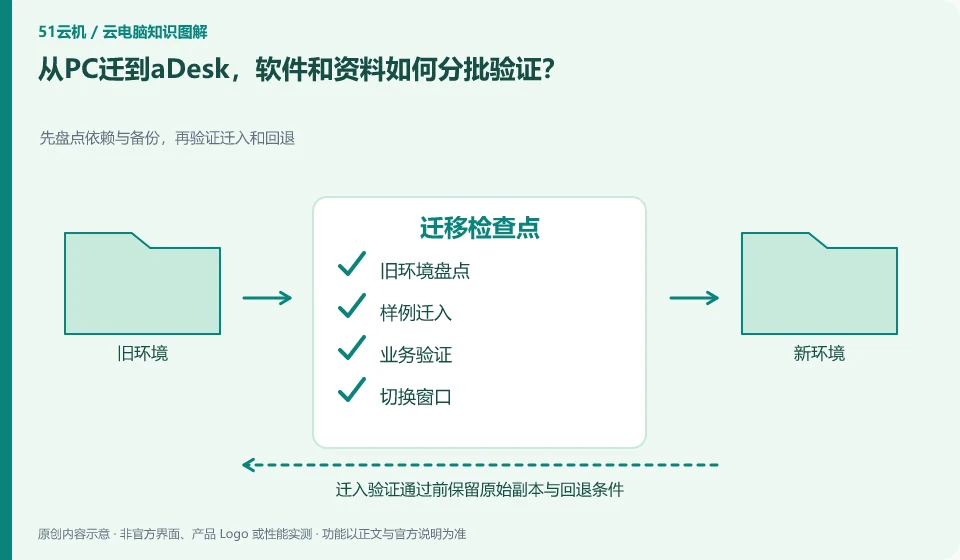
Start by taking inventory of applications, authorizations, data, and peripherals, then migrate them in stages using copies. When the desktop cloud platform changes its running location, it cannot be assumed that the drivers, device bindings and paths on the original PC can be moved away unchanged.
Who this is for:General readers and small teams who are researching SangforaDesk desktop cloud and need to solve the specific problem in the title. Data verification date: 2026-10-26.
First, identify the product line
SangforaDesk official information introduces the desktop delivery solution consisting of desktop cloud platform and cloud terminal, and discusses computing, storage virtualization and centralized operation and maintenance. Its typical purchasing target is organizations, and it cannot directly apply the recharge and startup logic of personal cloud PCs.
Migration requires an old environment that can be returned to
First, select one person each for general office and heavy peripheral positions as pilots to verify complete delivery. The migration window clarifies which side can be edited, and the original environment is retained for rollback; after the data is restored and verified in the new environment, the old computer is disposed of according to the unit's policy.
When migrating from a local computer or another service, the old environment should not be deleted initially. First, take inventory of applications, data, accounts, peripherals, and authorizations, and then copy the transferable data to the test environment. System images can help restore the environment, but different hardware, virtualization platforms, and software licenses may not allow direct migration; the official migration methods of the source and target platforms must be found out.
It’s easier to spot problems with two rounds of verification: the first to check the process with a sample, and the second to check the results with a real, approved working copy. The frozen content and the content that can still be modified in the migration window should be clear to avoid version conflicts caused by editing on both sides. After the switch is successful, keep the necessary rollback time, confirm that the data is complete, and then clean up the old resources according to the retention policy.
Check each requirement for your task
- Inventory applications, entitlements, data locations, and configurations that must be retained.
- First move in a copy of the sample and verify the output, dependencies, and peripherals.
- Agree on switching windows and rollback conditions, and process the old environment after confirming the data.
Installing software and completing a workflow are different tests
Software compatibility includes the operating system, processor architecture, permissions, drivers, licensing and data dependencies. A successful installation only confirms that the installation step worked. You still need to test launching, signing in, reading and writing files, and producing the required output. For domestic operating systems, older programs or software requiring special hardware, start with the vendor's support matrix rather than someone else's screenshot.
Where the conclusion applies and what to do next
The centralized operation of the desktop cloud does not mean that the terminal does not require a network, nor does it mean that all USB devices, software authorizations and offline tasks are naturally compatible.
This article is based on public information. We have not purchased or tested the product. The scenarios describe ways to verify suitability, not customer case studies. Features and terms depend on the current official documentation for the relevant version.
Official sources and further reading
- Sangfor desktop virtualization VDI product:Official description of centralized desktop, hyper-converged resources and desktop delivery methods.
- aDesk product introduction:Official versioned product description, deployment capabilities must match the actual version.
- Singfu Cloud Product Catalog: The boundary between cloud platform, desktop cloud and other products.
Read more:Cloud PC knowledge hub · Find an article for your question · SangforaDesk desktop cloud product line identification
Related questions to explore
- What makes up Sangfor aDesk? Endpoints, platform and applications
- Comparing aDesk and conventional PCs through full costs and task tests
- aDesk network problems: separate endpoint-to-desktop and desktop-to-app links
Back to the brand and product knowledge directory · Browse cloud PC topics