
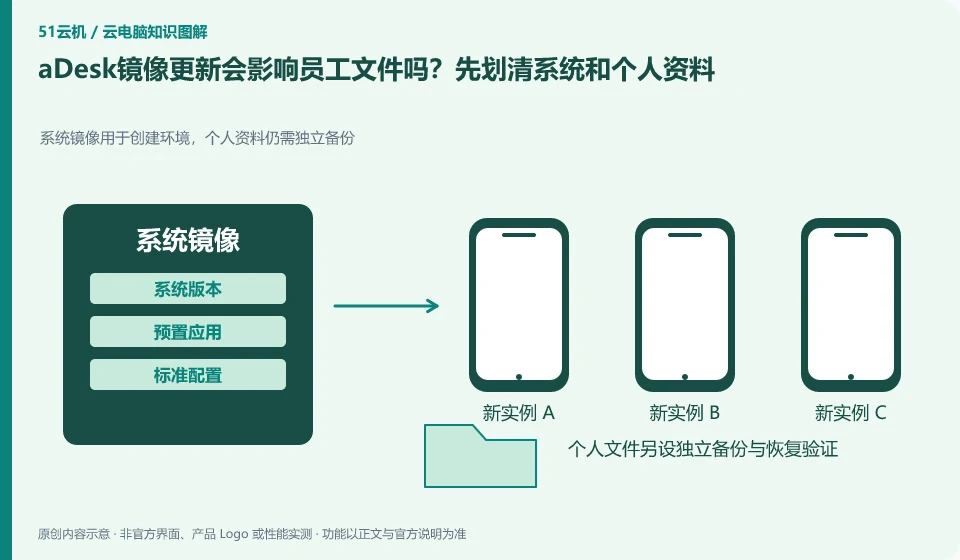
Images, applications and personal data should be planned separately according to the current deployment method. It cannot be assumed that all data are safe from the success of one update. aDesk projects need to verify data location and recovery before updating, rather than treating centralized management as automatic backup.
Who this is for:General readers and small teams who are researching SangforaDesk desktop cloud and need to solve the specific problem in the title. Data verification date: 2026-10-26.
First, identify the product line
SangforaDesk official information introduces the desktop delivery solution consisting of desktop cloud platform and cloud terminal, and discusses computing, storage virtualization and centralized operation and maintenance. Its typical purchasing target is organizations, and it cannot directly apply the recharge and startup logic of personal cloud PCs.
Persistent and non-persistent desktops determine preservation strategy
Select the test user, record the desktop settings and sample file paths, and then verify the update and reconnection. Before the official update, independently export the data that must be retained, and clarify the responsibilities for failure rollback and recovery; do not use employee production directories for destructive testing.
Persistent desktops are typically designed around long-term retention of personal environments, while non-persistent desktops are more like a standard environment with resources allocated on a per-session basis. Both can have data saving schemes, but the saving location and dependency conditions are different. Do not directly interpret "the desktop is restored after exiting" as a service failure, nor should a successful reconnection prove that all user settings are permanently retained.
Three categories of status need to be listed first: systems and applications that can be generated repeatedly, personal data that must be retained, and temporary files that are only used in this session. Specify the storage method and responsible person for each type of status. During the test, the four actions of disconnecting, logging off, restarting, and rebuilding were performed to confirm which operations would trigger the restore; before actually executing the test that would clear the data, worthless samples should be used and backed up.
Check each requirement for your task
- Confirm whether the desktop is a personal persistent environment or a pooled non-persistent environment.
- Specify the storage locations for system, personal data and temporary files respectively.
- Use the sample to check the difference between disconnection and logout, and complete independent export of important data.
Whether the backup is valid depends on the recovery
Multiple copies of desktop resources, synchronized disks and independent backups solve different problems. Multiple copies focus on service infrastructure failures. Synchronization may synchronize accidental deletions. Independent backup requires the ability to retrieve data at a specific time. Just because the product introduction mentions data protection, you cannot omit your own export and recovery checks. Important documents also need to be considered whether they can be retrieved when the account is unavailable or the service expires.
Where the conclusion applies and what to do next
The centralized operation of the desktop cloud does not mean that the terminal does not require a network, nor does it mean that all USB devices, software authorizations and offline tasks are naturally compatible.
This article is based on public information. We have not purchased or tested the product. The scenarios describe ways to verify suitability, not customer case studies. Features and terms depend on the current official documentation for the relevant version.
Official sources and further reading
- Sangfor desktop virtualization VDI product:Official description of centralized desktop, hyper-converged resources and desktop delivery methods.
- aDesk product introduction:Official versioned product description, deployment capabilities must match the actual version.
- Singfu Cloud Product Catalog: The boundary between cloud platform, desktop cloud and other products.
Read more:Cloud PC knowledge hub · Find an article for your question · SangforaDesk desktop cloud product line identification
Related questions to explore
- What makes up Sangfor aDesk? Endpoints, platform and applications
- Comparing aDesk and conventional PCs through full costs and task tests
- aDesk network problems: separate endpoint-to-desktop and desktop-to-app links
Back to the brand and product knowledge directory · Browse cloud PC topics