
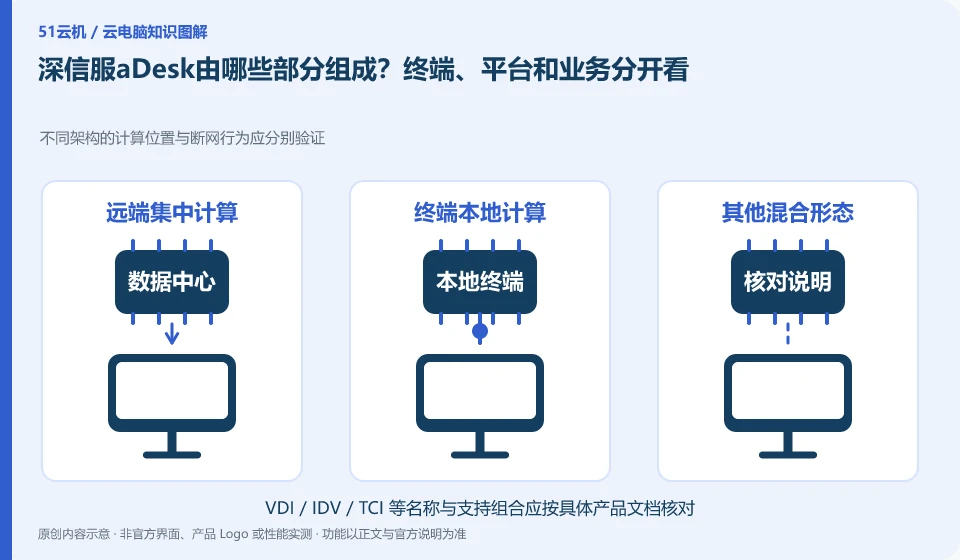
The official aDesk information describes the desktop cloud platform, cloud terminal and related virtualization resources as an overall description. Only by understanding the components and responsibilities can we determine who provides computing resources, who manages personnel, and how business applications enter the desktop.
Who this is for:General readers and small teams who are researching SangforaDesk desktop cloud and need to solve the specific problem in the title. Data verification date: 2026-10-26.
First, identify the product line
SangforaDesk official information introduces the desktop delivery solution consisting of desktop cloud platform and cloud terminal, and discusses computing, storage virtualization and centralized operation and maintenance. Its typical purchasing target is organizations, and it cannot directly apply the recharge and startup logic of personal cloud PCs.
"Cloud desktop" does not mean that the calculation must be on the public network
First draw the five positions of user, terminal, network, platform and application, and then mark the account number and information. Don’t treat a cloud terminal as an independent service that comes with all its own computing resources, nor treat the health of the platform as proof that employees can complete business.
VDI usually concentrates desktop computing in the data center, while routes such as IDV, VOI, and TCI may allow terminals to undertake local running tasks to varying degrees. They can share centralized management ideas, but have different impacts on network outages, terminal configurations, and local data. When selecting a model, first draw the calculation location, mirroring location and personal data location instead of guessing the working principle from the product name.
Organizational procurement should write down terminal, server, storage, network, desktop management and operation and maintenance responsibilities into a plan. If you want to reuse an old computer, check the condition of the processor, memory, disk and firmware; if you are concerned about the availability of the network, ask the supplier to explain which architecture, which mode and which applications can continue to work, and arrange controlled verification. The merits of one architecture cannot be used to represent the entire brand.
Check each requirement for your task
- Mark the locations of compute, system images, and personal data in the topology sketch.
- Choose an architecture based on network stability, endpoint conditions, and management requirements.
- Verify the disconnection, power-on and image update behaviors to form an acceptance form differentiated by architecture.
Check identity, licensing and desktop assignment together
It is recommended to use a role list to record what resources are needed by ordinary employees, temporary collaborators and administrators. Minimum permissions are granted when you join the company, resources are adjusted when you are transferred, and sessions are recycled and legally saved work materials are handed over when you leave. Test accounts should be isolated from production identities, and automated scripts should avoid using personal high-privilege credentials. This upgrades "can log in" to "access only approved work environments."
Where the conclusion applies and what to do next
The centralized operation of the desktop cloud does not mean that the terminal does not require a network, nor does it mean that all USB devices, software authorizations and offline tasks are naturally compatible.
This article is based on public information. We have not purchased or tested the product. The scenarios describe ways to verify suitability, not customer case studies. Features and terms depend on the current official documentation for the relevant version.
Official sources and further reading
- Sangfor desktop virtualization VDI product:Official description of centralized desktop, hyper-converged resources and desktop delivery methods.
- aDesk product introduction:Official versioned product description, deployment capabilities must match the actual version.
- Singfu Cloud Product Catalog: The boundary between cloud platform, desktop cloud and other products.
Read more:Cloud PC knowledge hub · Find an article for your question
Related questions to explore
- Comparing aDesk and conventional PCs through full costs and task tests
- aDesk network problems: separate endpoint-to-desktop and desktop-to-app links
- Will an aDesk image update affect employee files?
Back to the brand and product knowledge directory · Browse cloud PC topics