
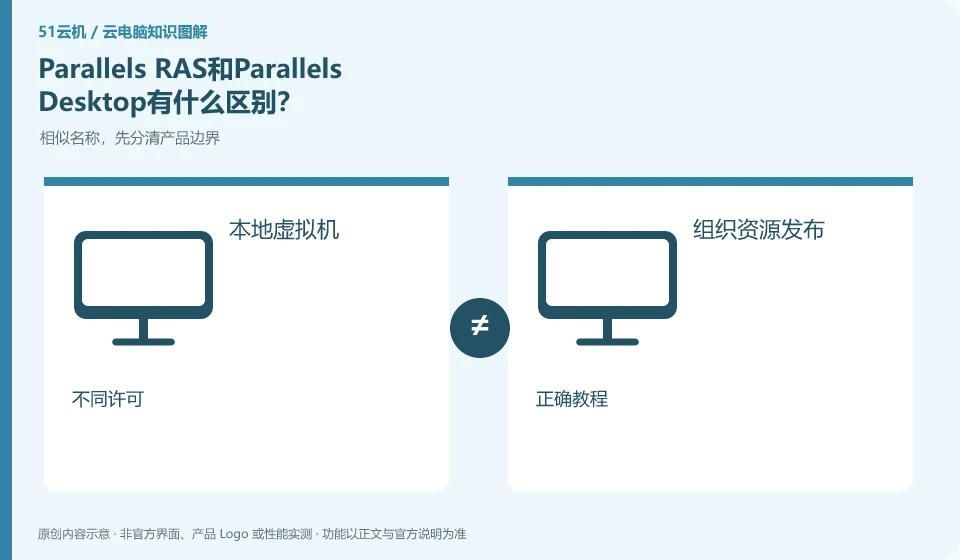
RAS is an application and desktop delivery solution, and Parallels Desktop usually refers to a Mac local virtual machine product. The two cannot be regarded as cloud PC packages. You should first look at where the computing occurs and who prepares the resources before deciding which product line to study.
Who this is for:General readers and small teams who are working on Parallels RAS, need to solve specific problems in the title. Data verification date: 2026-10-26.
First, identify the product line
Parallels RAS official description covers virtual application, desktop and remote PC delivery, and can be combined with different infrastructures. It's a different product than Parallels Desktop, which runs virtual machines locally on a Mac; organizations deploying RAS still need to arrange hosting resources, identity and software authorization.
Distinguish between local virtual machines and organizational resource publishing
Mac users want to run Windows locally, and organizations want to uniformly publish applications to employees. These are two types of tasks. Buying local software does not mean obtaining cloud computing resources; installing the RAS client does not mean that you already have resources, and requires organizational configuration and authorization.
Parallels Desktop mainly focuses on the use of Mac local virtual machines; Parallels RAS is used for organizations to deliver applications, desktops or remote resources. Users may all see Windows programs on a Mac, but the computing device, resource provider, and administrator have different responsibilities. You cannot purchase a local virtual machine software license and think that you also get a cloud Windows computer.
You can first ask who prepares the remote resources. If it is a native virtual machine, local hardware, system and application licenses are required; if RAS is released, the organization's backend, user authorization and access instructions are required. The client download only obtains the connection tool and does not automatically generate background resources. When judging product relationships, there is no need to introduce TCI or VOI routes from other brands to avoid mixing completely different architectures into one support list.
Check each requirement for your task
- Write down whether the application runs on a local Mac virtual machine or on resources provided by the organization.
- Check product licenses, resource providers and logins respectively.
- When using RAS, obtain unit release and authorization, and check the system and application conditions for local software.
Select tutorial to see the complete product name in the title.
The Desktop tutorial for installing a Windows virtual machine cannot be used to create RAS applications for publication; the RAS administrator tutorial is not a process for individual Mac users to directly purchase cloud computing resources. When collecting information, indicate the product, version and role, and then use the corresponding document. Parallels are included in the name, which can indicate the vendor association and cannot replace the license and delivery scope.
Where the conclusion applies and what to do next
Buying Mac local virtual machine software is not equivalent to buying a cloud PC, and the RAS client is not a separate cloud computing resources package.
This article is based on public information. We have not purchased or tested the product. The scenarios describe ways to verify suitability, not customer case studies. Features and terms depend on the current official documentation for the relevant version.
Official sources and further reading
- Parallels RAS Product Introduction: Official explanation of the positioning of desktop, application delivery and integration with infrastructure.
- Parallels RAS client download: Terminal client entrance, which needs to be used in conjunction with the resources released by the organization.
- Parallels RAS Documentation: Versioned deployment, management and client reference material.
Read more:Cloud PC knowledge hub · Find an article for your question
Related questions to explore
- Testing a single Windows app published through Parallels RAS
- Does deploying Parallels RAS in the cloud equal buying a cloud PC?
- Finding work apps in Parallels Client: check publishing and access details
Back to the brand and product knowledge directory · Browse cloud PC topics