
Session, network, terminal and application phenomena need to be placed on the same timeline. Horizon management and technical information covers environment health and session management, but no single metric can replace the response to specific tasks.
Who this is for:Regular readers and small teams who are working on Omnissa Horizon and need to solve specific problems in the title. Data verification date: 2026-10-26.
First, identify the product line
The Omnissa product catalog lists Horizon 8, Horizon Cloud and other digital workspace components separately. Horizon Cloud's documentation discusses images, desktop pools, applications, and user assignments; therefore "installing the Horizon client" does not equate to having a cloud PC that can be logged into.
Cakes should be located hierarchically by link
Users record which actions slow down, administrators record sessions and resources during the same period, and then compare terminal and network changes. Do not upgrade the image, change the client, and change the network at the same time, otherwise it will be difficult to locate; remove the identity, path, and business information before submitting the log.
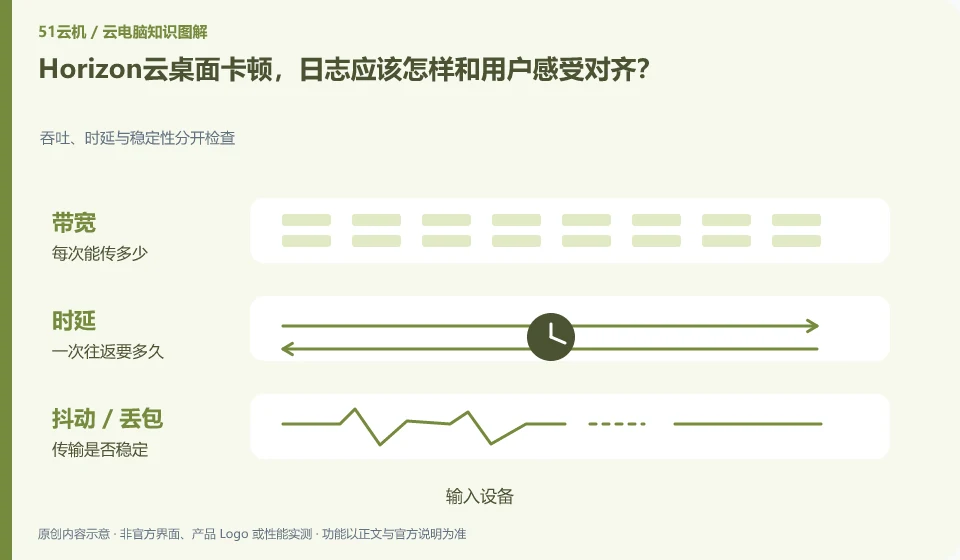
From button pressing to screen return, it includes at least local input, network transmission, cloud processing, encoding and local decoding. A fast download speed test only shows that a certain download link performs better, and cannot alone prove that the cloud desktop interaction is smooth. When diagnosing, fix the image quality and perform the same task, and record wired or Wi-Fi, usage period, nodes, and problem performance separately, so that you can separate a single incidental freeze from a persistent problem.
If the picture is blurry but the mouse is slow, first observe the bit rate and image quality; if the operation is late but the picture is clear, pay attention to the delay and jitter; if only large files are uploaded slowly, check the upload path and bandwidth. Only change one variable at a time, for example, first change Wi-Fi to wired. Do not change nodes, adjust resolution, and reinstall the client at the same time. It is easier to get an effective answer by submitting the steps to reproduce the problem to official support than by simply saying "the configuration is not working".
Check each requirement for your task
- Record the node, network type and time period when the problem occurred under the same task.
- Compare wired vs. Wi-Fi and different image qualities in turn, keeping other conditions unchanged.
- Remove account information before sorting out screen recordings or logs, and then submit reproducible phenomena.
Problem records are written in steps that can be reproduced by others.
Don't pile together unfounded troubleshooting methods. First confirm the official status and announcement, and then distinguish between account, resource, network, application or terminal problems. Record the results every time you make an adjustment to avoid not knowing which operation took effect in the end. When communicating with customer service, you can ask for the work order number, next step evidence, and return visit method. There is no need to send SMS verification codes or complete remote control permissions to unofficial personnel.
Where the conclusion applies and what to do next
Historical VMware Horizon data must be checked with the current Omnissa product version; Horizon 8 and Horizon Cloud cannot replace tutorial by name alone.
This article is based on public information. We have not purchased or tested the product. The scenarios describe ways to verify suitability, not customer case studies. Features and terms depend on the current official documentation for the relevant version.
Official sources and further reading
- Omnissa Product Catalog:Officially distinguishes between Horizon 8, Horizon Cloud and management components.
- Omnissa Horizon Cloud:Official cloud desktop product line and deployment positioning.
- Omnissa Horizon Cloud Technical Data: Documents and demonstrations include the process of importing images, creating pools, and user assignments.
Read more:Cloud PC knowledge hub · Find an article for your question · Omnissa Horizon product line identification
Related questions to explore
- Omnissa Horizon 8 versus Horizon Cloud: the differences
- Using older VMware Horizon documentation after the brand change
- Horizon Cloud images, pools and user assignments: understanding the sequence
Back to the brand and product knowledge directory · Browse cloud PC topics