
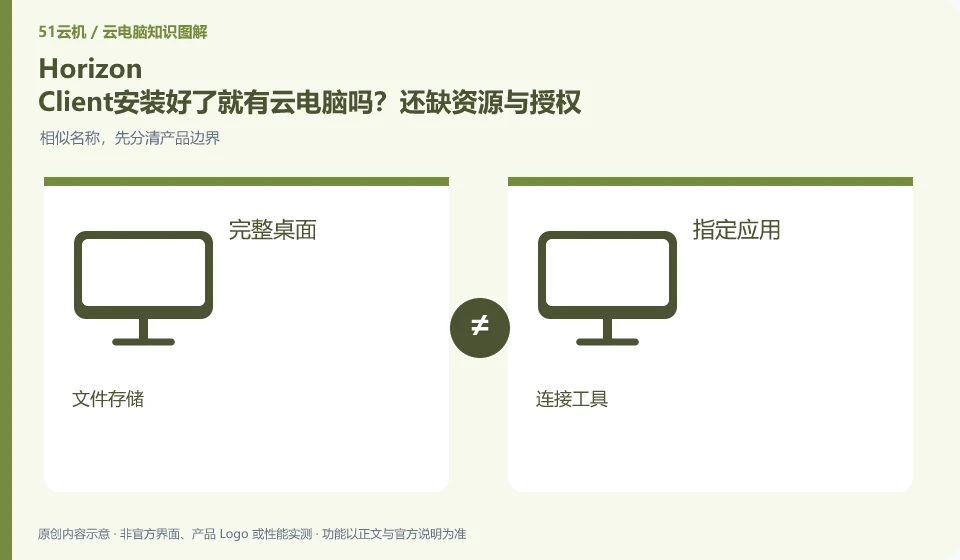
No. The client is responsible for access, and desktop resources and access authorization are provided by the organization. Other management components in the Omnissa directory also have their own responsibilities, and downloading and installing the client cannot be regarded as completing the cloud PC purchase and delivery.
Who this is for:Regular readers and small teams who are working on Omnissa Horizon and need to solve specific problems in the title. Data verification date: 2026-10-26.
First, identify the product line
The Omnissa product catalog lists Horizon 8, Horizon Cloud and other digital workspace components separately. Horizon Cloud's documentation discusses images, desktop pools, applications, and user assignments; therefore "installing the Horizon client" does not equate to having a cloud PC that can be logged into.
Even if the names are similar, check the delivery objects item by item.
Please first obtain the official entrance and account of the unit and check whether the resources have been allocated. Do not treat server addresses provided by unfamiliar sites as free computing resources, and do not share work logins; when the resource list is blank, just provide the version and error stage to the administrator, and there is no need to send a password.
To determine whether a service is a general cloud PC, you can ask four questions: whether you get a complete desktop or a designated application, who provides the computing device, where your personal files are placed, and what management operations users can do. Cloud gaming, cloud drives, remote control tools, and desktop virtualization software may all participate in cloud efforts, but they don't automatically offer the same product.
When the official page cannot be read or the function is not explained, the correct approach is to mark the item as pending confirmation and continue to verify it from the official client, service agreement or official support. Lack of evidence is not evidence of discontinuation, nor is it evidence of supporting functionality. Comparison articles should separate confirmed facts, analytical recommendations, and unknown conditions to prevent readers from paying or migrating information based on guesswork.
Check each requirement for your task
- Document the full product name and what it is delivered to: desktop, application, storage, or connection.
- Check the entry from the official catalog and check the functional description and agreement.
- Unstated installation permissions, saving rules and regional conditions are included in the list to be confirmed.
Check identity, licensing and desktop assignment together
It is recommended to use a role list to record what resources are needed by ordinary employees, temporary collaborators and administrators. Minimum permissions are granted when you join the company, resources are adjusted when you are transferred, and sessions are recycled and legally saved work materials are handed over when you leave. Test accounts should be isolated from production identities, and automated scripts should avoid using personal high-privilege credentials. This upgrades "can log in" to "access only approved work environments."
Where the conclusion applies and what to do next
Historical VMware Horizon data must be checked with the current Omnissa product version; Horizon 8 and Horizon Cloud cannot replace tutorial by name alone.
This article is based on public information. We have not purchased or tested the product. The scenarios describe ways to verify suitability, not customer case studies. Features and terms depend on the current official documentation for the relevant version.
Official sources and further reading
- Omnissa Product Catalog:Officially distinguishes between Horizon 8, Horizon Cloud and management components.
- Omnissa Horizon Cloud:Official cloud desktop product line and deployment positioning.
- Omnissa Horizon Cloud Technical Data: Documents and demonstrations include the process of importing images, creating pools, and user assignments.
Read more:Cloud PC knowledge hub · Find an article for your question · Omnissa Horizon product line identification
Related questions to explore
- Omnissa Horizon 8 versus Horizon Cloud: the differences
- Using older VMware Horizon documentation after the brand change
- Horizon Cloud images, pools and user assignments: understanding the sequence
Back to the brand and product knowledge directory · Browse cloud PC topics