
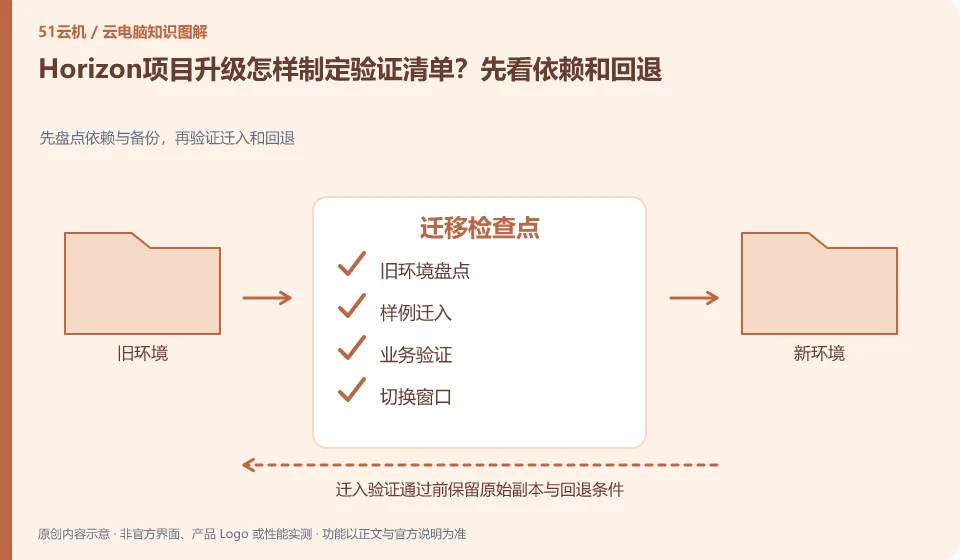
The upgrade plan should cover clients, agents, management components, images and applications, not just download the latest version. First check the current official compatibility matrix and support path, and then decide the test scope, maintenance window and rollback method.
Who this is for:Regular readers and small teams who are working on Omnissa Horizon and need to solve specific problems in the title. Data verification date: 2026-10-26.
First, identify the product line
The Omnissa product catalog lists Horizon 8, Horizon Cloud and other digital workspace components separately. Horizon Cloud's documentation discusses images, desktop pools, applications, and user assignments; therefore "installing the Horizon client" does not equate to having a cloud PC that can be logged into.
Migration requires an old environment that can be returned to
Select representative positions to work completely in the test environment, especially verifying peripherals, input methods and data storage. Clearly write down the success criteria and conditions for stopping the upgrade; it is not appropriate to directly update production desktops in batches without business verification, let alone to equate the backup of old images with the ability to restore the entire environment at any time.
When migrating from a local computer or another service, the old environment should not be deleted initially. First, take inventory of applications, data, accounts, peripherals, and authorizations, and then copy the transferable data to the test environment. System images can help restore the environment, but different hardware, virtualization platforms, and software licenses may not allow direct migration; the official migration methods of the source and target platforms must be found out.
It’s easier to spot problems with two rounds of verification: the first to check the process with a sample, and the second to check the results with a real, approved working copy. The frozen content and the content that can still be modified in the migration window should be clear to avoid version conflicts caused by editing on both sides. After the switch is successful, keep the necessary rollback time, confirm that the data is complete, and then clean up the old resources according to the retention policy.
Check each requirement for your task
- Inventory applications, entitlements, data locations, and configurations that must be retained.
- First move in a copy of the sample and verify the output, dependencies, and peripherals.
- Agree on switching windows and rollback conditions, and process the old environment after confirming the data.
Validate a small deployment before scaling up
Divide problems into three categories: must be solved, acceptable, and need for subsequent optimization. For example, the core business system cannot be used due to online blocking, and the difference in a certain uncommon shortcut key may be solved through training. Before scale expansion, account recycling, patches, image updates, capacity, and backup and recovery must be checked. In particular, the manual firefighting methods in the pilot phase must not be regarded as long-term operation and maintenance processes.
Where the conclusion applies and what to do next
Historical VMware Horizon data must be checked with the current Omnissa product version; Horizon 8 and Horizon Cloud cannot replace tutorial by name alone.
This article is based on public information. We have not purchased or tested the product. The scenarios describe ways to verify suitability, not customer case studies. Features and terms depend on the current official documentation for the relevant version.
Official sources and further reading
- Omnissa Product Catalog:Officially distinguishes between Horizon 8, Horizon Cloud and management components.
- Omnissa Horizon Cloud:Official cloud desktop product line and deployment positioning.
- Omnissa Horizon Cloud Technical Data: Documents and demonstrations include the process of importing images, creating pools, and user assignments.
Read more:Cloud PC knowledge hub · Find an article for your question · Omnissa Horizon product line identification
Related questions to explore
- Omnissa Horizon 8 versus Horizon Cloud: the differences
- Using older VMware Horizon documentation after the brand change
- Horizon Cloud images, pools and user assignments: understanding the sequence
Back to the brand and product knowledge directory · Browse cloud PC topics