
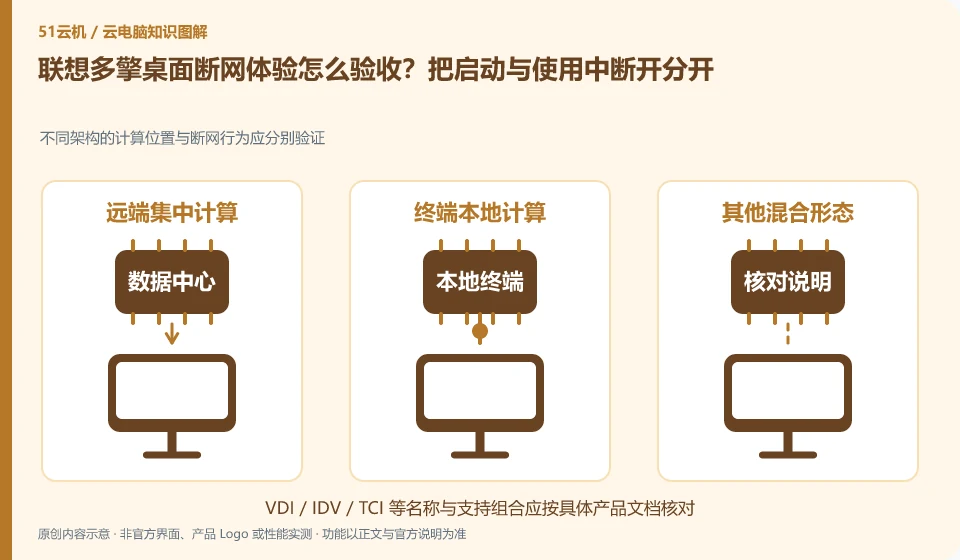
The disconnection behavior depends on the architecture and current configuration. It is necessary to distinguish between no network before startup, interruption during use and restoration of connection. The solution supports multiple routes at the same time, and it does not prove that every desktop can continue all tasks offline.
Who this is for:General readers and small teams who are working on Lenovo Multi-Engine cloud desktop and need to solve the specific problem in the title. Data verification date: 2026-10-26.
First, identify the product line
The Lenovo Multi-Engine cloud desktop solution integrates VDI, VOI, IDV and TCI into unified desktop management, taking into account local terminal and data center resources at the same time. It discusses organizational desktop construction, and it cannot be deduced from "multi-engine" that each terminal has four operating modes at the same time.
Use the time when there is no network as a test variable
Use sample files in a controlled environment to record login, application, and save behaviors respectively. After restoring the network, check whether there are version conflicts or synchronization differences; only the models that clearly pass will be written into the acceptance conclusion, and do not directly disconnect the network for testing in production services.
Whether it has been started before disconnection, whether it has obtained the image, and whether it has been logged in are three different conditions. The supplier must first clarify the offline support conditions for the current model and mode, and then formulate controlled tests; you cannot directly unplug the production terminal, nor can you promise that all desktops can work offline at any time just because the promotional plan has a local running route.
The test can be divided into three stages: no network before startup, temporary disconnection during work, and reconnection. Each segment records login, application startup, opened file saving and business system access. Just because the desktop itself can continue to run does not mean that business applications that rely on the network are available; after restoring the connection, check the file version, image update, and account status to avoid assuming that all data has been correctly synchronized when the screen is restored.
Check each requirement for your task
- Confirm the specific model, architecture, cached content and official offline conditions.
- In the test window, use a sample to record the difference between disconnecting the network before starting and disconnecting the network during work.
- After reconnecting to the Internet, verify the files and business status, and form a conclusion only for this mode.
Complement real work with failure alternatives
If the core business still relies on the network, the connection recovery or business replacement process should be prepared in advance instead of requiring the desktop architecture to solve all network outage problems. The conclusion states which application, which terminal and time point were tested, and untested scenarios remain unknown; the operation instructions given to employees only include confirmed and available save and restore paths.
Where the conclusion applies and what to do next
Lenovo personal computers, remote butler services, cloud terminal hardware and Duoqing desktop platform must be checked separately. You do not need to buy any hardware and come with a public network cloud PC.
This article is based on public information. We have not purchased or tested the product. The scenarios describe ways to verify suitability, not customer case studies. Features and terms depend on the current official documentation for the relevant version.
Official sources and further reading
- Lenovo Multi-Engine cloud desktop solution: Official description of the four architectures and unified management of VDI, VOI, IDV, and TCI.
- Lenovo computer cloud classroom solution: The official education plan introduces pre-installed software, images and user permissions by course.
- Lenovo Wentian WxVDI knowledge base entrance: For specific product entry, you need to search for configuration and management documents according to the project version.
Read more:Cloud PC knowledge hub · Find an article for your question · Lenovo Multi-Engine cloud desktop product line identification
Related questions to explore
- Lenovo Multi-Engine Cloud Desktop architectures: not four times the computing power
- Lenovo cloud endpoints versus cloud PC services: what are you buying?
- Preparing Lenovo cloud classrooms for different courses
Back to the brand and product knowledge directory · Browse cloud PC topics