
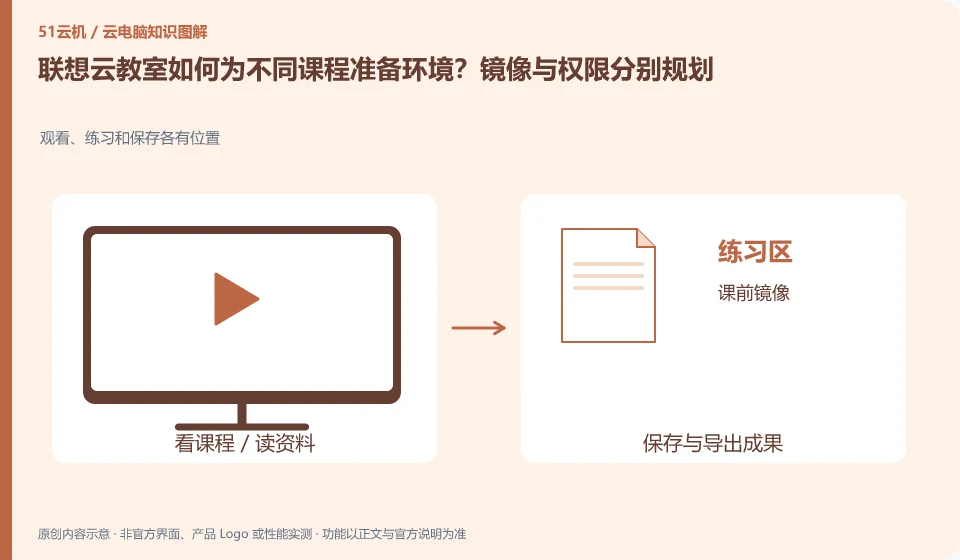
The official plan of Lenovo Cloud Classroom mentions pre-installing software by course and setting user permissions. The software, systems and peripherals of different courses may be different. The environment should be deduced from the class schedule and practice tasks instead of defaulting to a mirror image for the whole school.
Who this is for:General readers and small teams who are working on Lenovo Multi-Engine cloud desktop and need to solve the specific problem in the title. Data verification date: 2026-10-26.
First, identify the product line
The Lenovo Multi-Engine cloud desktop solution integrates VDI, VOI, IDV and TCI into unified desktop management, taking into account local terminal and data center resources at the same time. It discusses organizational desktop construction, and it cannot be deduced from "multi-engine" that each terminal has four operating modes at the same time.
The teaching environment accepts both teachers and students
Choose a programming course and a graphics course as representatives to verify dependencies, input and work export respectively. Before updating the image and restoring after class, confirm the location where students’ homework is saved; when commercial software is involved, check the teaching license and concurrent use conditions.
A class requires unified software, as well as issuing accounts, distributing assignments, saving student results, and handling class failures. Cloud Desktop can participate in this process, but the entrances seen by teachers, administrators, and students may not be the same. First use a real course to break down before, during, and after class, and then decide whether you need a standard image, an independent data directory, or shared classroom resources.
Don’t just accept one prototype for pilot testing. Students who choose different terminals, different networks and different input devices should do it once each, especially checking the Chinese path, practice materials and submission methods. At the end of the course, distinguish the environment to be restored and the works that must be retained; do not look for assignments temporarily before the unified reset. The collection of student data should also comply with school requirements and avoid using private accounts as a shared login for the whole class.
Check each requirement for your task
- Use a lesson to list software versions, practice materials, accounts, and submission methods.
- Let teachers and students at different terminals complete complete classroom tasks.
- Export the work first and then restore it, and record the make-up and fault replacement processes.
Installing software and completing a workflow are different tests
Software compatibility includes the operating system, processor architecture, permissions, drivers, licensing and data dependencies. A successful installation only confirms that the installation step worked. You still need to test launching, signing in, reading and writing files, and producing the required output. For domestic operating systems, older programs or software requiring special hardware, start with the vendor's support matrix rather than someone else's screenshot.
Where the conclusion applies and what to do next
Lenovo personal computers, remote butler services, cloud terminal hardware and Duoqing desktop platform must be checked separately. You do not need to buy any hardware and come with a public network cloud PC.
This article is based on public information. We have not purchased or tested the product. The scenarios describe ways to verify suitability, not customer case studies. Features and terms depend on the current official documentation for the relevant version.
Official sources and further reading
- Lenovo Multi-Engine cloud desktop solution: Official description of the four architectures and unified management of VDI, VOI, IDV, and TCI.
- Lenovo computer cloud classroom solution: The official education plan introduces pre-installed software, images and user permissions by course.
- Lenovo Wentian WxVDI knowledge base entrance: For specific product entry, you need to search for configuration and management documents according to the project version.
Read more:Cloud PC knowledge hub · Find an article for your question · Lenovo Multi-Engine cloud desktop product line identification
Related questions to explore
- Lenovo Multi-Engine Cloud Desktop architectures: not four times the computing power
- Lenovo cloud endpoints versus cloud PC services: what are you buying?
- Reusing old endpoints with Lenovo Multi-Engine Cloud Desktop: onsite checks
Back to the brand and product knowledge directory · Browse cloud PC topics