
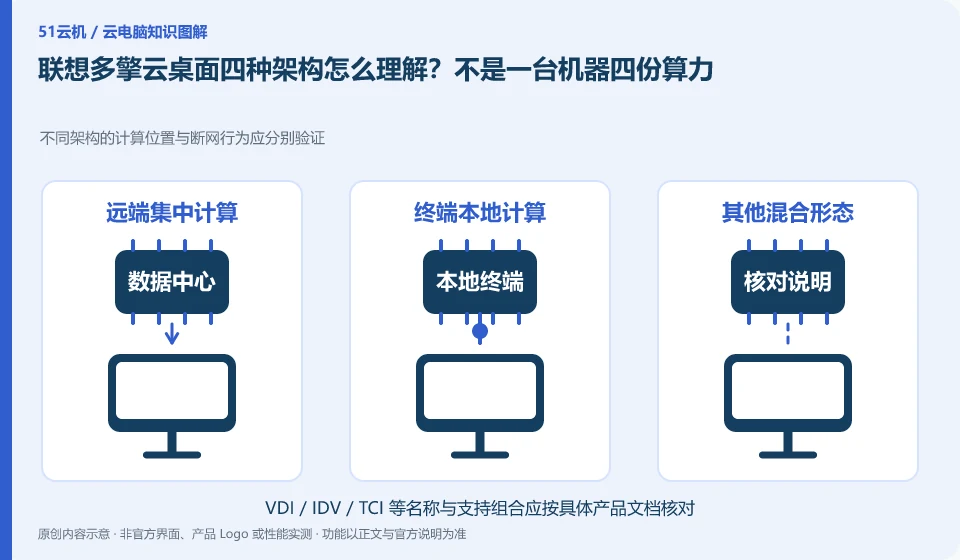
The official plan incorporates VDI, VOI, IDV and TCI into multi-engine management ideas, emphasizing the unified management of different desktop resources. It does not mean that each terminal runs four architectures simultaneously, nor does it mean that all tasks are computed in the public cloud.
Who this is for:General readers and small teams who are working on Lenovo Multi-Engine cloud desktop and need to solve the specific problem in the title. Data verification date: 2026-10-26.
First, identify the product line
The Lenovo Multi-Engine cloud desktop solution integrates VDI, VOI, IDV and TCI into unified desktop management, taking into account local terminal and data center resources at the same time. It discusses organizational desktop construction, and it cannot be deduced from "multi-engine" that each terminal has four operating modes at the same time.
The four routes are first compared to the calculated and mirrored positions
First draw the calculation, image and data locations according to positions, and then confirm the supported terminals and systems. The unified management platform is an organizational method. Performance, network disconnection and peripheral behavior still need to be tested according to the architecture. The advantages of the four technical routes cannot be superimposed into one package.
When reading the Lenovo Multi-Engine solution, first treat VDI, VOI, IDV and TCI as architectural routes that need to be explained separately, and record where each route is calculated and run, how to obtain the system image, and what role the terminal plays. Unified management describes management capabilities. It does not mean that four computing resources are superimposed on the same terminal at the same time, nor does it mean that each model can arbitrarily switch between all modes.
Mapping organizational requirements to architecture is easier to understand: desktops in centralized data centers and desktops running on the terminal side have different dependencies on terminal hardware and networks. Please check the project model and version materials for specific support conditions. Whether existing equipment can be reused, how image updates take effect, and where personal data is placed should all be answered according to the selected route, rather than deduced from the "Four Engines" promotional name.
Check each requirement for your task
- Mark the calculation positions, mirror sources and terminal responsibilities of the four routes respectively.
- Screen patterns that require further research based on job applications, networks, and existing hardware.
- Let the supplier describe the support scope according to the specific model and version, and then arrange the pilot.
How to enter the purchase list on the unified platform
Management platform, cloud terminal, server, storage and software license need to be confirmed one by one. If the supplier provides multiple routes in one solution, it should also be stated which positions use which routes and who will maintain them in the future. When comparing architectures, keep the same business tasks and do not generalize the disconnection performance or cost conclusions of one of them to all products.
Where the conclusion applies and what to do next
Lenovo personal computers, remote butler services, cloud terminal hardware and Duoqing desktop platform must be checked separately. You do not need to buy any hardware and come with a public network cloud PC.
This article is based on public information. We have not purchased or tested the product. The scenarios describe ways to verify suitability, not customer case studies. Features and terms depend on the current official documentation for the relevant version.
Official sources and further reading
- Lenovo Multi-Engine cloud desktop solution: Official description of the four architectures and unified management of VDI, VOI, IDV, and TCI.
- Lenovo computer cloud classroom solution: The official education plan introduces pre-installed software, images and user permissions by course.
- Lenovo Wentian WxVDI knowledge base entrance: For specific product entry, you need to search for configuration and management documents according to the project version.
Read more:Cloud PC knowledge hub · Find an article for your question
Related questions to explore
- Lenovo cloud endpoints versus cloud PC services: what are you buying?
- Preparing Lenovo cloud classrooms for different courses
- Reusing old endpoints with Lenovo Multi-Engine Cloud Desktop: onsite checks
Back to the brand and product knowledge directory · Browse cloud PC topics