
Desktop resources can be started and user data can be restored are two acceptance items. Users and administrators should clarify which data is saved by the application, which is stored on the desktop, and how to retrieve it when the service is abnormal or exits.
Who this is for:General readers and small teams who are studying Huawei Cloud Workspace and need to solve the specific problems in the title. Data verification date: 2026-10-26.
First, identify the product line
Huawei Cloud Workspace product documentation defines it as a cloud desktop, and users and administrators have different configuration and management tasks. When enterprises deliver desktops on the cloud, in addition to virtual machine configuration, they should also arrange accounts, networks, desktop policies, and operation and maintenance to form a usable working environment.
Whether the backup is valid depends on the recovery
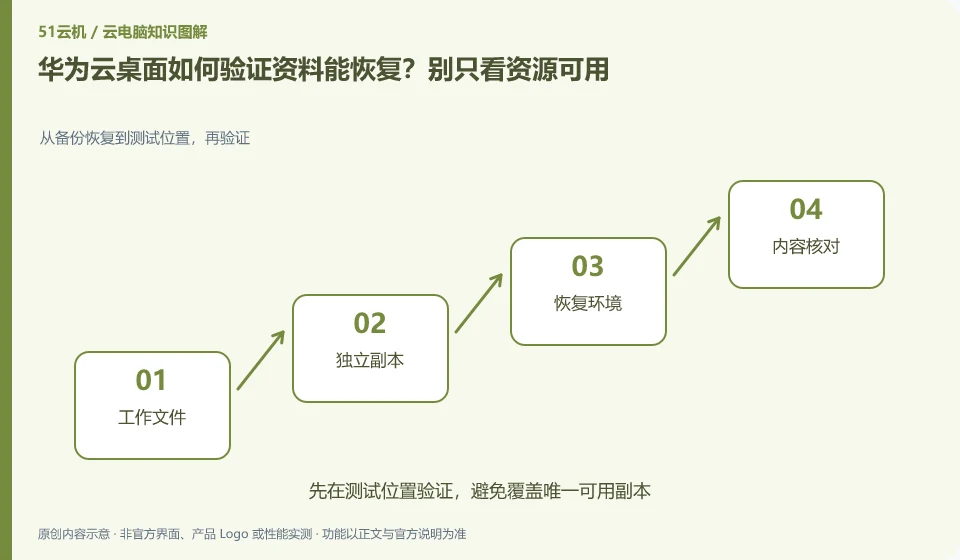
Use a document and a project with dependencies as an example, export them and open them in another environment. Record the accounts, steps and responsible parties required for recovery; multiple copies or synchronization capabilities cannot automatically replace accidental deletion recovery, nor can they be tested by deleting production data.
Multiple copies of desktop resources, synchronized disks and independent backups solve different problems. Multiple copies focus on service infrastructure failures. Synchronization may synchronize accidental deletions. Independent backup requires the ability to retrieve data at a specific time. Just because the product introduction mentions data protection, you cannot omit your own export and recovery checks. Important documents also need to be considered whether they can be retrieved when the account is unavailable or the service expires.
Prepare a small recovery drill: export the documentation, a project with dependencies, and the directory listing to an approved location and open it in another environment. Verify content, file names, permissions, and app versions, and record where to restore from, who performed the restore, and who to contact if the restore fails. Practice usage examples and do not delete production data to verify recovery capabilities.
Check each requirement for your task
- Distinguish what risks resource copies, synchronization and independent backups cover respectively.
- Export samples and dependencies, restore and open them in another environment.
- Record the recovery steps, storage period, and retrieval channels after service exit.
Persistent and non-persistent desktops determine preservation strategy
Persistent desktops are typically designed around long-term retention of personal environments, while non-persistent desktops are more like a standard environment with resources allocated on a per-session basis. Both can have data saving schemes, but the saving location and dependency conditions are different. Do not directly interpret "the desktop is restored after exiting" as a service failure, nor should a successful reconnection prove that all user settings are permanently retained.
Where the conclusion applies and what to do next
Huawei Cloud Workspace is not the same delivery method as the desktop mode, ordinary cloud server, and local virtual machine software of Huawei mobile phones.
This article is based on public information. We have not purchased or tested the product. The scenarios describe ways to verify suitability, not customer case studies. Features and terms depend on the current official documentation for the relevant version.
Official sources and further reading
- Huawei Cloud: What is cloud desktop:Officially defines Workspace cloud desktop and explains the positioning of enterprise desktop delivery.
- Huawei Cloud Desktop Administrator User Guide: Administrator resource, user and policy operation reference; subject to the corresponding regional console and version.
- Huawei Cloud desktop product introduction: Background information on desktop product capabilities and network isolation.
Read more:Cloud PC knowledge hub · Find an article for your question · Huawei Cloud Workspace product line identification
Related questions to explore
- Huawei Cloud Workspace versus a cloud server: what is the difference?
- Huawei Cloud Desktop: what do administrators and users each manage?
- Planning a Huawei Cloud Workspace network around application access
Back to the brand and product knowledge directory · Browse cloud PC topics