
Enterprise desktops should cover employees’ actual working locations, not just test on the company’s wired network. First confirm the access areas, terminals and data processing methods allowed by the organization, and then verify the meeting, business system and file handover.
Who this is for:General readers and small teams who are studying Huawei Cloud Workspace and need to solve the specific problems in the title. Data verification date: 2026-10-26.
First, identify the product line
Huawei Cloud Workspace product documentation defines it as a cloud desktop, and users and administrators have different configuration and management tasks. When enterprises deliver desktops on the cloud, in addition to virtual machine configuration, they should also arrange accounts, networks, desktop policies, and operation and maintenance to form a usable working environment.
Home access verified by work tasks and network paths
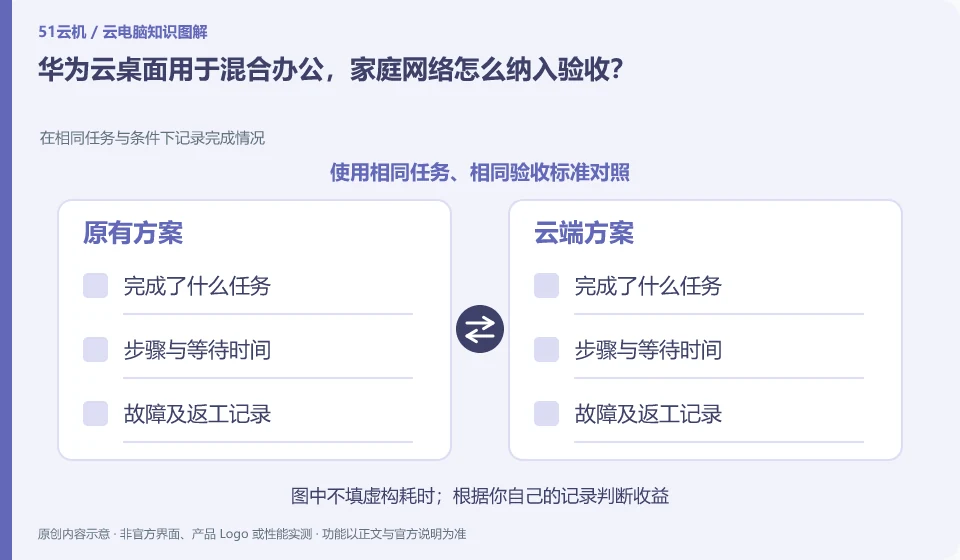
Select wired, home Wi-Fi, and approved backup networks to each perform the same task, recording input, audio, and reconnections. When using it in public places, you should also consider screen viewing and local downloading of files. Data in the cloud should not be understood to mean that there is no privacy risk on the terminal.
The home access of hybrid office should be divided into two stages: terminal to cloud desktop, and cloud desktop to business system. Just because you can open ordinary web pages at home does not mean that the cloud desktop connection is stable; the desktop is displayed, but it does not mean that it can access your organization's files and applications. The administrator first confirms the approved access method, and then records the results in the same document or meeting task.
During the test, record wired or Wi-Fi, time period, client and task, and observe the input delay, picture and audio. If only one business application is slow, you should continue to check the path from the desktop to the business system instead of asking employees to repeatedly upgrade their home broadband. Home printing, clipboarding, and downloading are also subject to organizational policies, and convenience is not a substitute for data processing permissions.
Check each requirement for your task
- Confirm the terminal, account and access method approved by the unit.
- Verify the paths from home to desktop and from desktop to business systems separately.
- Review meetings, documents, and peripherals with complete work tasks and document alternative processes.
Prepare complete home support information
Employees can provide the time when the problem occurred, network type, client version, affected applications, and steps to reproduce the problem without giving out the home router password. The organization should agree on work order entry and work replacement methods in the event of failure. The focus here is on the coordination of home network and desktop strategies, and the access conditions for Workspace are not derived from the regional policies of other overseas cloud services.
Where the conclusion applies and what to do next
Huawei Cloud Workspace is not the same delivery method as the desktop mode, ordinary cloud server, and local virtual machine software of Huawei mobile phones.
This article is based on public information. We have not purchased or tested the product. The scenarios describe ways to verify suitability, not customer case studies. Features and terms depend on the current official documentation for the relevant version.
Official sources and further reading
- Huawei Cloud: What is cloud desktop:Officially defines Workspace cloud desktop and explains the positioning of enterprise desktop delivery.
- Huawei Cloud Desktop Administrator User Guide: Administrator resource, user and policy operation reference; subject to the corresponding regional console and version.
- Huawei Cloud desktop product introduction: Background information on desktop product capabilities and network isolation.
Read more:Cloud PC knowledge hub · Find an article for your question · Huawei Cloud Workspace product line identification
Related questions to explore
- Huawei Cloud Workspace versus a cloud server: what is the difference?
- Huawei Cloud Desktop: what do administrators and users each manage?
- Planning a Huawei Cloud Workspace network around application access
Back to the brand and product knowledge directory · Browse cloud PC topics