
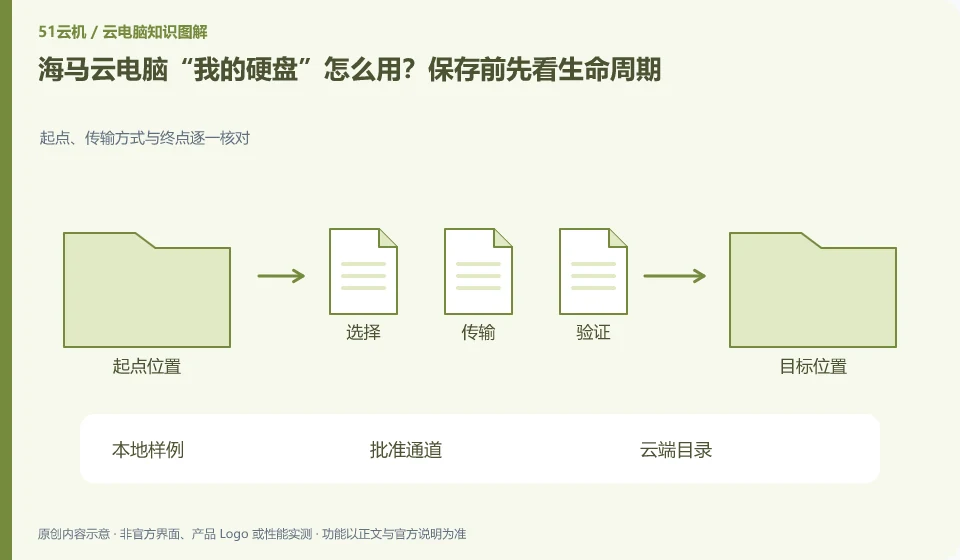
The help center treats personal hard drives as a dedicated topic; you still need to confirm the file storage location, expansion, expiration and replacement rules. The personal hard drive and the current running session should be understood separately. In particular, do not assume that data will never be lost based on just one reconnection.
Who this is for:Regular readers and small teams who are working on Haima Cloud PC, need to solve the specific problem in the title. Data verification date: 2026-10-26.
First, identify the product line
Haima Cloud's GPUaaS platform lists cloud gaming, cloud PC, and cloud phone as different forms; the Haima Cloud PC help center also introduces clients, image quality settings, personal hard drives, and file transfers. When choosing products, you must distinguish between personal use portals and developer-oriented SDK and OpenAPI services.
Distinguish the save location from an independent backup
Save a worthless sample to a specific directory, record the path and file size, and then exit and reconnect. Then check how to export after expiration or unsubscription, instead of trying to delete or reset the production environment; important files continue to retain another independent copy.
"Saved" requires answering where it is saved: cloud desktop system disk, independent data disk, application account cloud space, or the mapping directory of the local computer. If the file is still there after reconnecting, it only means that the current environment has retained it, but it cannot prove that it can still be restored after unsubscribing, resetting, changing regions, or account abnormalities. Prepare a copy of important documents that is independent of the desktop life cycle to have an operational exit path.
For a file-transfer check, try a small document with a Chinese filename and a project archive with subfolders. Compare file sizes and modification times, then open the files in the destination environment. For projects, also check images, fonts, plugins and relative paths. If an administrator has disabled clipboard access or file mapping, it is a policy restriction. Request an approved transfer method rather than using an unknown file-sharing service or bypassing company controls.
Check each requirement for your task
- List the locations of the system disk, data disk, application cloud space, and local directories.
- Transfer the sample without sensitive information, reopen and check the dependent files.
- Confirm the consequences of expiration and reset according to official instructions, export an independent copy and verify that it is readable.
Session end and resource release are handled separately
Create a consequence table for each end action: whether the application continues, whether the file storage location is retained, how long it takes to connect again, whether to continue charging, and whether it can be revoked. First use worthless samples to verify daily operations. Actions involving release, reset or unsubscription should first export and verify the data. The organization also needs to clarify who has the authority to perform these actions to prevent ordinary users from treating the rebuild as a daily restart.
Where the conclusion applies and what to do next
Just because the platform can be used in certain scenarios does not mean that every personal package allows continuous hosting, installation of any software, or the provision of the same graphics card.
This article is based on public information. We have not purchased or tested the product. The scenarios describe ways to verify suitability, not customer case studies. Features and terms depend on the current official documentation for the relevant version.
Official sources and further reading
- Haima CloudGPUaaS Product Matrix:Officially distinguishes between cloud gaming, cloud PC, cloud phone and developer-oriented SDK/OpenAPI.
- Haima Cloud PC official website: Describes the application direction of cloud computer interaction and office, gaming, etc.; the page is a dynamic product introduction.
- Haima Cloud PC basic operations: Introduces help topics such as image quality, standby, personal hard drive, file transfer, and multi-terminal use.
Read more:Cloud PC knowledge hub · Find an article for your question · Haima Cloud PC product line identification
Related questions to explore
- Haima cloud PCs, cloud gaming and cloud phones: choosing a product line
- Using Haima Cloud PC on a Mac: which software licenses need checking?
- Adjusting Haima Cloud PC image quality: clarity, smoothness and data usage
Back to the brand and product knowledge directory · Browse cloud PC topics