
Whether long tasks can be completed continuously depends on the current package and session rules, not whether the phone can exit the application. The help center mentions standby time management. Before official rendering, you should check what will happen if there is no operation, disconnection, and resource release.
Who this is for:Regular readers and small teams who are working on Haima Cloud PC, need to solve the specific problem in the title. Data verification date: 2026-10-26.
First, identify the product line
Haima Cloud's GPUaaS platform lists cloud gaming, cloud PC, and cloud phone as different forms; the Haima Cloud PC help center also introduces clients, image quality settings, personal hard drives, and file transfers. When choosing products, you must distinguish between personal use portals and developer-oriented SDK and OpenAPI services.
Session end and resource release are handled separately
First use a short public project to verify the task status and result saving after disconnection, and then arrange the formal work. If the service does not allow persistent tasks, choose a computing service that explicitly supports it; do not use simulated clicks to bypass timeout rules, and do not release the desktop before exporting the results.
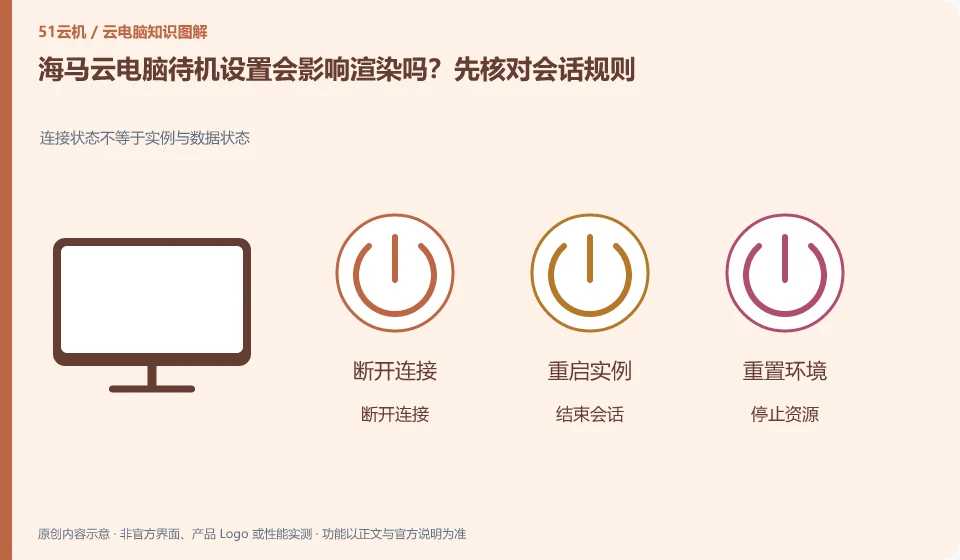
Disconnection only temporarily stops the interaction between the terminal and the desktop. Logging out may end the current user session. Stopping and releasing resources may affect charges and data. The terms used in different products are not exactly the same, so you need to check the current version’s formal explanation of each action. Just pressing the close button in the upper right corner of the window cannot tell whether the background task continues or when the billing will stop.
Create a consequence table for each end action: whether the application continues, whether the file storage location is retained, how long it takes to connect again, whether to continue charging, and whether it can be revoked. First use worthless samples to verify daily operations. Actions involving release, reset or unsubscription should first export and verify the data. The organization also needs to clarify who has the authority to perform these actions to prevent ordinary users from treating the rebuild as a daily restart.
Check each requirement for your task
- Find out what disconnect, logoff, stop, restart, and release mean.
- Use examples to verify the impact of common end actions on applications and files.
- Export and verify the data before resuming the operation, and check subsequent charges at the same time.
There are usage conditions after the GPU name.
Tasks that require graphics cards should be split into graphics display, video encoding, three-dimensional calculations, and model inference. Being able to stream the game screen to the mobile phone does not mean that you can install the specified driver on the desktop, call CUDA or occupy the entire GPU for a long time. Checking whether the product provides a complete desktop, whether the VRAM meets the task, and whether the driver and runtime version are compatible is more reliable than just looking at the name of the graphics card series.
Where the conclusion applies and what to do next
Just because the platform can be used in certain scenarios does not mean that every personal package allows continuous hosting, installation of any software, or the provision of the same graphics card.
This article is based on public information. We have not purchased or tested the product. The scenarios describe ways to verify suitability, not customer case studies. Features and terms depend on the current official documentation for the relevant version.
Official sources and further reading
- Haima CloudGPUaaS Product Matrix:Officially distinguishes between cloud gaming, cloud PC, cloud phone and developer-oriented SDK/OpenAPI.
- Haima Cloud PC official website: Describes the application direction of cloud computer interaction and office, gaming, etc.; the page is a dynamic product introduction.
- Haima Cloud PC basic operations: Introduces help topics such as image quality, standby, personal hard drive, file transfer, and multi-terminal use.
Read more:Cloud PC knowledge hub · Find an article for your question · Haima Cloud PC product line identification
Related questions to explore
- Haima cloud PCs, cloud gaming and cloud phones: choosing a product line
- Using Haima Cloud PC on a Mac: which software licenses need checking?
- Haima Cloud PC's “My Disk”: check file retention before saving
Back to the brand and product knowledge directory · Browse cloud PC topics