
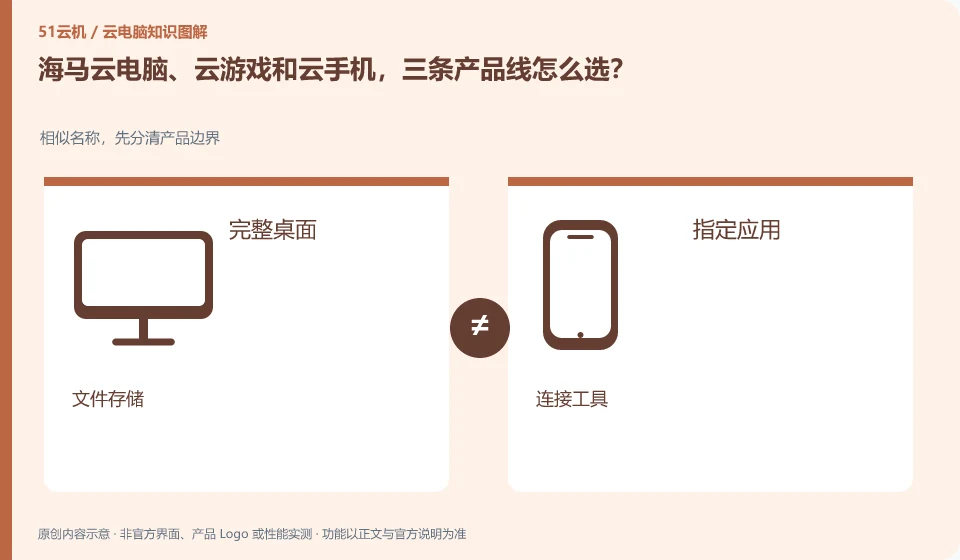
The Haima CloudGPUaaS page lists the three forms separately. When selecting one, you should first look at the system running remotely and the delivery object. If you want to get a computer desktop, enter designated games, and host Android applications, these correspond to different needs.
Who this is for:Regular readers and small teams who are working on Haima Cloud PC, need to solve the specific problem in the title. Data verification date: 2026-10-26.
First, identify the product line
Haima Cloud's GPUaaS platform lists cloud gaming, cloud PC, and cloud phone as different forms; the Haima Cloud PC help center also introduces clients, image quality settings, personal hard drives, and file transfers. When choosing products, you must distinguish between personal use portals and developer-oriented SDK and OpenAPI services.
Even if the names are similar, check the delivery objects item by item.
Write requirements as actions, such as editing a project, launching a game, or verifying an Android application. Then determine whether it is a personal client or an enterprise SDK/API solution; the same brand provides multiple product lines, which does not mean that one member can use all resources.
To determine whether a service is a general cloud PC, you can ask four questions: whether you get a complete desktop or a designated application, who provides the computing device, where your personal files are placed, and what management operations users can do. Cloud gaming, cloud drives, remote control tools, and desktop virtualization software may all participate in cloud efforts, but they don't automatically offer the same product.
When the official page cannot be read or the function is not explained, the correct approach is to mark the item as pending confirmation and continue to verify it from the official client, service agreement or official support. Lack of evidence is not evidence of discontinuation, nor is it evidence of supporting functionality. Comparison articles should separate confirmed facts, analytical recommendations, and unknown conditions to prevent readers from paying or migrating information based on guesswork.
Check each requirement for your task
- Document the full product name and what it is delivered to: desktop, application, storage, or connection.
- Check the entry from the official catalog and check the functional description and agreement.
- Unstated installation permissions, saving rules and regional conditions are included in the list to be confirmed.
Identify the edition before comparing features
The comparison table can be set up into four columns: tasks that need to be done, whether the current product is explicitly supported, actual verification results, and conditions that still need to be confirmed by customer service. For example, "editing documents" and "multiple people sharing a desktop" are two different requirements; an ordinary office entrance cannot prove that concurrent login is available. If you encounter a version name change, give priority to the current help center and update date. Old screenshots are only used to understand concepts.
Where the conclusion applies and what to do next
Just because the platform can be used in certain scenarios does not mean that every personal package allows continuous hosting, installation of any software, or the provision of the same graphics card.
This article is based on public information. We have not purchased or tested the product. The scenarios describe ways to verify suitability, not customer case studies. Features and terms depend on the current official documentation for the relevant version.
Official sources and further reading
- Haima CloudGPUaaS Product Matrix:Officially distinguishes between cloud gaming, cloud PC, cloud phone and developer-oriented SDK/OpenAPI.
- Haima Cloud PC official website: Describes the application direction of cloud computer interaction and office, gaming, etc.; the page is a dynamic product introduction.
- Haima Cloud PC basic operations: Introduces help topics such as image quality, standby, personal hard drive, file transfer, and multi-terminal use.
Read more:Cloud PC knowledge hub · Find an article for your question
Related questions to explore
- Using Haima Cloud PC on a Mac: which software licenses need checking?
- Haima Cloud PC's “My Disk”: check file retention before saving
- Adjusting Haima Cloud PC image quality: clarity, smoothness and data usage
Back to the brand and product knowledge directory · Browse cloud PC topics