
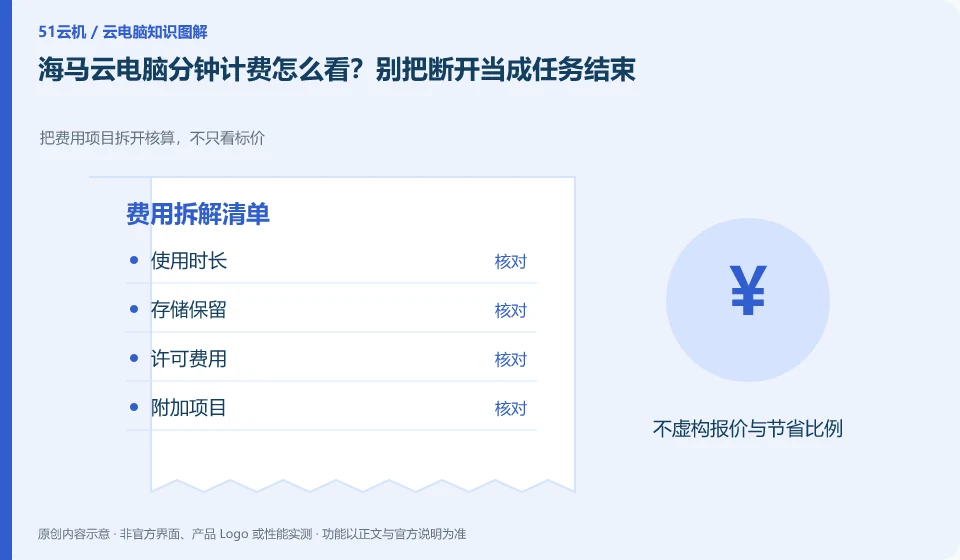
The help center introduces the usage direction of billing by time and period. The actual estimate must check the current package, timing start and end conditions, and continuous storage charges. Closing the application window cannot be directly regarded as the billing has stopped.
Who this is for:Regular readers and small teams who are working on Haima Cloud PC, need to solve the specific problem in the title. Data verification date: 2026-10-26.
First, identify the product line
Haima Cloud's GPUaaS platform lists cloud gaming, cloud PC, and cloud phone as different forms; the Haima Cloud PC help center also introduces clients, image quality settings, personal hard drives, and file transfers. When choosing products, you must distinguish between personal use portals and developer-oriented SDK and OpenAPI services.
Calculate costs from the usage rules, not the headline price
Keep a usage log listing connection times, normal end times, consumption and additional storage. When discrepancies occur, save the bill and task records first, and then verify with the official; do not hastily close unsaved projects just to save a short period of running time.
Only by splitting the cost into operating resources, persistent storage, network or value-added items can you compare different billing methods. Some products are charged by license, some are metered by running time or package quota, and the disk may continue to bill after stopping the desktop. First check the definitions of "stop", "disconnect" and "release" in the current order description. Closing the client cannot be regarded as stopping billing.
Create a personal estimate with the expected session length, sessions per week, data to retain, trial end date and where to cancel renewal. Estimate from your own usage plan, then check it against the bill. This is more useful than copying a promotional price. Example usage counts illustrate a calculation, not a product promise. Expiring discounts, regional differences, taxes and other conditions must still be checked on the actual checkout page.
Check each requirement for your task
- Record who is charged, unit of measure and minimum or fixed expenses.
- Check the billing results of the three actions of disconnection, shutdown and release.
- Set trial end reminders, export bills, and check whether storage and add-on services are still being charged.
Problem records are written in steps that can be reproduced by others.
Don't pile together unfounded troubleshooting methods. First confirm the official status and announcement, and then distinguish between account, resource, network, application or terminal problems. Record the results every time you make an adjustment to avoid not knowing which operation took effect in the end. When communicating with customer service, you can ask for the work order number, next step evidence, and return visit method. There is no need to send SMS verification codes or complete remote control permissions to unofficial personnel.
Where the conclusion applies and what to do next
Just because the platform can be used in certain scenarios does not mean that every personal package allows continuous hosting, installation of any software, or the provision of the same graphics card.
This article is based on public information. We have not purchased or tested the product. The scenarios describe ways to verify suitability, not customer case studies. Features and terms depend on the current official documentation for the relevant version.
Official sources and further reading
- Haima CloudGPUaaS Product Matrix:Officially distinguishes between cloud gaming, cloud PC, cloud phone and developer-oriented SDK/OpenAPI.
- Haima Cloud PC official website: Describes the application direction of cloud computer interaction and office, gaming, etc.; the page is a dynamic product introduction.
- Haima Cloud PC basic operations: Introduces help topics such as image quality, standby, personal hard drive, file transfer, and multi-terminal use.
Read more:Cloud PC knowledge hub · Find an article for your question · Haima Cloud PC product line identification
Related questions to explore
- Haima cloud PCs, cloud gaming and cloud phones: choosing a product line
- Using Haima Cloud PC on a Mac: which software licenses need checking?
- Haima Cloud PC's “My Disk”: check file retention before saving
Back to the brand and product knowledge directory · Browse cloud PC topics