
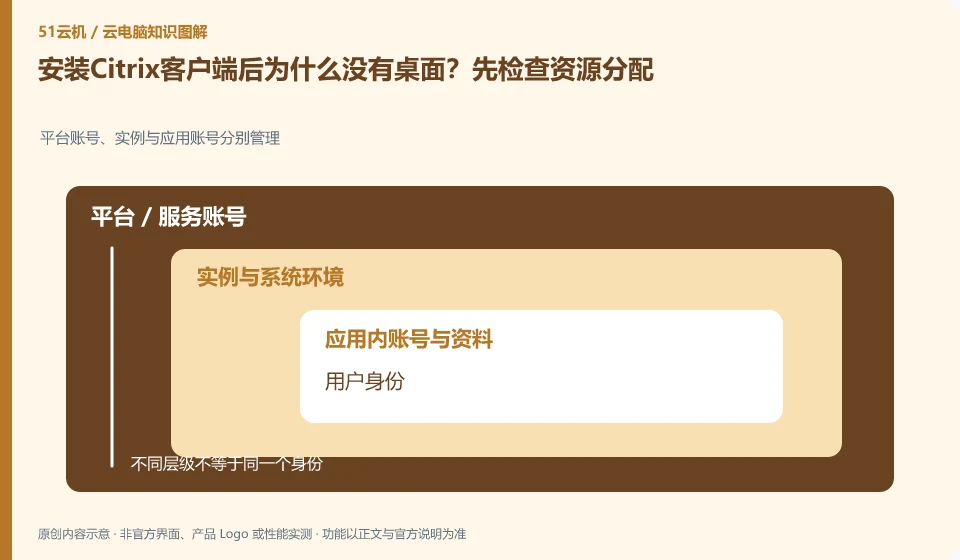
The client is just an access portal, not an automatically included cloud PC. The organization needs to formally publish and authorize resources, and only after the user identity, workspace, and resource availability are correct can you see the corresponding application or desktop.
Who this is for:General readers and small teams who are working on Citrix DaaS and need to solve the specific problem in the title. Data verification date: 2026-10-26.
First, identify the product line
The official overview of Citrix DaaS positions it for desktop and application virtualization, and resources can be located on-premises or in the public cloud. Readers should distinguish between the control components managed by the service provider and the resource locations that host desktops and applications; purchasing a managed service does not mean that all underlying resource charges are included.
Check identity, licensing and desktop assignment together
First make sure you are using the entrance and account provided by your organization, and then record whether there is a resource list after logging in. If the browser is visible but the client is not, check the configuration and version; do not randomly fill in unfamiliar "server addresses" in search engines, and do not purchase other people's shared work accounts.
Successful login does not guarantee an available desktop. Organizing desktops generally also requires users to be assigned to corresponding resources, application groups or workspaces; identity authentication, access authorization and desktop preparation are three things. If you encounter a blank list, first ask the administrator to check the organization and resource allocation to which the account belongs, instead of repeatedly changing passwords or creating multiple new accounts.
It is recommended to use a role list to record what resources are needed by ordinary employees, temporary collaborators and administrators. Minimum permissions are granted when you join the company, resources are adjusted when you are transferred, and sessions are recycled and legally saved work materials are handed over when you leave. Test accounts should be isolated from production identities, and automated scripts should avoid using personal high-privilege credentials. This upgrades "can log in" to "access only approved work environments."
Check each requirement for your task
- Check the account organization, identity source and current login subject.
- Check to see if the user is covered by a resource, app group, or desktop assignment.
- Verify with a general authority account and record the recycling actions of onboarding, transfer and resignation.
Not all capabilities of browser connections are created equal
The web portal is suitable for temporary access, but its keyboard shortcuts, audio and video permissions, file transfer and USB channels are subject to the constraints of the browser and product implementation. Being able to see the desktop in the web page does not mean that every capability in the client exists. When checking the help documentation, also note the browser name, version, operating system, and whether the portal belongs to the personal or organizational version.
Where the conclusion applies and what to do next
Citrix clients, Citrix DaaS subscriptions, underlying cloud resources, and Windows application licensing are not the same cost item.
This article is based on public information. We have not purchased or tested the product. The scenarios describe ways to verify suitability, not customer case studies. Features and terms depend on the current official documentation for the relevant version.
Official sources and further reading
- Citrix DaaS Overview:Official description of control plane and resource location, hybrid cloud desktop and application delivery.
- Citrix SaaS Service Description: The scope of different DaaS service versions needs to be checked according to the contract.
- Citrix DaaS Flex: The official managed cloud desktop product line, used to identify the difference from the self-managed resource model.
Read more:Cloud PC knowledge hub · Find an article for your question · Citrix DaaS product line identification
Related questions to explore
- Citrix DaaS control plane and resource locations: who manages what?
- Citrix DaaS versus on-premises VDI: resources and management responsibilities
- Citrix published apps or full desktops: start with employee tasks
Back to the brand and product knowledge directory · Browse cloud PC topics