
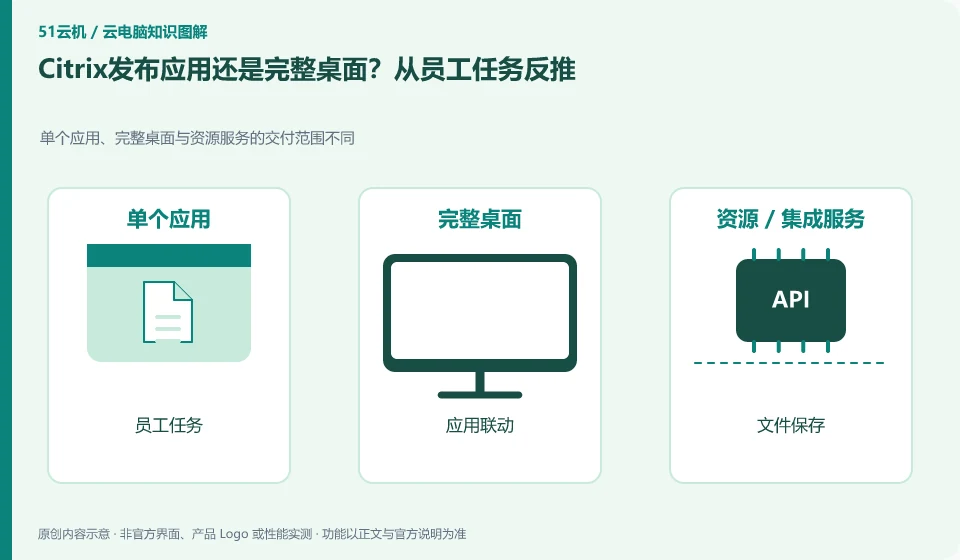
Only needing fixed business applications and needing a complete working environment are different delivery requirements. Citrix DaaS supports application and desktop virtualization, but the actual choice should verify files, input methods, printing and multi-program collaboration.
Who this is for:General readers and small teams who are working on Citrix DaaS and need to solve the specific problem in the title. Data verification date: 2026-10-26.
First, identify the product line
The official overview of Citrix DaaS positions it for desktop and application virtualization, and resources can be located on-premises or in the public cloud. Readers should distinguish between the control components managed by the service provider and the resource locations that host desktops and applications; purchasing a managed service does not mean that all underlying resource charges are included.
Determine the release scope based on an employee's business chain
When customer service only operates one system, they can test the application entrance first; when designers need multiple tools and engineering dependencies, they should continue to evaluate the complete desktop. Both must check software licensing and concurrency support, and cannot decide to go online just because the interface is simpler.
Start by selecting a specific job, such as opening a business program, reading an approved document, generating a report, and printing it. If employees only need to specify applications, study whether application release covers this chain; if employees need to frequently switch between multiple desktop tools, study the complete desktop. Just because the application window can be displayed, it does not mean that the file association, input method, and printing have also passed.
Tests should cover jumps between programs. A business application may call a browser, email, PDF reader or shared directory. These dependencies must also be handled clearly when published separately. Whether the user can save the report to an approved directory, whether it is saved locally by mistake, and the scope of cross-window copying should all be verified under ordinary user rights rather than using an administrator account for demonstration.
Check each requirement for your task
- Draw the applications, files, and peripherals required for an employee's tasks.
- Verify the jump, save, print and input methods under single application release respectively.
- Only expand to a full desktop when necessary, and maintain the corresponding minimum permissions.
The less you deliver, the more clearly you need to write dependencies
Reducing desktop tools exposed to employees helps clarify work entry points, but it does not automatically solve software authorization and back-end connections. The go-live list should include business application licenses, dependent programs, file locations, support responsibilities and fallback entries. Record the specific actions when linkage fails. It does not just write "it is not easy to use when publishing the application", nor does it directly give everyone the complete administrator desktop.
Where the conclusion applies and what to do next
Citrix clients, Citrix DaaS subscriptions, underlying cloud resources, and Windows application licensing are not the same cost item.
This article is based on public information. We have not purchased or tested the product. The scenarios describe ways to verify suitability, not customer case studies. Features and terms depend on the current official documentation for the relevant version.
Official sources and further reading
- Citrix DaaS Overview:Official description of control plane and resource location, hybrid cloud desktop and application delivery.
- Citrix SaaS Service Description: The scope of different DaaS service versions needs to be checked according to the contract.
- Citrix DaaS Flex: The official managed cloud desktop product line, used to identify the difference from the self-managed resource model.
Read more:Cloud PC knowledge hub · Find an article for your question · Citrix DaaS product line identification
Related questions to explore
- Citrix DaaS control plane and resource locations: who manages what?
- Citrix DaaS versus on-premises VDI: resources and management responsibilities
- Citrix DaaS budgeting: a subscription is not the entire infrastructure cost
Back to the brand and product knowledge directory · Browse cloud PC topics