
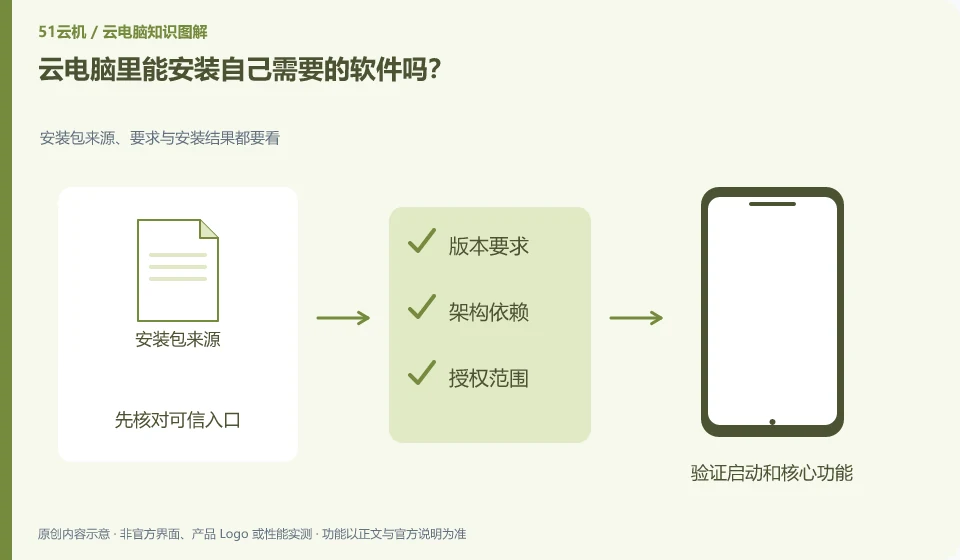
Depends on permissions, system compatibility and usage rules. Having a desktop does not mean it has administrator rights, nor does it mean it includes a software license.
Understand the essentials
Enterprise or teaching environments may maintain images uniformly, and individually installed software may disappear after reset.
A practical example
Hypothetical example: When the installation interface requires administrator approval, you should ask the administrator instead of finding a way around it.
What to check or try
- Check the software's official system requirements.
- Confirm installation rights and permissions.
- Try tasks that don't contain sensitive data first.
- Record the installation source and version.
If the environment is maintained by a school or company, the software name, official address and necessary functions can be provided first to allow the administrator to determine installation or alternative solutions. This is more specific than applying for full administrator rights, and it is easier to know who is responsible for restoring what content after the reset.
An easy-to-miss detail
Do not use cracked installation packages to avoid turning off the entire system protection for one software.
Continue reading
- Do browser bookmarks and logins stay with the cloud PC?
- Can a cloud PC connect to a company intranet?
Back to Cloud PCs: work and creativity
Notes and further reading
Azure Virtual Desktop overview;Cloud PC access methods and client prerequisites。
This introductory guide was prepared by 51Yunji from public information with AI-assisted drafting. Examples are hypothetical, not hands-on product tests or promises of results. Follow the current product, version and official instructions for specific features and procedures. Compiled on October 26, 2026.