
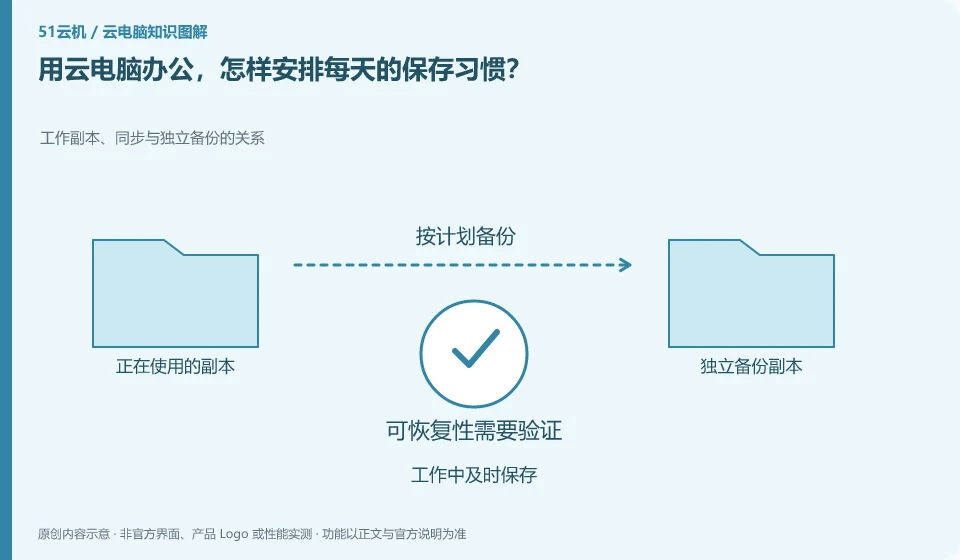
Turn active saving, stage copy and pre-exit verification into a fixed process. Autosave can assist, but cannot be assumed to be enabled for every app.
Understand the essentials
Network disconnection, program anomalies and accidental shutdowns have different impacts and may not be covered by a single recovery mechanism.
A practical example
As a hypothetical example: saving a copy of a session after you finish a report is more controllable than just keeping an unsaved window all day long.
What to check or try
- Confirm the path before starting.
- Save after important changes.
- Export before delivery.
- Reopen results verification when work is done.
Finishing checks can be short: the file name is correct, the directory is clear, the last modifications are there, and the backup copy can be read. Keep one more stage version for important projects. Once you get into the habit, you won't have to worry about losing your work all day after every connection fluctuation.
An easy-to-miss detail
Cloud Desktop is still a running system, not a safe that holds all unsaved content indefinitely.
Continue reading
- Keeping file transfers between a cloud PC and local device clear
- Do browser bookmarks and logins stay with the cloud PC?
Back to Cloud PCs: work and creativity
Notes and further reading
Azure Virtual Desktop overview;Cloud PC access methods and client prerequisites。
This introductory guide was prepared by 51Yunji from public information with AI-assisted drafting. Examples are hypothetical, not hands-on product tests or promises of results. Follow the current product, version and official instructions for specific features and procedures. Compiled on October 26, 2026.