
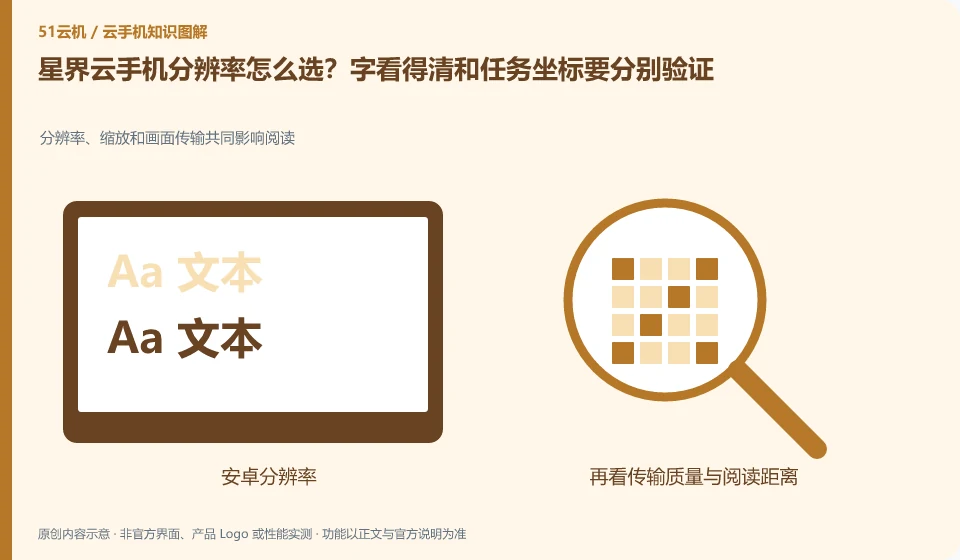
Regarding Xingjie cloud phone, the key to this issue is: the resolution affects the interface layout, text size and operation coordinates; the quality of the streaming image affects the clarity of remote viewing. Increasing the image quality does not necessarily change the cloud Android resolution, nor does it automatically fix operational processes that rely on fixed coordinates.
Known information about Xingjie cloud phone and the key points of this verification
Xingjie cloud phone provides finished product access and open capability documents. The official getting started documentation lists the different clients, shared and dedicated networks, and device management capabilities.
The application layout corresponding to different resolution configurations should be independently accepted. The fixed coordinates in the old tutorial cannot be directly applied to all current models.
The evidence boundary of this article is: there is a time difference between the system version of the old introductory document and the current product page, and the old document specifications cannot be regarded as current configurations.
Consider a specific scenario
Suppose you need different layouts for text reading and fixed coordinate operations. This is a verification plan, not our experience using this product. First of all, "resolution, scaling and image quality should be separately recorded and verified" as the completion standard for this time. The original data should be saved before the test, and the first attempt should not be placed directly on important accounts and unique file copies.
The most easily overlooked thing in this scenario is: increasing the video resolution does not mean changing the Android interface layout. Therefore, it is necessary to separate the status that can be seen on the interface from the results that really need to be delivered. Being able to reproduce, explain and withdraw is more valuable than getting only one success notification.
Check in this order
- Record the three settings of cloud resolution, window scaling and streaming image quality.
- Use the target page to check text, click areas, and layout.
- Save the configuration before modification, and retest the input and existing operation processes before promoting.
How to submit records to the support channel of Xingjie cloud phone
When submitting a question, first state "How to choose the resolution of Xingjie cloud phone? The text can be seen clearly and the task coordinates must be verified separately", and then attach the device number, selected client and system version, failure steps and current time. The key point of verify in the brand information is that "application layouts corresponding to different resolution configurations should be independently accepted. The fixed coordinates in the old tutorial cannot be directly applied to all current models." Therefore, do not just send a screenshot of the homepage, nor do you need to put the complete password, verification code or private key in the problem description. When it comes to order or business qualifications, you should contact support from the official entrance where this product can be verified.
Understand what this question covers
You should check zoom and input when you need to read dense text; fix the system and application layout when you need to reuse test scripts. Changing the resolution may change the page position and visible area. You should check it on the test device first to prevent existing automation from directly affecting the changed environment.
A reusable verification log
You can copy the table below into your notes. Record the device ID, verification date and current version. It helps identify which step failed and lets you repeat the same checks after changing clients or services.
| Checkpoint | What counts as a pass | What to do if it fails |
|---|---|---|
| Indicator meaning | Write down the levels affected by each setting separately. | Similar nouns cannot be substituted for each other. First check whether they belong to running or watching. |
| fixed conditions | Keep devices, apps, and tasks the same when comparing | When multiple items cannot be attributed at the same time, re-establish a set of comparable controls. |
| Task results | Observe whether actual needs such as text, operations or documents are met | When the numbers look higher but the process has not improved, don’t rush to invest in upgrades. |
| Configuration retention | Save valid settings and applicable network or system versions | Test again after the scene changes. Do not assume that one result is applicable to all conditions. |
Sources and scope
- Xingjie cloud phone product page
- Xingjie cloud phone Getting Started Guide
- Xingjie cloud phone open capabilities
Sources checked on October 26, 2026. This article combines AI-assisted research of public information with independent analysis and verification suggestions; we have not conducted a hands-on test of this product. Features and costs depend on the current official documentation and your order.
Continue reading:Cloud phone basics · Cloud phone troubleshooting guide · Brand reference directory。
Related questions to explore
- Xingjie network problems: local access versus cloud internet
- Managing Xingjie custom images so test environments can be rebuilt
- Xingjie SDK integration: console management versus user access
Back to the brand and product knowledge directory · Browse cloud phone topics